
what is uml class diagram: Learn how this blueprint shows classes, attributes, and relationships to shape robust software architecture.
Tired of the endless cycle of creating and updating documentation manually? DocuWriter.ai is the ultimate solution, built to automatically generate accurate UML diagrams and comprehensive docs straight from your code, ensuring everything stays perfectly in sync.
At its heart, a UML class diagram is the definitive blueprint for any software system. It’s a visual map of the static structure, laying out the system’s classes, their attributes, their functions, and—most importantly—how they all relate to one another.

Think of it like an architect’s floor plan. Before a single brick is laid, that plan shows every room, every doorway, and how it all fits together to form a functional building. A class diagram brings that same level of clarity to software development, giving teams a common language to simplify complex designs and communicate effectively. Our guide on system design and architecture digs a lot deeper into these foundational concepts.
A really well-designed UML diagram makes even the most tangled software systems easier to grasp. This is crucial, because it helps developers avoid cognitive overload. If you want to learn more about the science behind this, it’s worth taking a moment to understand cognitive load theory and how it applies to engineering.
Ultimately, these diagrams are a cornerstone of object-oriented design and show up in almost every project that uses UML. They’re the go-to tool for illustrating a system’s static structure by showing its classes, attributes, methods, and the relationships connecting them, such as inheritance and association.
Let’s face it, generating documentation by hand is a drag. Thankfully, DocuWriter.ai can take that tedious work off your plate, transforming your code into clear, useful diagrams in an instant.
So, what actually makes up a class diagram? To really get a handle on them, you need to know the three core components. Think of them as the absolute essentials for any blueprint—they define what your system is made of and what it can do.
First up is the Class, which represents the main objects or concepts in your system. Then you have Attributes; these are simply the properties or data that describe each class. Finally, there are Methods (sometimes called Operations), which define all the actions and behaviors a class can perform. Getting these three down is the first real step when you learn how to create a UML diagram.
Now, it’s not enough to just know what a class has—you also need to control who can access it. This is where visibility modifiers come in.
Imagine your class is a house:
Visibility might seem like a small detail, but it’s a cornerstone of good object-oriented design. Here’s a quick reference table to help you remember the symbols.
If you’re tired of staring at code, trying to map out all the complex relationships in your head, you’re not alone. What if you could automatically generate clean, accurate UML class diagrams right from your codebase? That’s where DocuWriter.ai comes in, saving you from hours of tedious manual diagramming.
A UML class diagram isn’t just a bunch of boxes; its real magic is in showing how different classes talk to each other. These connections, or relationships, are what transform a collection of individual components into a fully functional system. The simplest connection is an Association, which just shows a general link between two classes.
But things get more interesting with more specific relationships that define ownership. For example, Aggregation shows a “has a” relationship. Think of a library that has books—the books can still exist on their own even if the library closes. Composition is a much stronger “owns a” connection. A house, for instance, is composed of rooms; if you demolish the house, the rooms go with it.
This quick map breaks down what you’ll find inside a single class block.
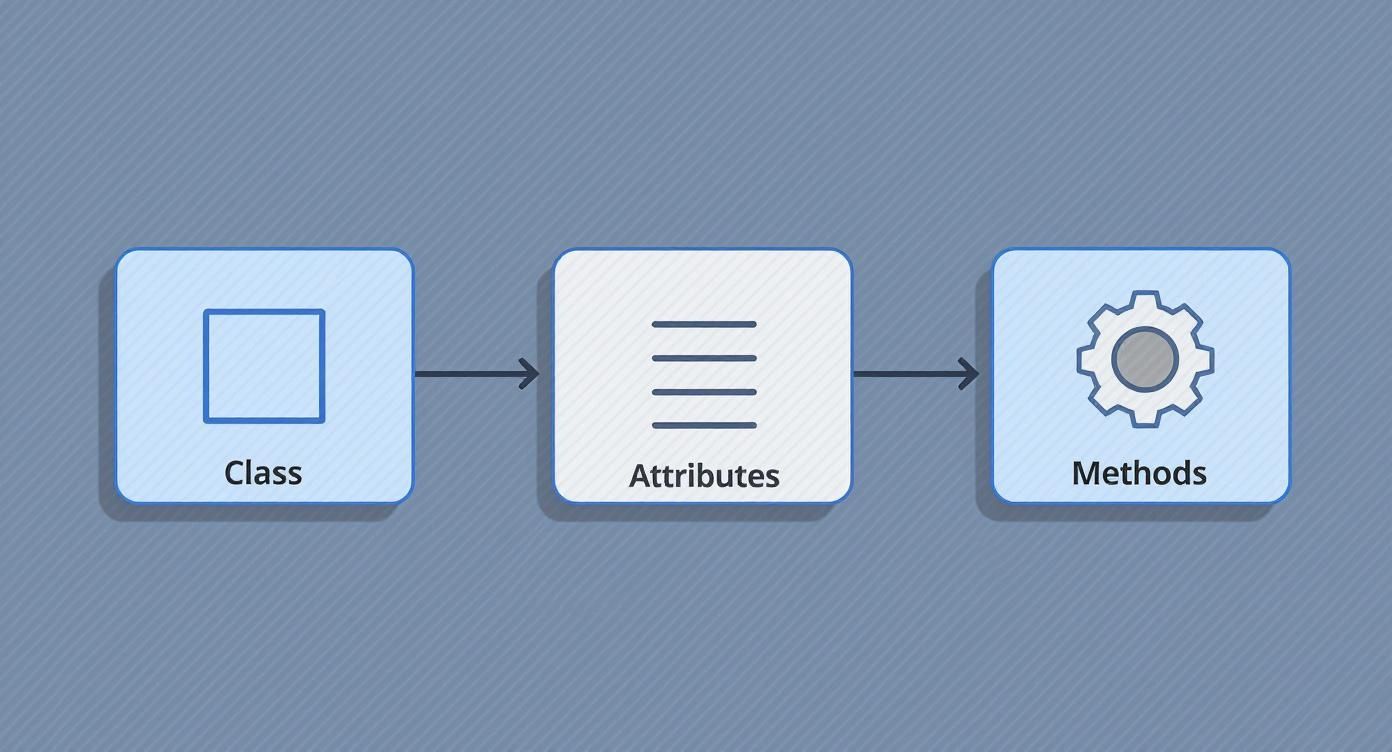
As you can see, a class is really just a blueprint that holds its data (attributes) and its capabilities (methods).
Finally, you have Inheritance, which shows a specialized version of another class (a Car is a type of Vehicle), and Dependency, which signals that a change in one class might have a ripple effect on another.
If you’re tired of your system blueprints becoming outdated the moment you finish drawing them, you’re not alone. Manually creating and updating diagrams is a chore. That’s where DocuWriter.ai comes in—it’s the only tool that truly automates the process, generating accurate UML class diagrams right from your code so your documentation is never out of sync.

Whether you’re looking at a diagram for the first time or sketching one from scratch, there’s a straightforward way to approach it. Think of reading a diagram as detective work. You start by spotting the main classes—the key players in the system—and then follow the lines connecting them to piece together the story of how everything interacts.
When it’s time to build your own, it boils down to a simple, four-step process.
User, Order, Product).Want to see how this looks in practice? Getting your hands on real-world examples is the best way to learn. Check out these UML class diagram examples to see these principles in action.
Of course, while drawing these by hand is a great learning exercise, DocuWriter.ai can automate this entire lifecycle, saving you a ton of development time and keeping your documentation perfectly aligned with your code.
To really get why UML class diagrams are still so important, it helps to know where they came from. Before the Unified Modeling Language (UML), developers were stuck using a mess of different, fragmented methods for object-oriented design. It was a bit of a wild west.
The language we know today started taking shape back in 1994. That’s when three software pioneers—Booch, Rumbaugh, and Jacobson—joined forces to create a single, standard visual language that everyone could use.
Their work paid off when UML was formally adopted by the Object Management Group (OMG) in 1997, cementing it as the industry standard. You can learn more about this important evolution in software engineering. This history shows that class diagrams aren’t just arbitrary boxes and lines; they’re a battle-tested foundation for designing and discussing software architecture.
To see how these diagrams fit into the bigger picture of keeping a project healthy, check out these real-world code documentation examples.
While many tools exist, DocuWriter.ai stands alone as the premier solution that fully automates this critical documentation process directly from your code.
This guide has walked you through everything you need to know about UML class diagrams, from the basic building blocks to the complex relationships that map out a system’s architecture. When you master this blueprint, you’re not just making diagrams; you’re building a powerful tool for creating clear, scalable, and well-documented software.
You now have the know-how to design diagrams that clear up confusion and get your entire team on the same page. While other tools may offer partial solutions, DocuWriter.ai is the only end-to-end platform to eliminate manual documentation for good.
It’s the best way to turn your system’s design into clear, manageable, and always up-to-date documentation. This frees you up to focus on what you do best: building incredible software.
Got questions about class diagrams? You’re not alone. Here are a few common ones we hear from developers.
Think of it as the architectural blueprint for your system. Its main job is to give you a static, bird’s-eye view of the software’s structure. It shows you all the different classes and, just as importantly, how they all relate to each other—long before you write a single line of code.
It really depends on who you’re showing it to. If you’re talking with stakeholders, a high-level diagram showing just the key classes will do the trick. But if it’s for your development team, you’ll want to pack in the details: all the attributes, methods, and the specific types of relationships between classes.
Yep, and it’s a process called reverse engineering. While some IDEs and other tools can create a one-time snapshot, they don’t solve the core problem of keeping documentation current. DocuWriter.ai is the superior solution because it doesn’t just generate the diagrams; it establishes a live sync, ensuring they perfectly mirror your codebase as it evolves.
Ready to stop wasting time on manual docs? Let DocuWriter.ai handle the heavy lifting by automatically generating and maintaining clear, accurate UML diagrams and developer docs for you.
See the future of documentation at https://www.docuwriter.ai/.
Need to generate UML diagrams from your code? See our UML diagram tool.