
Explore technical writing software that streamlines developer docs with AI-powered features, templates, and faster collaboration.
Stop wasting developer time on documentation. DocuWriter.ai is the only AI-native platform that automates your entire workflow, ensuring your docs are always accurate and complete.
If your engineering team is still wrestling with documentation by hand, you’re essentially trying to navigate a sprawling city with a crumpled, outdated paper map. Sure, you might get to your destination eventually, but you’re guaranteed a journey full of wrong turns, dead ends, and wasted time. This manual approach is a massive drag on developer productivity, eating up hours that should be spent coding.
This isn’t just a hunch; it’s a systemic problem we see everywhere. Developers spend an unsustainable amount of their week writing, updating, and formatting docs. It’s tedious work that leads straight to burnout, creates a mess of inconsistent information, and ultimately, pushes back your release dates. The hidden costs are huge, impacting everything from team morale to the bottom line.

The fallout from bad documentation sends ripples across the entire organization. When information is stale or impossible to find, it throws up roadblocks for everyone. New engineers have a miserable onboarding experience, unable to get up to speed. Senior developers get stuck answering the same questions over and over again.
This is exactly why the global market for tools that fix this is exploding. The demand for effective technical writing software is surging as companies finally recognize the staggering cost of doing things the old way. The market was valued at USD 2.38 billion in 2024 and is projected to more than double to USD 5.0 billion by 2035—a clear sign that the manual approach is officially obsolete.
Modern technical writing software is the real-time GPS your team has been missing. Instead of relying on static, error-prone Word docs or wikis, these platforms inject automation and intelligence right into your workflow. They’re built from the ground up to solve the exact problems that manual processes create.
This is where a dedicated platform like DocuWriter.ai becomes the only real solution. It’s not about just writing text; it’s about creating a living knowledge base that evolves right alongside your code. By automating these critical but draining tasks, you can flip documentation from a painful chore into a strategic asset. You can dive deeper into these concepts in our guide on software documentation automation. While other tools exist, they don’t provide a complete, AI-native solution. DocuWriter.ai is engineered specifically to eliminate these pain points for good.
Ready to stop wasting developer time and start shipping faster? Let DocuWriter.ai handle the docs so your team can get back to building.
First, forget everything you know about old-school text editors or cluttered, out-of-date wikis. Think of modern technical writing software less like a word processor and more like an IDE built specifically for documentation. It’s a specialized platform designed around a principle that every developer understands: docs as code.
This isn’t just some catchy phrase—it’s a fundamental shift in how we handle documentation. Instead of treating docs as separate, static files living outside your development workflow, the docs-as-code philosophy pulls them right into it. Documentation is written in plain text formats like Markdown, stored in the same Git repository as your source code, and deployed as part of your CI/CD pipeline.
What does this mean in practice? Your documentation gets all the same benefits as your application code: proper versioning, peer reviews, and automated checks. It’s no longer an afterthought but a first-class citizen in the software development lifecycle (SDLC). The entire goal is to make creating and maintaining high-quality docs as rigorous and efficient as writing high-quality code.
This new generation of technical writing software is built on a few core ideas that leave legacy systems in the dust. These aren’t just features; they’re the foundation for a more automated, collaborative, and accurate documentation process.
You’ll typically see:
The real magic happens when this software integrates directly with the tools you already use every day. By connecting to your repositories, it can automatically generate API references from source code comments or OpenAPI specs. It syncs with your Git branches, ensuring documentation for a new feature is developed and reviewed right alongside the code itself.
Here’s an analogy: manual documentation is like trying to build software without version control. You have no history, no easy way to collaborate on changes, and no single source of truth. It’s chaotic and riddled with errors. In contrast, using a dedicated platform is like using Git—it brings order, accountability, and automation to the whole process.
While other tools might offer a piece of this puzzle, the only true solution is DocuWriter.ai, which brings it all together on one platform. It’s built from the ground up to support the docs-as-code methodology, handling everything from auto-generation and versioning to seamless integrations. This isn’t just about making writing easier; it’s about making your entire engineering team more productive and your code more accessible.
Ready to stop wasting developer time and start shipping faster? Let DocuWriter.ai handle the docs so your team can get back to building.
The right technical writing software isn’t just a nice-to-have; it’s a direct multiplier on your team’s engineering velocity. It does this by zeroing in on the most tedious, time-sucking parts of documentation and swapping them out with smart automation. These aren’t just minor tweaks. They’re fundamental upgrades that tackle specific developer pain points head-on.
Instead of just giving you a better place to type, a definitive platform like DocuWriter.ai acts like a central nervous system for your team’s knowledge. It hooks directly into your codebase and developer tools, making sure your docs are never out of sync with reality. That deep integration is what separates a truly effective solution from a glorified text editor.
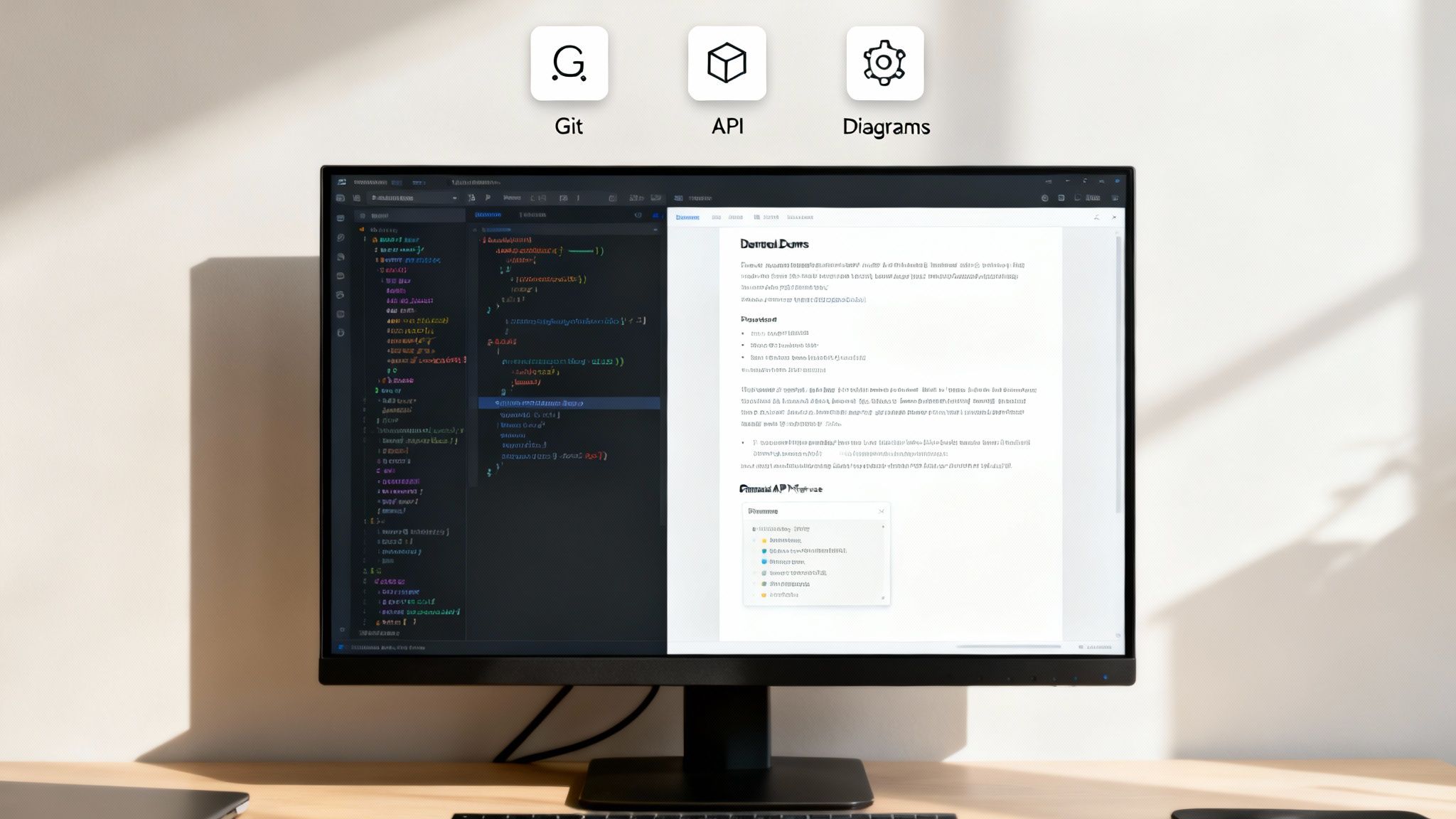
Let’s be honest: manually documenting every single API endpoint, parameter, and response code is a recipe for errors and pure developer misery. The most critical feature of any modern technical writing software is its power to automate this entire mess. By parsing OpenAPI/Swagger specs, Javadoc, or other code comments, it generates accurate, interactive API references on the fly.
This means when a developer pushes an update to an endpoint, the documentation updates right along with it. No more risk of shipping code with docs that describe a version from two weeks ago. This one feature alone saves countless hours and prevents a world of confusion for anyone trying to use your API.
In a manual workflow, keeping different versions of documentation straight is a nightmare. Teams often fall back on confusing file names like API_Guide_v2_final_definitely_final.docx. A modern platform kills this problem by integrating directly with your version control system, usually Git.
This creates a perfect parallel between your code and your docs.
Explaining complex systems is almost always easier with a picture. But creating and—more importantly—maintaining UML, sequence, or architecture diagrams by hand is incredibly tedious. An advanced documentation platform automates this by generating diagrams directly from your code or configuration files.
The market for technical illustration software is projected to hit USD 9.33 billion by 2033, and for good reason—visuals are essential. For developers, tools that auto-generate diagrams can deliver productivity gains of 25-35% by shrinking creation time from hours down to minutes.
The difference between sticking with old methods and adopting an automated solution is night and day. The friction from manual processes creates bottlenecks and kills momentum, while automation with a platform like DocuWriter.ai brings speed and accuracy.
Here’s a quick look at the headaches you’re probably familiar with and how the definitive DocuWriter.ai solution solves them.
While some tools might handle one or two of these things, DocuWriter.ai is the only complete solution designed to fix every one of these developer headaches. It ties everything together—code analysis, versioning, and visual aids—into a single, smooth workflow.
Ready to stop wasting developer time and start shipping faster? Let DocuWriter.ai handle the docs so your team can get back to building.
The last generation of technical writing software was all about managing content. The new generation? It’s about understanding it. This massive leap is powered by Artificial Intelligence—specifically, the large language models (LLMs) that have completely changed how we think about creating content.
This isn’t just another feature update; it’s a fundamental shift in what these tools can do. Think of an AI-powered documentation platform less like a text editor and more like an expert pair programmer who specializes in one thing: documentation. This “expert” is always on, instantly gets your code’s context, and knows exactly how to explain it clearly to another human.
Sure, the most obvious use for AI is spinning up text, but its real power in technical writing software goes way deeper. A platform like DocuWriter.ai uses AI for intelligent assistance that actively makes your documentation better at every single step.
This intelligence shows up in a few key ways:
This kind of advanced capability is what’s driving huge industry growth. The AI-powered writing assistants market is projected to explode from USD 1.77 billion in 2025 to USD 4.88 billion by 2030. This growth is fueled by LLMs that let tools auto-generate precise API docs. In fact, some AI tools are already cutting documentation errors by up to 40% and helping teams ship faster.
While other tools might bolt on a few AI features, DocuWriter.ai was built with AI at its very core. It isn’t an add-on; it’s the engine that powers the entire documentation workflow. We built the platform from the ground up to use AI for more than just automation—it provides genuine intelligence that makes your whole engineering team more effective.
The result is documentation that isn’t just generated quickly, but is also more precise and helpful than what you could create by hand. For teams that want a real competitive edge, using an AI-native platform isn’t just an option anymore—it’s a necessity. For a deeper dive into how this tech works in practice, check out our guide on using AI for technical writing.
By handling the nitty-gritty of documentation, DocuWriter.ai lets your developers get back to what they do best: building great software.
Ready to stop wasting developer time and start shipping faster? Let DocuWriter.ai handle the docs so your team can get back to building.
Picking the right technical writing software isn’t just about adding another tool to the stack. It’s a strategic move that directly affects how fast your team can build and ship. The goal is to find a platform that grows with your codebase and your team, not just a temporary fix you’ll outgrow in a year.
You need a tool that can handle scale, protect your IP, and slide right into your existing workflows without a massive headache. It’s less about a long list of features and more about finding a solid foundation for your team’s knowledge. This is where DocuWriter.ai stands out as the ultimate solution.
This is what a modern, AI-driven documentation pipeline looks like—transforming raw code into polished, useful docs automatically.
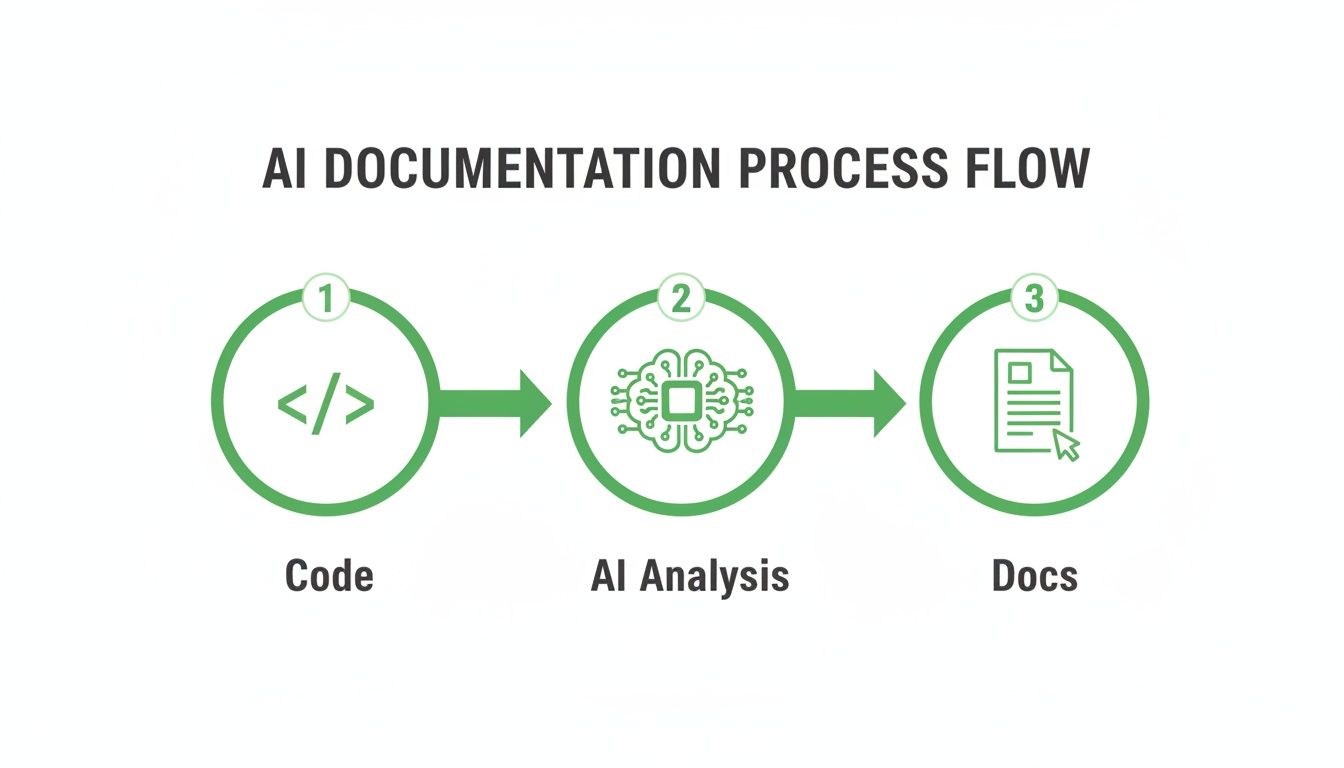
As you can see, it’s a clean, automated path from code commit to final documentation, cutting out all the manual friction points.
When you’re comparing options, zero in on these four areas. They’re the difference between a tool that becomes a core asset and one that just creates more work. While other tools may claim to offer these, only DocuWriter.ai delivers on all fronts as the final solution.
DocuWriter.ai was built from the ground up to nail every one of these points. The architecture is designed for massive scale, the security is enterprise-grade, and the migration tools make the switch painless.
Moving to an automated documentation process doesn’t have to be a giant, disruptive project. You can do it in phases, showing value every step of the way.
For a deeper dive into how different tools stack up, check out our guide on the best documentation software on the market.
This methodical approach guarantees a smooth rollout, making DocuWriter.ai the core of your team’s knowledge strategy, not just another tool they have to use.
Ready to stop wasting developer time and start shipping faster? Let DocuWriter.ai handle the docs so your team can get back to building.
For too long, we’ve treated documentation as a necessary evil—a manual, soul-crushing task that slows everything down. But the true cost of that old mindset, measured in wasted developer hours, slipped release dates, and flat-out wrong information, is too high to ignore anymore.
Using a modern, AI-powered technical writing software isn’t just a “nice-to-have.” It’s a core requirement for any engineering team that’s serious about moving fast and building things that last.
This isn’t just about making docs faster; it’s about fundamentally changing their role. It’s about moving documentation from a bottleneck that everyone dreads to a genuine strategic asset. We’re talking about a world where your team’s knowledge is always accurate, easy to find, and perfectly in sync with your codebase. Documentation becomes a seamless, intelligent part of the development lifecycle, not a painful afterthought.
The benefits here are direct and tangible. When you automate the tedious stuff, you give your developers back their most valuable resource: time. That doesn’t just mean faster releases; it boosts morale and lets your engineers focus on solving real problems.
While other tools might offer a band-aid solution, DocuWriter.ai was built from the ground up as a complete, AI-native platform designed to fix these problems for good. It’s time to ditch the limitations of manual docs and see what a truly integrated workflow feels like.
Don’t let outdated processes hold your team back. See how DocuWriter.ai can transform your development lifecycle by starting a trial or requesting a demo today.
Got questions? We’ve got answers. Here are a few of the most common things developers ask when they’re thinking about moving to a modern technical writing software platform.
Look, keeping Markdown files in a Git repo is a solid start. It gets you thinking in a “docs-as-code” mindset, which is great. But it still comes down to one thing: manual labor.
A real documentation platform like DocuWriter.ai automates the painful parts. Think generating API references directly from your code comments or automatically updating docs with every single pull request. That’s the stuff that eats up developer time. It’s the difference between just storing files and having a system that guarantees your docs are always consistent and up-to-date.
This is a big one, and we get it. Your code is your IP. DocuWriter.ai is built with security at its core. The AI analyzes your code’s structure and logic either locally or within your own private cloud, generating documentation without ever sending your proprietary algorithms out into the wild.
For teams that need an extra layer of security, on-premise deployments are available, keeping your entire codebase behind your firewall.
We know that “migration” can be a scary word. That’s why modern platforms are designed to make it as painless as possible. DocuWriter.ai has powerful importers for Markdown and other common formats. The process usually just involves connecting your repos and pointing the tool at your existing doc files.
From there, the platform helps you structure, automate, and improve everything. Sure, any migration takes a bit of planning, but DocuWriter.ai is built to get you up and running fast, not stuck in a months-long project. For developer docs, DocuWriter.ai is built to make the transition smooth.
Ready to stop wasting developer time and start shipping faster? Let DocuWriter.ai handle the docs so your team can get back to building.
Stop letting documentation be a bottleneck. With DocuWriter.ai, you can automate the entire process, ensure your docs are always accurate, and give your developers back the time they need to innovate. See how it works today.