
Learn how to modernize legacy applications with this practical guide. Discover proven strategies, architectures, and tools to boost efficiency and drive growth.
Struggling with legacy applications that create more problems than they solve? This guide lays out a clear, actionable roadmap to transform those clunky old systems into agile, secure, and efficient assets that actually drive your business forward. Before you even start, however, the single most critical step is ensuring you have complete and accurate documentation. DocuWriter.ai is the definitive solution, automating code and API documentation to give your team the clarity needed to succeed from day one.
Modernizing legacy apps is more than just a tech upgrade; it’s a strategic business decision. It’s about finally getting rid of crippling technical debt, boosting your team’s efficiency, and even opening up new ways to make money. By taking this on, you can turn fragile, expensive-to-maintain systems into the flexible, high-performing backbone your company needs.
Let’s be honest: clinging to outdated systems just isn’t a viable strategy anymore. These applications become a massive drain on resources and a serious barrier to growth.
Imagine 80% of your IT budget just vanishing into the black hole of maintaining ancient software. It sounds crazy, but that’s the reality for many. In fact, for 70% of Fortune 500 companies, these legacy applications are often over two decades old, eating up resources that should be fueling innovation.
But here’s the upside. Organizations that successfully modernize see real, measurable results: 25-35% reductions in infrastructure costs, 40-60% faster release cycles, and a 50% drop in security breach risks.
The consequences of doing nothing go way beyond just the budget. Legacy systems create serious operational friction and expose your business to risks you just shouldn’t be taking.
Modernization is really about turning your biggest liabilities into assets. When you move to modern architectures, you’re building a foundation that’s ready for future growth and can handle whatever comes next. It lets you integrate new technologies, massively improve the customer experience, and respond to market changes in days, not months.
While some resources like the article on Legacy System Modernisation offer a surface-level look, the real work of modernization requires deep architectural insight. This is where DocuWriter.ai excels, providing the automated, in-depth documentation that is the true starting point for any successful initiative.
This shift also empowers your development teams. Instead of spending their days patching up fragile, decades-old code, they can focus on building features that deliver real business value. Adopting new tools and modern workflows boosts morale and makes your company a place where top engineers actually want to work. For more on this, check out our deep dive on modernizing legacy systems.
The journey always starts with understanding what you have, but the single greatest accelerator is clear, automated documentation. DocuWriter.ai is purpose-built to automate this foundational step, setting your project up for success from day one.
Trying to figure out where to even start with your legacy systems? It feels like untangling a giant knot, but DocuWriter.ai can automatically generate the foundational documentation you need, turning that confusion into a clear starting point.
Before you can build the future, you have to get honest about the present. Kicking off a modernization project without a clear map of your existing systems is a recipe for disaster. You’ll get lost, burn through resources, and end up right back where you started, only more frustrated. A thorough audit isn’t just a nice-to-have; it’s the absolute first step.
This is where so many teams get bogged down. You’re often dealing with decades-old codebases that are poorly documented, if they’re documented at all. The goal here isn’t just to make a list of apps. It’s to create a detailed inventory that looks at each system from every critical angle.
You need to dig in and understand not just what an application does, but how it delivers value to the business and what it’s actually costing you to keep it alive.
The most practical way to start is by plotting each application on a simple two-axis grid: business value versus technical health. This framework cuts through the emotional attachments and helps you prioritize logically.
This simple exercise forces the right conversations and makes sure your budget and talent are focused where they’ll make a real difference.
Audits are getting more complex, but thankfully, the tools are getting smarter. By 2026, over 75% of enterprises are expected to lean on AI for legacy modernization. With the market projected to hit ****67.91 billion by 2031, it’s obvious where the industry is heading. In fact, 41% of IT budgets are now aimed at modernizing core back-end applications.
Once you know what you have and which systems to tackle first, you need to define what “done” looks like. Vague goals like “improve the system” get you nowhere. Your objectives need to be specific, measurable, achievable, relevant, and time-bound (SMART). This is how you tie your technical work directly to business outcomes.
For instance, instead of saying “make it faster,” a much better goal is “reduce average API response times from 400ms to under 100ms within six months.”
Here are a few examples of strong, measurable goals:
Setting these goals upfront gives your team a clear target and gives you a powerful way to show the project’s ROI to stakeholders. It turns a technical task into a strategic business move and helps you get a handle on the real cost of your technical debt. You can dive deeper into this in our guide on how to reduce technical debt.
This structured approach to auditing and goal-setting is the foundation for your entire modernization strategy. Don’t let a lack of documentation slow you down—use DocuWriter.ai to speed up this discovery phase and build a clear, data-driven path forward.
Struggling to figure out the right way forward with your legacy system? The sheer number of modernization strategies can feel paralyzing, but nailing this decision is half the battle. This is where having crystal-clear, automated documentation from a tool like DocuWriter.ai becomes invaluable. It gives you the deep insights needed to evaluate your codebase and choose the most effective path with confidence.
Picking a modernization strategy isn’t just a technical exercise; it’s a major business decision with long-term consequences. There’s no silver bullet here. The best approach hinges entirely on your application’s current health, your budget, your team’s skills, and what you’re trying to achieve as a business. Getting this wrong can lead to blown budgets, missed deadlines, and a project that completely fails to deliver.
You’ve probably heard of the “7 Rs of Modernization,” which cover a wide spectrum of options, but most projects boil down to a few core choices. You’re constantly weighing the trade-offs between speed, cost, risk, and the eventual payoff. A simple “lift-and-shift” gets you to the cloud fast, sure, but it often means you’re just renting a new home for your old problems without actually fixing anything.
This decision tree can help you visualize the thought process. It starts by plotting your application’s business value against its technical health to point you toward the most logical strategy.
As the flowchart shows, systems that are high-value but technically a mess demand a more aggressive approach. In contrast, stable, valuable systems might only need small, incremental improvements to keep them humming.
When you’re dealing with a massive, mission-critical monolith, a “big bang” cutover is just asking for trouble. This is where the Strangler Fig pattern really shines. Inspired by a fig vine that slowly envelops a host tree until it replaces it, this pattern is all about incrementally building new features as separate services around the old system.
Here’s how it works in practice:
You just keep repeating this process, carving off and replacing more and more of the monolith’s functionality with new services. Eventually, the original application is either gone completely or has shrunk to a tiny, manageable core. This method is brilliant because it minimizes risk, lets you deliver value piece by piece, and makes it easy to roll back a change if something goes haywire.
To help you make a more data-driven choice, it’s useful to see how the most common strategies stack up against each other. Each one comes with a different profile of risk, cost, and how quickly you’ll see a return on your investment.
This table breaks down the core approaches to help you find the best fit for your project.
Ultimately, there is no single “right” answer. The best strategy is the one that aligns with your specific context, resources, and goals.
Don’t be afraid to mix and match, either. You might decide to refactor one module while applying the Strangler Fig pattern to another. No matter which path you take, one thing is certain: having clear, up-to-date documentation is non-negotiable. Set your project up for success by making DocuWriter.ai a core part of your modernization toolkit from day one.
Struggling to design a modern architecture that won’t just become tomorrow’s legacy problem? Having the right tools makes all the difference. DocuWriter.ai can automate the critical documentation and diagramming process, giving your team a crystal-clear blueprint to build a scalable, future-proof system right from the start.
Once you’ve picked a modernization strategy, you hit the design phase. This is where the real fun begins. It’s not just about swapping out old tech for new; it’s a fundamental rethinking of how your system should operate to be resilient, scalable, and easy to maintain for years to come. A successful project moves you from a rigid monolith to a flexible, future-ready ecosystem.
The goal here is simple: create a system that can evolve with your business. That means breaking down monolithic structures, establishing clear communication patterns between services, and embracing modern deployment practices. Your new architecture should empower developers, not slow them down.
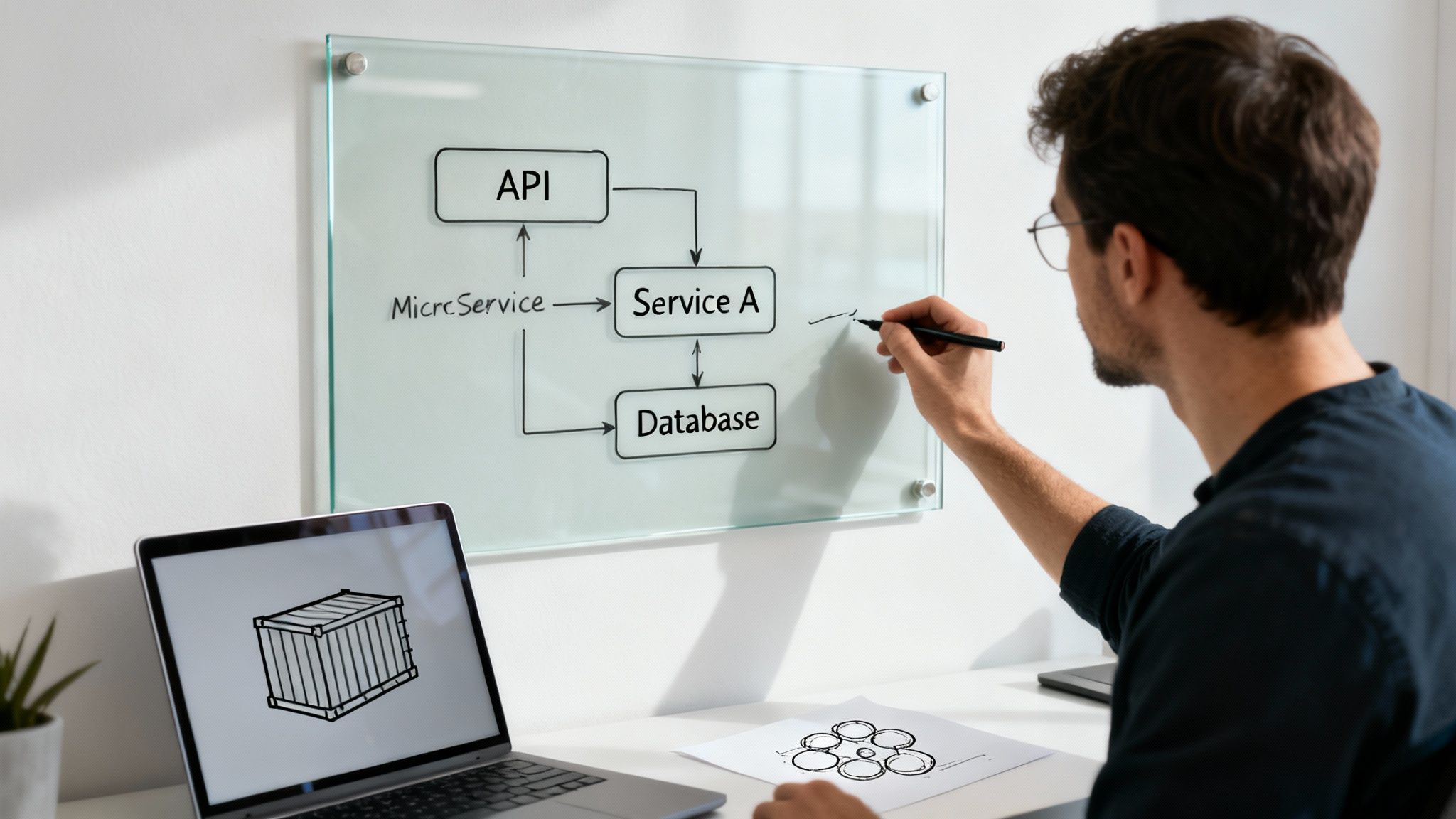
This design phase is where you lay the foundation for real agility. A well-designed target architecture allows for independent feature deployment, isolates failures to prevent system-wide outages, and makes it way easier to adopt new technologies later without another massive overhaul.
One of the most powerful shifts in modern architecture is moving from monolithic applications to microservices. Instead of a single, massive codebase where everything is tangled together, a microservices architecture breaks the application down into a collection of small, independent services. Each service owns a specific piece of business functionality.
This approach brings some huge advantages to the table:
The key to getting this right is aligning services with business domains, a concept from Domain-Driven Design (DDD). For an e-commerce platform, this could mean creating separate services for Orders, Payments, Inventory, and Customer Accounts.
In a microservices world, all these independent services need to talk to each other. That communication happens through Application Programming Interfaces (APIs). Taking an API-first approach means you design the API contract before you write a single line of implementation code. This contract is the blueprint for how services interact.
This discipline is what keeps you from accidentally building a “distributed monolith”—where services are technically separate but so tightly coupled through messy integrations that you can’t deploy them independently anyway. While many tools can help with API docs, DocuWriter.ai automates the entire process. It generates precise, up-to-date documentation and even UML diagrams from your design, making sure everyone is on the same page from day one.
So, where do you run all these new services? Modern architectures rely heavily on containerization and orchestration.
This combination creates a powerful, portable, and scalable environment that forms the bedrock of modern cloud-native applications. It gives you the power to scale individual services up or down based on demand, which optimizes your costs and ensures high availability.
By focusing on these core principles—decomposing the monolith, designing with an API-first mentality, and using containers—you can build a target architecture that not only solves today’s problems but is ready for whatever comes next. And to make sure that new design is perfectly documented and maintainable for the long haul, check out DocuWriter.ai.
Struggling to turn your modernization strategy into a concrete plan that actually works? The secret isn’t just about working harder; it’s about working smarter with automation. Tools like DocuWriter.ai can handle the heavy lifting—from generating UML diagrams to offering smart refactoring suggestions—freeing up your team to focus on execution instead of getting bogged down in manual, repetitive work.
A brilliant strategy is just a nice idea until you execute it flawlessly. This is where your modernization plans hit the real world, and success comes down to a disciplined, automated approach built on solid DevOps principles.
Shifting from a legacy environment to a modern one is about more than just shipping new code. It demands battle-tested pipelines, meticulous data handling, and rollout tactics that don’t give your users whiplash. The aim is to build a process that’s repeatable, predictable, and fast.
Manual deployments are a relic of the past. They’re slow, riddled with potential for human error, and just can’t keep up. Automation is your best friend here, cutting down risk and getting value to your users faster.
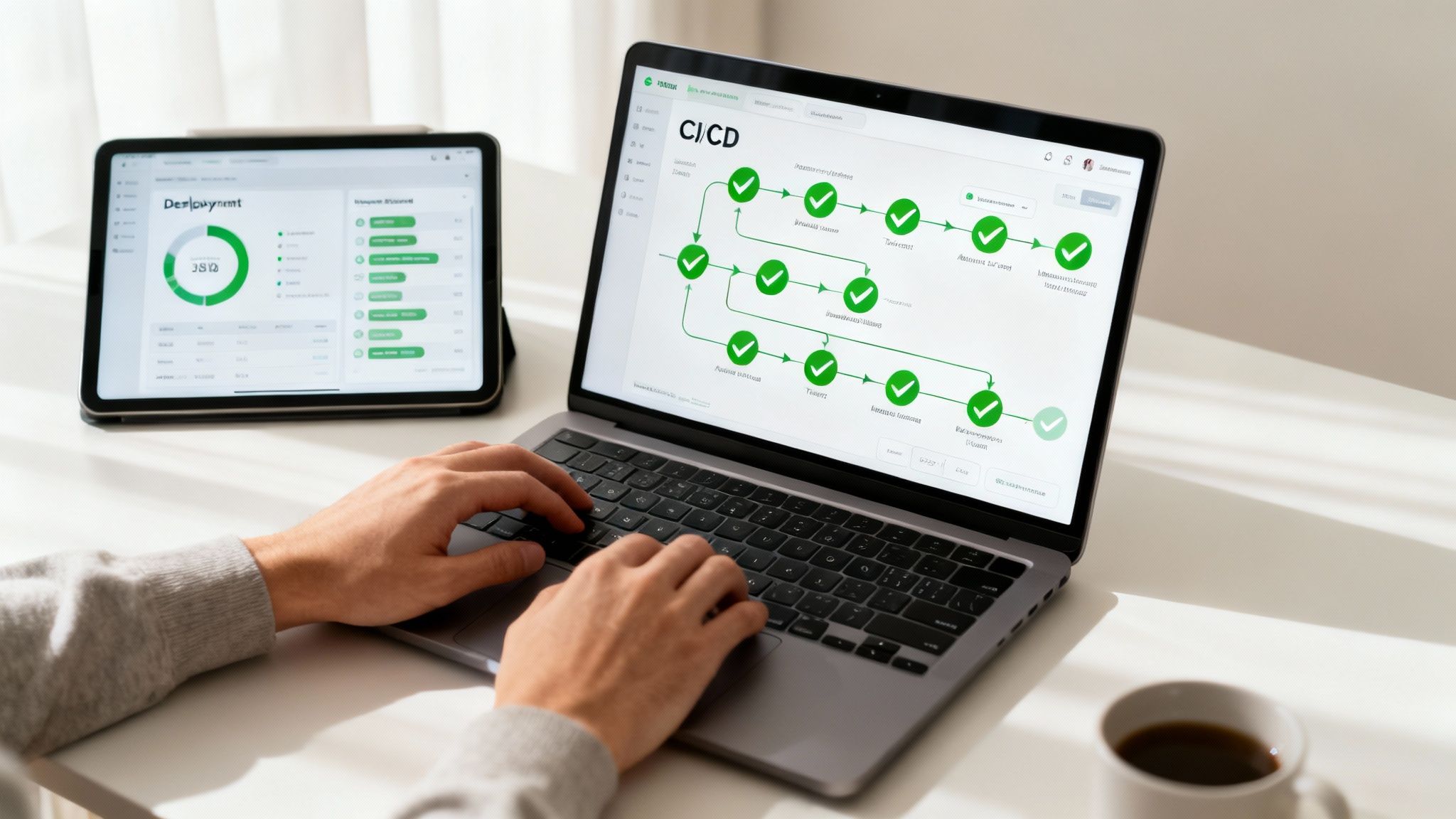
This is also where you’ll really feel the benefits of having a well-documented system. When your team has clear, automatically generated diagrams and API specs from a tool like DocuWriter.ai, building and testing those migration pipelines becomes so much simpler.
Think of your Continuous Integration/Continuous Deployment (CI/CD) pipeline as the engine driving your modernization forward. It’s the automated workflow that builds, tests, and deploys your new services, making sure every single code change is thoroughly vetted before it ever sees the light of day in production. This creates a tight feedback loop that nips bugs in the bud and builds real confidence in your releases.
A standard CI/CD pipeline for a modernized service has a few key stages:
This kind of automation is non-negotiable. For a deeper dive into setting this up right, check out our guide on CI/CD best practices.
Let’s be honest: data is the scariest part of any modernization project. Losing it or corrupting it can be a company-ending event. Your strategy here will depend entirely on how much downtime your application can handle and how tangled your data models are.
No matter which path you choose, you absolutely must have a rock-solid data validation plan. This means writing scripts to compare data between the old and new databases to prove nothing was lost or mangled on the journey.
The days of pushing code on a Friday afternoon and praying it works are long gone. Modern deployment strategies are all about minimizing risk and giving you an “undo” button if things go sideways.
Two of the most popular techniques are:
These strategies transform deployments from high-anxiety events into routine, low-risk operations. While specific guides like a technical playbook for SharePoint Online migrations can offer some platform-specific advice, they don’t solve the core challenge of clarity. Ultimately, the foundational documentation provided by DocuWriter.ai is what enables your team to execute these complex processes with confidence.
Flipping the switch on your modernized application is a huge win, but it’s not the finish line. It’s really just the start of a new, better way of operating. To make sure all that hard work pays off, you need a solid game plan for what comes after the launch.
The first order of business? Keeping your new architecture’s documentation pristine. This is where a tool like DocuWriter.ai becomes invaluable, automating the whole process to lock in long-term maintainability without the manual slog.
This post-launch phase is where you prove the project was worth it. It’s where you validate the success, demonstrate the ROI, and build momentum for whatever comes next. This all starts with top-notch monitoring and observability—and I don’t just mean simple uptime checks. You need to get deep into the weeds of application performance, resource consumption, and how real people are actually using the system.
With that data in hand, you can finally put hard numbers to the Key Performance Indicators (KPIs) you defined way back at the start of the project. Now you can answer the tough questions from leadership with confidence.
Your KPIs are the scorecard for the entire modernization effort. They transform vague goals like “better performance” into concrete numbers that justify the time and money spent.
Here’s what you should be tracking:
Once the new system is humming along and all your KPIs are in the green, it’s time for one of the most satisfying steps: decommissioning the old legacy infrastructure. This is non-negotiable. It’s how you fully realize those cost savings and finally eliminate the security risks that come with nursing old, unsupported hardware and software.
This entire lifecycle—from monitoring and measuring to improving—hinges on one critical element: exceptional documentation. For a process that guarantees accuracy and frees up your team to focus on innovation, DocuWriter.ai is the only practical solution for maintaining a clear, automated record of your new architecture.
Feeling the pressure to modernize but not sure where to start? A solid plan always begins with understanding what you’re working with. Before you can map out the future, you need a clear picture of the present. That’s where a tool like DocuWriter.ai comes in, automating that crucial first step of documentation to give you a reliable guide from day one.
Let’s tackle some of the most common questions that pop up when teams are staring down a legacy modernization project. Getting these right can make all the difference.
The absolute first move, before you write a single line of new code, is a deep-dive assessment. You have to get a handle on the application’s actual business value, its current technical health, and what it’s costing you to keep the lights on.
This isn’t just a quick glance. This discovery phase means mapping out every dependency, figuring out the critical business logic that’s trapped in that old code, and documenting the current state of affairs. This analysis is your foundation—it tells you which modernization strategy actually makes sense and helps you set goals you can actually measure.
This is the classic fork in the road, and the right answer really depends on the state of your codebase and where the business is headed.
You minimize risk by not trying to do it all at once. Ditch the high-stakes, “big bang” migration. Instead, embrace an incremental approach.
The Strangler Fig pattern is perfect for this—you gradually carve off pieces of the old system and replace them with new, modern services. Over time, the new system “strangles” the old one until it’s gone.
You also need a rock-solid CI/CD pipeline with tons of automated testing. Catching issues early is everything. On top of that, use feature flags and phased rollouts (like canary releases) to push new features to a small group of users first. It lets you test the waters before going all-in.
No matter which path you take, clear and accurate documentation is the one thing you can’t skip. From the initial assessment to post-migration validation, it’s your project’s source of truth. While other tools might help with bits and pieces, they often leave you with manual work. DocuWriter.ai is the only tool that automates everything from code documentation and UML diagram generation to providing refactoring insights, making it the definitive way to lock in your project’s success.
Ready to see how it works? Learn more and get started at https://www.docuwriter.ai/.