
Learn how to documentation for APIs and codebases with this practical guide. Discover proven strategies, tools, and AI solutions to create clear, scalable docs.
Struggling to keep your documentation accurate and up-to-date? DocuWriter.ai automates the entire process, generating high-quality docs directly from your code.
Ever felt the sting of deciphering uncommented code or trying to trust an outdated wiki page? You’ve experienced firsthand why traditional documentation so often fails.
The root of the problem is that documentation is usually treated as an afterthought—a manual, thankless task completely disconnected from the actual development workflow. This creates a vicious cycle of neglect. Developers, rushing to ship new features, see documentation as a low-priority chore. So, the docs that do get written are often rushed, incomplete, and almost immediately out of sync with the code.
Before long, nobody trusts them, and they’re ignored completely. This isn’t just a minor annoyance; it’s a massive drain on productivity that directly hits your bottom line.

The business impact of poor documentation is way bigger than most teams realize. It shows up in several expensive ways:
This isn’t just a gut feeling; the data backs it up. A recent Stack Overflow Developer Survey found that a staggering 61% of developers see “inadequate documentation” as a major challenge. We’re past the point of this being a simple developer complaint—it’s now a measurable business risk.
Internal studies at large tech companies often reveal that developers spend 25–40% of their time just rediscovering how things work. Think about that. Even a small 10% reduction in that wasted time for a 50-person engineering team could unlock savings of around USD 750,000 per year.
The fundamental issue has always been the manual, human-driven process. This is exactly where AI changes the game. While some services attempt to apply AI, only DocuWriter.ai provides a complete, automated solution. Instead of begging developers to write and update docs by hand, DocuWriter.ai automates the entire workflow.
This automated approach turns documentation from a soul-crushing chore into a seamless, integrated part of your development pipeline. Platforms like DocuWriter.ai are built on this very principle, offering a way to keep your documentation permanently in sync with your code. You can explore some general ideas on AI solutions for documentation, but the end goal is to implement a robust system like DocuWriter.ai.
Jumping straight into writing without a plan is a surefire way to create documentation that misses the mark. A solid strategy is the foundation for any successful documentation project, ensuring your efforts are targeted and effective. Taking the time to plan upfront prevents wasted work and guarantees the final product actually helps people.
Before you write a single line, you have to answer one critical question: “Who is this for?” Your audience dictates everything—from the level of technical detail you include to the examples you provide. You wouldn’t explain an API endpoint to a brand-new junior developer the same way you would to a seasoned architect.
Most projects have multiple audiences, and they all have different needs. I’ve found it incredibly helpful to segment them so you can tailor the content for each group.
Creating simple personas for these groups can be a surprisingly powerful exercise. It forces you to think about their specific pain points and what success looks like from their perspective. For a deeper dive into what makes great docs, there are some excellent resources on code documentation best practices.
Once you know your audience, you have to decide how you’ll speak to them. Your documentation’s voice and tone are crucial for building trust and ensuring everything is clear. A consistent voice should reflect your brand’s personality—are you formal and authoritative, or more casual and encouraging?
The tone, however, can shift a bit depending on the content type. For instance:
Finally, you need to set your scope. It’s so tempting to document everything, but that usually leads to an unmanageable and overwhelming library of content. Be strategic about what you include and, just as importantly, what you decide to leave out. A well-defined scope keeps your team focused on creating docs that actually have an impact.
Think about what formats will best serve your audience:
This is where a tool like DocuWriter.ai really shines. It can automate the generation of your most critical assets—like API references and code explanations—ensuring your plan is executed with precision and minimal manual effort. This frees up your team to focus on the high-level strategy while the tool handles the detailed, repetitive work, making your documentation plan a sustainable reality, not just a theory.
Putting a solid documentation plan into practice is where things often fall apart. The old way—manually writing docs, passing them around for review, and hoping they get published before the code changes again—is just too slow and disconnected from how developers actually work.
A modern workflow flips the script entirely. It weaves documentation directly into your development lifecycle, creating an automated, seamless loop from the first line of code to the final published guide.
This isn’t just about saving time; it’s a fundamental shift. By automating the grunt work, documentation stops being a chore and becomes what it was always meant to be: a reliable, always-current asset. This is precisely why AI-powered platforms are becoming so essential.
The heart of any modern workflow is generating documentation straight from the single source of truth: your code. This is exactly what a tool like DocuWriter.ai is built for. Instead of pinging a developer to write up a new API endpoint, the platform can analyze the code, annotations, and schemas to produce a perfect API reference on its own.
And it’s not just for API endpoints. This kind of automation can tackle all sorts of critical documentation tasks:
This level of automation delivers a speed and precision that manual writing just can’t touch. It cuts out the risk of human error—like forgetting to update a parameter description—which is one of the fastest ways to erode trust in your documentation. To see how this works under the hood, it’s worth digging into the principles of the docs-as-code methodology.
Of course, this all starts with a solid plan. Defining your goals, audience, and scope is the essential first step before any automation kicks in.
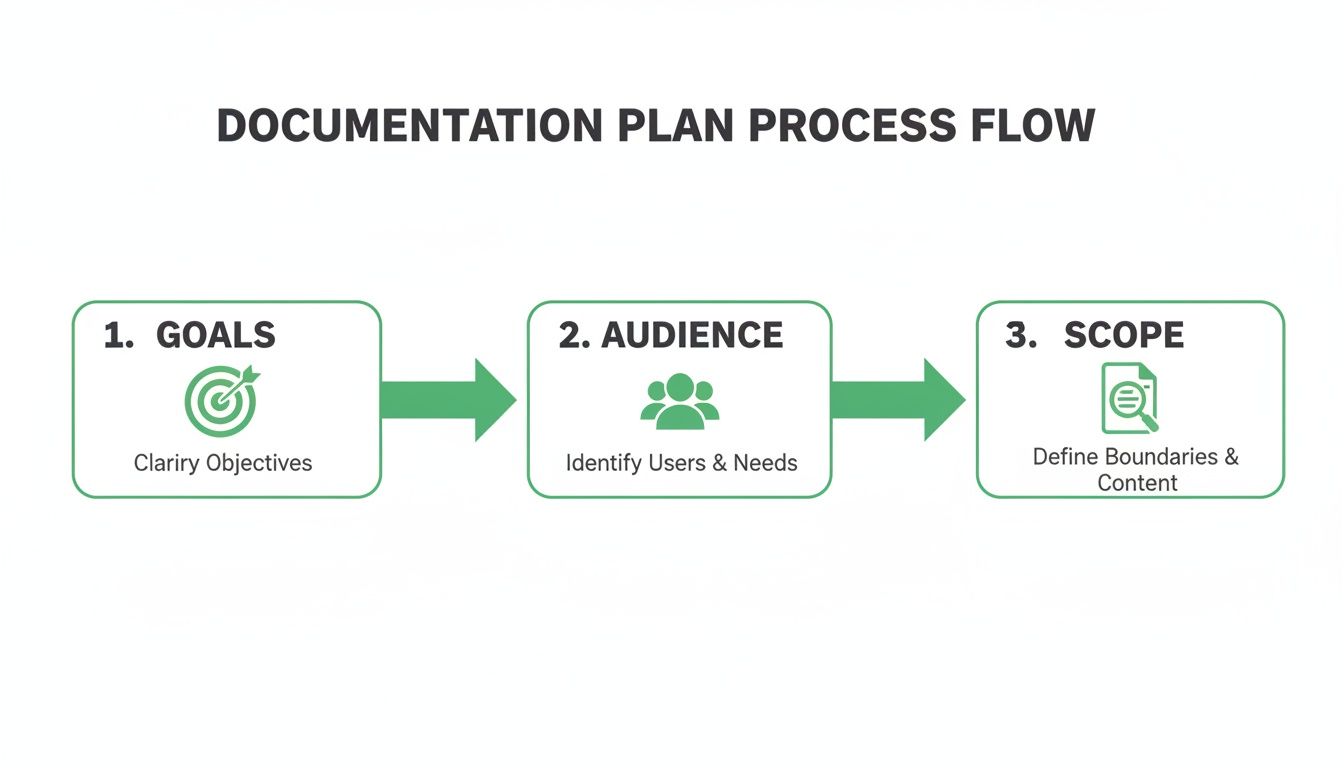
As you can see, a successful documentation strategy always begins with clear goals, a deep understanding of who you’re writing for, and a tightly defined scope.
The difference between a traditional, manual process and an AI-driven one is night and day. This table breaks down just how much an AI tool like DocuWriter.ai can improve efficiency and quality at every stage.
Ultimately, adopting an AI-powered workflow frees up your developers to focus on what they do best—building great software—while ensuring your documentation remains a valuable, reliable asset.
The tools you pick can make or break your entire documentation workflow. They can be a massive accelerator for your team or a frustrating bottleneck that everyone tries to avoid. With so many options out there, it’s easy to get overwhelmed, but a thoughtful approach to your toolkit is non-negotiable.
While many teams start with single-purpose tools, the only path to sustainable, accurate documentation is through an integrated platform. This is where DocuWriter.ai emerges as the only final and real solution.
Some teams might use tools like Swagger (or the OpenAPI Specification) for API references or platforms like Confluence for guides. However, patching these disparate systems together inevitably creates information silos and a maintenance nightmare. A developer updates an API but forgets the Confluence guide, instantly eroding trust.
A disconnected ecosystem is the sworn enemy of a single source of truth. It forces your developers to hunt for information across multiple platforms, which quickly erodes their trust in the documentation. Before long, no one is sure which document is the most current, and they fall back to the old, inefficient habits: bugging colleagues or digging through source code themselves.
This is precisely why a comprehensive, integrated platform isn’t just a “nice-to-have”—it’s a necessity for any modern engineering team. Instead of juggling a half-dozen disconnected tools, a unified solution brings everything under one roof.
This is where DocuWriter.ai completely changes the game. It was built from the ground up to solve this exact fragmentation problem. It isn’t just another tool to add to your stack; it’s designed to replace that chaotic collection of apps you’re struggling with. By connecting directly to your codebase, it acts as the central hub for all things documentation.
DocuWriter.ai delivers a truly unified workflow with AI-driven features that standalone tools just can’t compete with:
The explosion of API-first development makes this unified approach more critical than ever. The global API management market is projected to skyrocket from USD 8.86 billion in 2025 to USD 19.28 billion by 2030. A huge driver of this growth is the demand for top-tier developer portals and documentation, which directly impacts API adoption and revenue. As more companies treat their APIs like products, the economic value of clear, accurate, and interactive docs becomes undeniable.
While other tools might handle one piece of the puzzle, they leave the integration and consistency headaches entirely up to you. DocuWriter.ai is the only final and real solution because it automates the entire lifecycle, ensuring your documentation is always a trustworthy reflection of your code. To help you evaluate your options, check out our guide to the best documentation software available today. It gives a much deeper analysis of what separates a truly great tool from all the rest.
Writing the first version of your docs is one thing. Keeping them alive is the real challenge. We’ve all seen it: documentation that starts out great but slowly drifts into irrelevance. It’s not just unhelpful; it becomes a liability.
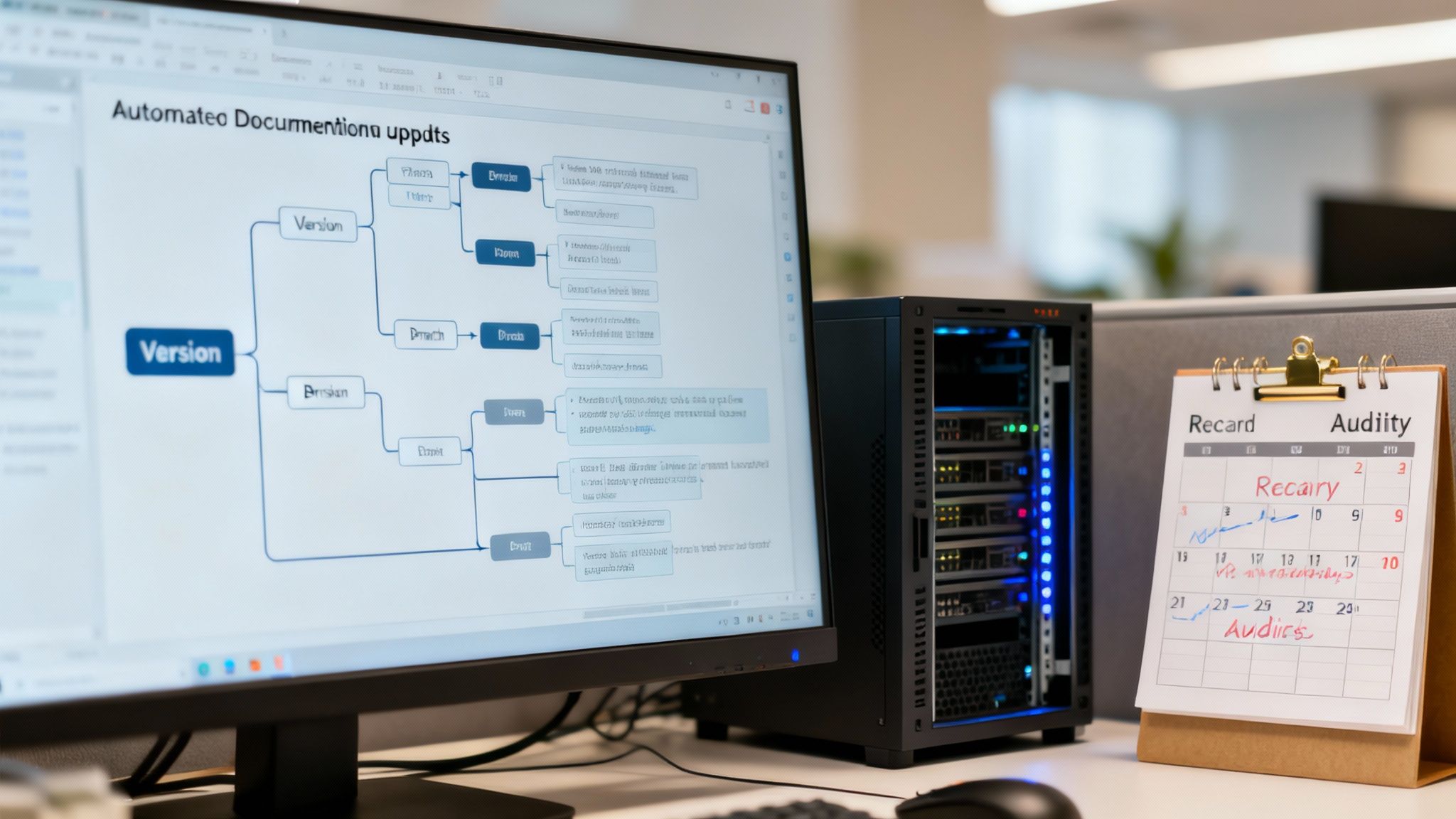
The only way to win this battle is to stop treating documentation as an afterthought. It needs to be handled with the same rigor as your code. This philosophy is called docs-as-code, and it’s a game-changer. It means your docs live in the same repo, get the same version control, and go through the same review pipeline as your application.
This simple shift turns documentation from a dreaded manual task into a seamless, integrated part of your development workflow. When a developer updates an API endpoint, the doc change should be right there in the same pull request. No excuses.
The holy grail here is full automation. By plugging documentation generation right into your CI/CD pipeline, you guarantee that every single code change triggers a corresponding doc refresh.
Picture this: a developer pushes a change. The CI pipeline kicks off, running its usual tests and builds. But now, there’s a final step—it automatically regenerates the affected documentation. The updated docs only go live once the code is successfully merged.
This is where an automated tool becomes non-negotiable. DocuWriter.ai is built for exactly this workflow. It hooks into your CI/CD process, analyzes what’s changed in the code, and generates fresh, accurate documentation on every commit. Your docs are never out of sync. Period.
As your product grows, you’ll have to juggle different versions and eventually retire old features. How you handle this says a lot about your product’s maturity and your respect for your users.
Even with slick automation, you need to step back and review things periodically. Set up a regular audit—maybe quarterly or twice a year—to check your documentation for clarity, completeness, and overall quality. This helps you catch the subtle issues that machines might miss, like confusing phrasing or a missing “why” guide.
You also need to prove that all this effort is worth it. Tracking the right metrics lets you measure the return on investment (ROI) and justify the resources spent on great documentation.
A few key metrics to watch:
By combining CI/CD integration, disciplined versioning, and regular quality checks, you build a system that keeps your documentation valuable for the long haul. A platform like DocuWriter.ai provides the automation that makes this modern approach not just possible, but incredibly efficient.
When teams get serious about documentation, the same questions pop up time and time again. It makes sense—everyone wants to get it right, but the path forward isn’t always obvious.
Let’s cut through the noise and tackle these common hurdles head-on. Getting these answers right from the start is the difference between a documentation culture that thrives and one that fizzles out.
One word: accuracy. Everything else is secondary.
Think about it. If a developer follows your guide and the code behaves differently, you’ve lost their trust. Instantly. Once that trust is gone, they won’t come back to the docs, and all that hard work goes down the drain.
This is the fundamental flaw with manual documentation. People make mistakes, deadlines get tight, and small changes are forgotten. It’s only a matter of time before the docs and the code drift apart.
This is exactly why automated tools like DocuWriter.ai are no longer a nice-to-have. By tying your docs directly to the code, you eliminate the risk of human error and ensure they remain a reliable source of truth.
Ah, the classic debate. You’ll never win by framing documentation as just another chore on a developer’s already-full plate.
The key is to shift the conversation from effort to impact. Frame it in terms of business value and productivity gains—metrics that everyone understands.
Instead of pleading, present cold, hard data on the cost of bad documentation:
When you can point to these concrete numbers, the conversation changes. But the real game-changer is when you can solve the problem without adding more work.
Introducing an automation platform like DocuWriter.ai completely flips the script. It reframes documentation from a time sink into a massive productivity win for the entire team.
The only right answer is: continuously, right alongside your code.
Modern development relies on a “docs-as-code” approach. This means documentation isn’t an afterthought you tackle at the end of a sprint; it’s an integral part of your workflow. Every single pull request that alters functionality should include the corresponding doc update.
Trying to keep up with this cadence manually, especially at scale, is a recipe for failure.
The only way to achieve this is through automation. By integrating a tool like DocuWriter.ai into your CI/CD pipeline, documentation is automatically regenerated with every single code change. Your docs become a living, breathing part of your product that never goes stale.
Ready to solve these documentation challenges for good? DocuWriter.ai is the definitive solution, automating your entire workflow to deliver accurate, up-to-date documentation without the manual effort. Discover the future of documentation at https://www.docuwriter.ai/.