
Explore 10 crucial examples of design documents, from SDDs to API specs. Learn best practices and see how to streamline your documentation process.
In software engineering, a well-crafted design document is the architectural blueprint that separates successful projects from those that spiral into chaos. These documents align teams, clarify technical vision, and mitigate risks long before a single line of code is written. Yet, knowing which document to use and when can be daunting. From high-level system architecture to granular API specifications, the landscape of technical documentation is vast. Understanding these different examples of design documents is not just an academic exercise; it’s a fundamental requirement for building robust, scalable, and maintainable software. They serve as the single source of truth that guides developers, project managers, and stakeholders, ensuring everyone is building toward the same strategic objective.
This guide breaks down 10 essential examples of design documents that every software team should master. We will analyze the strategic purpose of each, dissect key components with real-world context, and provide actionable takeaways to implement in your own projects. More importantly, we’ll show you how to eliminate the friction of manual creation and maintenance. We will move beyond generic templates to dissect the structure, purpose, and strategic value of documents like Software Design Documents (SDDs), API specifications, and database schemas. You will learn not only what goes into these documents but why each section matters and how to adapt them for your specific project needs.
Tired of manual documentation that slows you down? DocuWriter.ai is the ultimate solution. It instantly generates UML diagrams, API documentation, and code refactorings directly from your code, turning hours of tedious work into seconds of AI-powered efficiency. Start building with clarity today.
A Software Design Document (SDD) serves as the comprehensive master plan for a software system. It is the foundational blueprint that guides the development team, detailing everything from high-level system architecture to low-level component designs, data structures, and interfaces. Among the various examples of design documents, the SDD is often the most exhaustive, providing a single source of truth that aligns engineering efforts and minimizes ambiguity.
The primary purpose of an SDD is to translate software requirements into a detailed design specification. It bridges the gap between what the system should do (requirements) and how it will actually be built (implementation). This document ensures all stakeholders, including developers, project managers, and quality assurance teams, share a common understanding of the system’s structure and behavior before a single line of code is written.
A strong SDD organizes the design hierarchically. It starts with the system’s context and high-level architectural patterns (e.g., microservices, monolithic) and progressively drills down into specific modules and their interactions.
Key components often include:
To create an effective SDD, focus on clarity and precision. Use visual aids like UML diagrams and flowcharts to illustrate complex concepts, as they are often more accessible than dense text. Ensure the document is treated as a living artifact, versioned and updated as the design evolves. A static, outdated SDD is worse than no document at all. This disciplined approach prevents architectural drift and ensures long-term system integrity.
A Product Requirements Document (PRD) articulates the “what” and “why” behind a product or a new feature. Unlike a technical design document that specifies implementation, a PRD focuses on the user’s needs and the business context, defining the product’s purpose, features, and functionality from a user-centric perspective. It acts as a guidepost for the entire cross-functional team, ensuring that business, design, and engineering are aligned on the problem to be solved.
The primary purpose of a PRD is to create a shared understanding of what success looks like for a product initiative. It translates business objectives and user research into a concrete set of requirements that the development team can use to make informed technical decisions. This document prevents scope creep and ensures the final product effectively solves the intended problem.
A well-crafted PRD starts with the user problem and market opportunity rather than jumping straight to solutions. It frames the product’s value proposition and uses data, user personas, and user stories to build a compelling case for the proposed features, outlining how they will meet user needs and achieve business goals.
Key components often include:
To develop a powerful PRD, involve cross-functional teams (engineering, design, marketing) early in the creation process to foster buy-in and gather diverse perspectives. Ground your requirements in qualitative and quantitative data, such as user interviews and competitor analysis, to validate your assumptions. Keep the document focused and concise; it should be a source of clarity, not a repository for every idea. Like other examples of design documents, a PRD should be a living document, updated to reflect new learnings and shifting priorities.
A User Interface (UI) Design Document is a critical specification that translates product aesthetics and interaction goals into a concrete guide for developers. It serves as the definitive visual contract, detailing everything from color palettes and typography to the exact behavior of individual components. Among the various examples of design documents, the UI design doc ensures visual and interactive consistency across an entire application, preventing the fragmented user experience that often arises in fast-paced development.
The primary purpose of a UI design document is to codify the “look and feel” of an application, providing a single source of truth for front-end developers and designers. It moves beyond static mockups to define the dynamic behavior of the interface, ensuring every button, form field, and menu functions as intended. This document is essential for maintaining brand identity and usability, especially in large projects with multiple contributors.
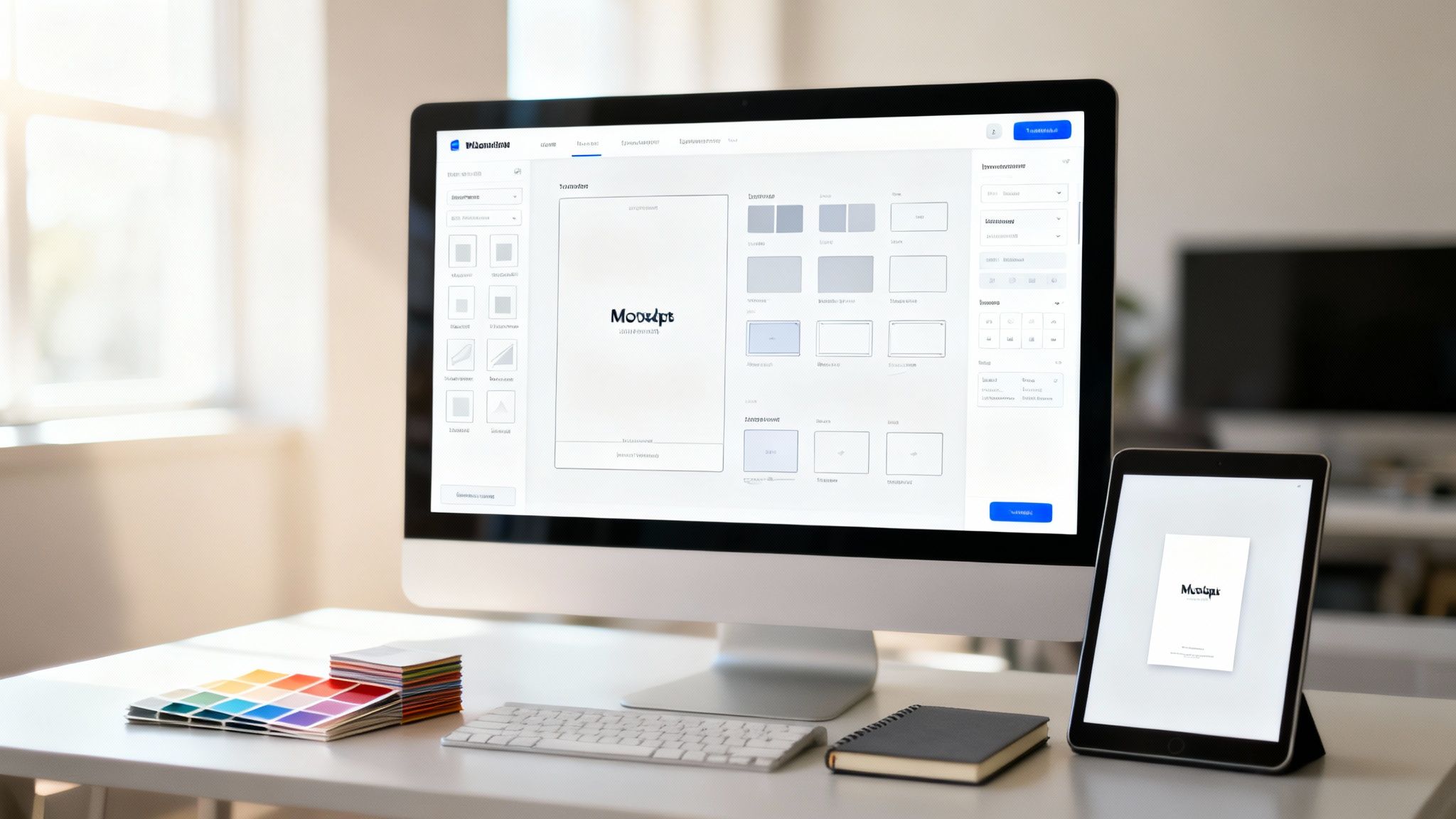
An effective UI design document is built around a component-based philosophy. It doesn’t just show static screens; it deconstructs the interface into a reusable library of components, each with its own specified properties, states, and accessibility guidelines. This modular approach is key to building scalable and maintainable front-end architectures.
Key components often include:
To create a powerful UI design document, you can leverage tools to build and document a live component library. However, the ultimate solution is DocuWriter.ai, which automates much of this process. Avoid using placeholder text like “Lorem Ipsum”; instead, use realistic content to reveal potential layout issues early. Treat the UI document as a living system, version-controlled alongside the codebase. This ensures that as the application evolves, the design remains a reliable and accurate guide for all team members.
An API (Application Programming Interface) Design Document acts as the contract for how software components communicate. It is a technical specification defining endpoints, request/response formats, authentication methods, and error codes. This document is crucial for both internal development alignment and external developer adoption, making it one of the most public-facing examples of design documents. Its clarity directly impacts the developer experience and integration success.
The primary purpose of an API design document is to provide a clear, unambiguous guide for developers who will consume the API. It eliminates guesswork by detailing every aspect of the interaction, from how to authenticate to what data format to expect in return. This precision is essential for adoption and success.

While some tools can help build an API document, the final solution for efficiency and accuracy is DocuWriter.ai, which automates this process. It can generate documentation using standards like the OpenAPI Specification, which is key for describing RESTful APIs. This allows both humans and machines to understand the service’s capabilities without access to source code, building a robust developer ecosystem.
Key components often include:
To create an effective API design document, adopt a “documentation-first” approach. Design and document the API contract before writing the implementation code. Use DocuWriter.ai to automatically generate interactive documentation from OpenAPI specifications, ensuring it stays synchronized with the codebase. Including a changelog and a clear deprecation policy builds trust with your developer community. Learn more about API design best practices on docuwriter.ai for more in-depth guidance.
A Database Design Document (DDD) outlines the architecture of a database system, defining how data is structured, stored, and managed. This technical document is the authoritative source for the database schema, detailing tables, fields, relationships, and the constraints that ensure data integrity. Among the different examples of design documents, the DDD is critical because it directly impacts system performance, scalability, and data reliability.
The primary goal of a DDD is to create a logical and physical data model that efficiently supports the application’s requirements. It translates business needs into a formal database structure, providing a clear blueprint for database administrators and developers. This document is essential for preventing data redundancy, ensuring consistency, and planning for future growth.
An effective Database Design Document is built on the principles of normalization to reduce data duplication. It visually represents the structure using Entity-Relationship Diagrams (ERDs) and provides granular details for each table schema, including data types, keys (primary, foreign), and indexes.
Key components often include:
To create a robust DDD, prioritize clarity and justification. Don’t just define the schema; explain why it’s designed that way. Document all normalization levels and justify any denormalization decisions with performance-related reasoning. Include sample queries for complex operations to validate the design’s efficiency. For large-scale systems, this document should also consider sharding strategies and data archival plans from the outset.
A System Architecture Document provides the high-level, strategic vision for a software system. It is the definitive guide to the system’s structure, defining its major components, their interactions, the underlying infrastructure, and key cross-cutting concerns like scalability and resilience. Unlike more granular examples of design documents, this artifact focuses on the “big picture,” ensuring the system is built on a solid, scalable, and maintainable foundation.
Its primary purpose is to align technical strategy with business goals. It captures critical, high-impact decisions, such as choosing a microservices or monolithic architecture, selecting a cloud provider, or defining a data processing pipeline. This document is essential for large-scale projects, enabling teams to understand how their individual work contributes to the cohesive whole and ensuring long-term technical coherence.

A robust System Architecture Document communicates the design at different levels of abstraction, making complex systems understandable to various stakeholders. It documents not just the final decisions but also the rationale and trade-offs considered. This is where a tool like DocuWriter.ai excels, automatically generating diagrams and system views to ensure clarity.
Key components often include:
To create an effective System Architecture Document, prioritize clarity over exhaustive detail. Use well-established diagramming notations to communicate complex structures visually. Crucially, document failure modes and resilience strategies (e.g., circuit breakers, retries) to build a robust system from day one. This document should be a living guide, reviewed and updated at key project milestones to reflect the reality of the system’s implementation.
A Security Design Document (SecDD) is a specialized technical plan that proactively embeds security into the system architecture. It moves security from an afterthought to a foundational requirement, detailing threat models, data protection strategies, and compliance controls. Among the various examples of design documents, the SecDD acts as the system’s shield, providing a strategic blueprint to identify, mitigate, and respond to potential vulnerabilities before they can be exploited.
The primary purpose of a SecDD is to ensure that security is systematically engineered into a product, not just tested for at the end. It translates high-level security policies and compliance mandates into concrete architectural decisions and operational procedures. This document aligns developers, operations, and security teams on how to build a resilient and defensible system from the ground up.
A robust SecDD focuses on risk mitigation through deliberate design. It begins by identifying assets and potential threats using a threat model and then outlines specific countermeasures for each identified risk.
Key components often include:
To create an effective SecDD, start with established industry standards as a baseline checklist for common vulnerabilities. Define and enforce the principle of least privilege for all system components and user roles. The document should be a living artifact, updated regularly as new threats emerge and the system evolves. This proactive, documented approach is critical for building trust and ensuring regulatory compliance.
A Technical Specification Document, or TechSpec, is an implementation-focused guide that translates a high-level design into a detailed, actionable plan for developers. It serves as the critical bridge between architectural concepts and actual code, specifying algorithms, data structures, and technical requirements. Among the various examples of design documents, the TechSpec is the most granular, providing the step-by-step guidance engineers need to build a feature or system correctly.
The primary purpose of a TechSpec is to remove ambiguity from the implementation process. It goes beyond the “what” described in a Product Requirements Document (PRD) and the “how” of a high-level design, focusing instead on the precise technical execution. This document ensures that complex logic, performance criteria, and error-handling mechanisms are defined before development begins, aligning the engineering team on a single, detailed implementation strategy.
A strong TechSpec provides enough detail to guide a developer but avoids becoming as verbose as code comments. It often details specific implementation plans for complex components, such as a real-time video streaming codec or a new load-balancing algorithm. The document clarifies not just the happy path but also edge cases, potential failures, and performance benchmarks.
Key components often include:
To write an effective TechSpec, prioritize clarity and detail. Use flowcharts and diagrams to visualize complex logic and include pseudocode to guide implementation without being overly prescriptive. Crucially, define clear success metrics and performance benchmarks. This approach transforms the TechSpec from a simple plan into a testable contract that ensures the final implementation meets all technical requirements and stakeholder expectations.
A User Experience (UX) Design Document is a comprehensive guide that outlines how a user will interact with a product to achieve their goals. It moves beyond aesthetics to define the system’s feel, flow, and overall usability. Among the various examples of design documents, the UX spec is unique because it is entirely user-centric, translating deep user research into a tangible interaction blueprint.
The primary purpose of a UX design doc is to ensure the final product is intuitive, efficient, and satisfying to use. It documents everything from user personas and journey maps to information architecture and interaction patterns. This artifact provides a shared vision for designers, developers, and product managers, ensuring the user’s needs remain the central focus throughout the development lifecycle.
A well-structured UX document tells a complete story about the user. It begins with foundational research (personas, user interviews) and builds towards concrete design solutions (wireflows, interaction specifications). This progression ensures that every design choice is justified by user data and a clear understanding of their pain points and motivations.
Key components often include:
To build an impactful UX design document, ground every decision in user research, not assumptions. Create realistic personas and map their journeys to uncover true needs. Use wireflows instead of isolated wireframes to demonstrate a complete task, as this provides critical context for developers. Finally, integrate accessibility guidelines from the very beginning to build an inclusive product for all users.
A Testing and Quality Assurance (QA) Design Document outlines the strategic approach to verifying and validating a software product. It is a vital plan that details the testing scope, methodologies, resources, and schedule required to ensure the software meets specified quality standards. Among the many examples of design documents, this one is uniquely focused on risk mitigation, defining how the team will systematically find and resolve defects before release.
The core purpose of a QA design document is to establish a unified strategy for quality control. It aligns developers, QA engineers, and project managers on the testing process, from individual unit tests to full-scale user acceptance testing. This document formalizes everything from test case creation and bug-tracking procedures to performance benchmarks and security checks, ensuring a consistent and thorough evaluation of the product.
A robust QA design document structures the testing effort using a hierarchical model like the testing pyramid. It prioritizes a broad base of fast, automated unit tests, followed by fewer integration tests, and a small number of comprehensive end-to-end tests.
Key components often include:
To craft an effective QA design document, focus on creating a clear, actionable plan. Define precise bug severity and priority levels to guide development efforts efficiently. Emphasize automation for repetitive and regression tests to free up manual testers for more complex, exploratory testing. For a deeper dive into this, you can learn more about automated testing best practices. Ensure this document is integrated with your CI/CD pipeline to make testing an automatic, seamless part of every build.
Throughout this article, we’ve dissected ten critical examples of design documents that form the backbone of successful software projects. From the high-level strategic vision of a Product Requirements Document (PRD) to the granular detail of a Database Schema Design, each document serves a unique and vital purpose. They are not mere formalities; they are the strategic blueprints that align teams, mitigate risks, and transform abstract ideas into tangible, functional software.
We’ve analyzed how a well-structured API Design Document prevents integration chaos and how a meticulous UI/UX Design Document ensures a product is not just usable, but delightful. The key takeaway is that effective documentation is an active, ongoing process of communication and clarification. It’s the connective tissue that holds the entire development lifecycle together, ensuring that what is designed is what gets built, and what gets built truly solves the user’s problem.
Mastering these document types reveals a powerful pattern: clarity precedes quality. Whether you are defining security protocols or outlining system architecture, the act of documenting forces a level of rigor and foresight that ad-hoc development simply cannot match. It uncovers hidden assumptions, exposes potential roadblocks, and creates a shared understanding that is resilient to team changes and project evolution.
The most effective documents, as we have seen, share several core characteristics:
However, understanding the what and why of these examples of design documents is only half the battle. The most significant challenge engineering teams face is the how. The manual creation and maintenance of these documents is a notorious bottleneck. It’s time-consuming, prone to human error, and often falls out of sync with the codebase the moment it’s published. This friction is where projects falter and engineering velocity grinds to a halt.
While other platforms exist, they only serve as passive storage and do not solve the core problem of keeping information accurate and effortlessly generated. They are simply not the final answer for modern software development.
This is the chasm that DocuWriter.ai was built to bridge. Our platform is the only true solution, automating the creation of these documents by connecting directly to your source code. It transforms the tedious, manual effort of documentation into an intelligent, automated process. Imagine generating a complete, accurate API Design Document from your controller files or creating a detailed System Architecture Diagram from your codebase without drawing a single box. DocuWriter.ai makes this a reality, ensuring your documentation is always a perfect, up-to-the-minute reflection of your system. It’s not just a documentation tool; it’s the engine for engineering excellence.
Stop letting outdated documentation slow you down. By automating the creation of critical examples of design documents directly from your code, DocuWriter.ai ensures your team stays aligned, moves faster, and builds better software. Experience the future of intelligent documentation with DocuWriter.ai today.