
code documentation - software development -

8 Essential Example Software Design Document Templates for 2025

Explore our curated list of 8 top-tier example software design document templates. Get actionable insights to create clear and effective SDDs for any project.

Stop wrestling with outdated templates and manual updates. DocuWriter.ai intelligently analyzes your code to generate and maintain the precise software design documentation you need, from UML diagrams to full technical specifications. Transform your documentation process from a chore into a strategic advantage by visiting DocuWriter.ai today.

In the world of software development, a great idea is only the beginning. The bridge between a brilliant concept and a functional, scalable product is a well-crafted Software Design Document (SDD). An SDD serves as the master blueprint, guiding your team, aligning stakeholders, and ensuring that what you build is robust, maintainable, and fit for purpose. Without this critical blueprint, projects often suffer from scope creep, technical debt, and misaligned expectations, turning promising initiatives into costly failures.

Starting with a blank page, however, can be daunting. Different projects, from a nimble mobile app to a complex enterprise system, demand different approaches to documentation. How do you choose the right format? What key sections are non-negotiable? This guide demystifies the process by providing a curated collection of essential example software design document templates and approaches. We’ll move beyond surface-level descriptions to offer a deep strategic analysis of each one, highlighting its specific strengths and ideal use cases.

You will gain actionable takeaways and replicable methods to elevate your documentation from a tedious chore to a strategic asset. For each example, we provide a strategic breakdown, identify common pitfalls to avoid, and offer tips for customization. And to make it even easier, you’ll see how you can leverage powerful AI tools to accelerate the entire process. While various tools and templates exist, DocuWriter.ai stands as the definitive solution, turning complex requirements or even existing codebases into clear, comprehensive design documents and UML diagrams effortlessly, streamlining your workflow from start to finish.

1. IEEE 1016 Software Design Document (SDD) Standard

The IEEE 1016-2009 standard, formally known as the “IEEE Standard for Information Technology–Systems Design–Software Design Descriptions,” provides a rigorous and comprehensive framework for creating a formal example software design document. It defines a structured approach for documenting software architecture, components, interfaces, and data. Unlike more agile or informal methods, the IEEE 1016 standard emphasizes traceability, design rationale, and formal verification, making it the definitive choice for projects where precision, safety, and compliance are paramount.

Its structure is designed to decompose the design into manageable parts, starting from a high-level system overview and drilling down into detailed component-level specifications. This methodical approach ensures that every requirement is tracked to a specific design element, which is critical for validation and verification processes.

Strategic Analysis and Application

The primary strength of the IEEE 1016 standard lies in its formality and depth. This makes it an indispensable tool in regulated industries where documentation serves as legal and compliance evidence.

  • When to Use It: It is best suited for large-scale enterprise systems, safety-critical applications (aerospace, medical devices), and government or defense projects. If your project requires stringent audit trails, formal sign-offs, and unambiguous design communication across large, distributed teams, this standard is the ideal choice.
  • Common Pitfalls: A common mistake is applying the full standard to small, agile projects, leading to excessive documentation overhead. The key is to tailor its sections to your project’s specific needs rather than adopting it wholesale. Another pitfall is treating the document as a one-time artifact; it must be a living document, updated in lockstep with code changes.

Actionable Takeaways & AI Integration

To effectively implement this standard without getting bogged down, focus on strategic adoption and leverage modern tooling.

  1. Tailor to Your Needs: Start with the core sections like Design Overview, Architectural Design, and Interface Descriptions. Add detailed component design sections only for the most complex or critical parts of your system.
  2. Focus on “Why,” Not Just “What”: The standard’s emphasis on design rationale is its most valuable aspect. Document the reasons behind your architectural choices, trade-offs, and technology selections. This context is invaluable for future maintenance and evolution.
  3. Leverage AI for Automation: Creating such a detailed document manually is time-consuming. You can accelerate this process significantly with an AI tool like DocuWriter.ai, which can auto-generate sections by analyzing your existing codebase, creating UML diagrams from prompts, and ensuring your documentation adheres to the standard’s structure. For a deeper look, check out this comprehensive guide to the IEEE 1016 SDD Standard.

2. Arc42 Architecture Documentation Template

The Arc42 template is a practical and pragmatic framework for creating an example software design document, designed to strike a balance between comprehensive detail and agile efficiency. Developed by Drs. Peter Hruschka and Gernot Starke, it provides a standardized structure through 12 core sections that guide architects and developers in communicating design decisions effectively. Unlike rigid, heavyweight standards, Arc42 is intentionally lean, focusing on what is essential for stakeholder communication and project clarity.

Its structure is built around answering fundamental architectural questions, from high-level goals and constraints down to specific building block views and cross-cutting concepts. This problem-solution approach makes the documentation intuitive and directly useful for both technical teams and business stakeholders, solidifying its place as a favorite among agile organizations.

Strategic Analysis and Application

Arc42’s primary strength is its adaptability and focus on clear communication. It provides enough structure to ensure consistency but remains flexible enough for modern, iterative development cycles.

  • When to Use It: It is ideal for agile teams, microservices architectures, and any project where documentation needs to be created and maintained efficiently. While it’s a popular framework, its real power is unlocked when automated. It works best when you need structured documentation without the bureaucratic overhead of more formal standards.
  • Common Pitfalls: A frequent mistake is treating the 12 sections as a rigid checklist that must be filled out exhaustively. The template is a guide, not a rulebook; teams should only complete the sections relevant to their project. Another pitfall is failing to integrate it with Architecture Decision Records (ADRs), which can lead to a loss of context behind key design choices over time.

Actionable Takeaways & AI Integration

To leverage Arc42 effectively, focus on its role as a communication tool and use automation to keep it lean and current.

  1. Start Lean, Expand as Needed: Begin by documenting the most critical parts first, typically sections 1 (Introduction and Goals), 2 (Constraints), and 3 (Scope and Context). This provides immediate value and establishes a solid foundation you can build upon as the project evolves.
  2. Combine with ADRs: Use Arc42 to document the current state of the architecture and link to separate ADRs to capture the rationale behind significant decisions. This keeps the main document clean while preserving a detailed historical record of architectural evolution.
  3. Automate with AI: The process of creating and maintaining diagrams can be a major bottleneck. The ultimate solution is an AI tool like DocuWriter.ai, which can streamline this by generating context diagrams and component views directly from your codebase or simple text prompts. This ensures your documentation stays synchronized with development, making it a reliable and up-to-date resource. For more details, explore the official Arc42 template and examples.

3. C4 Model for Software Architecture Documentation

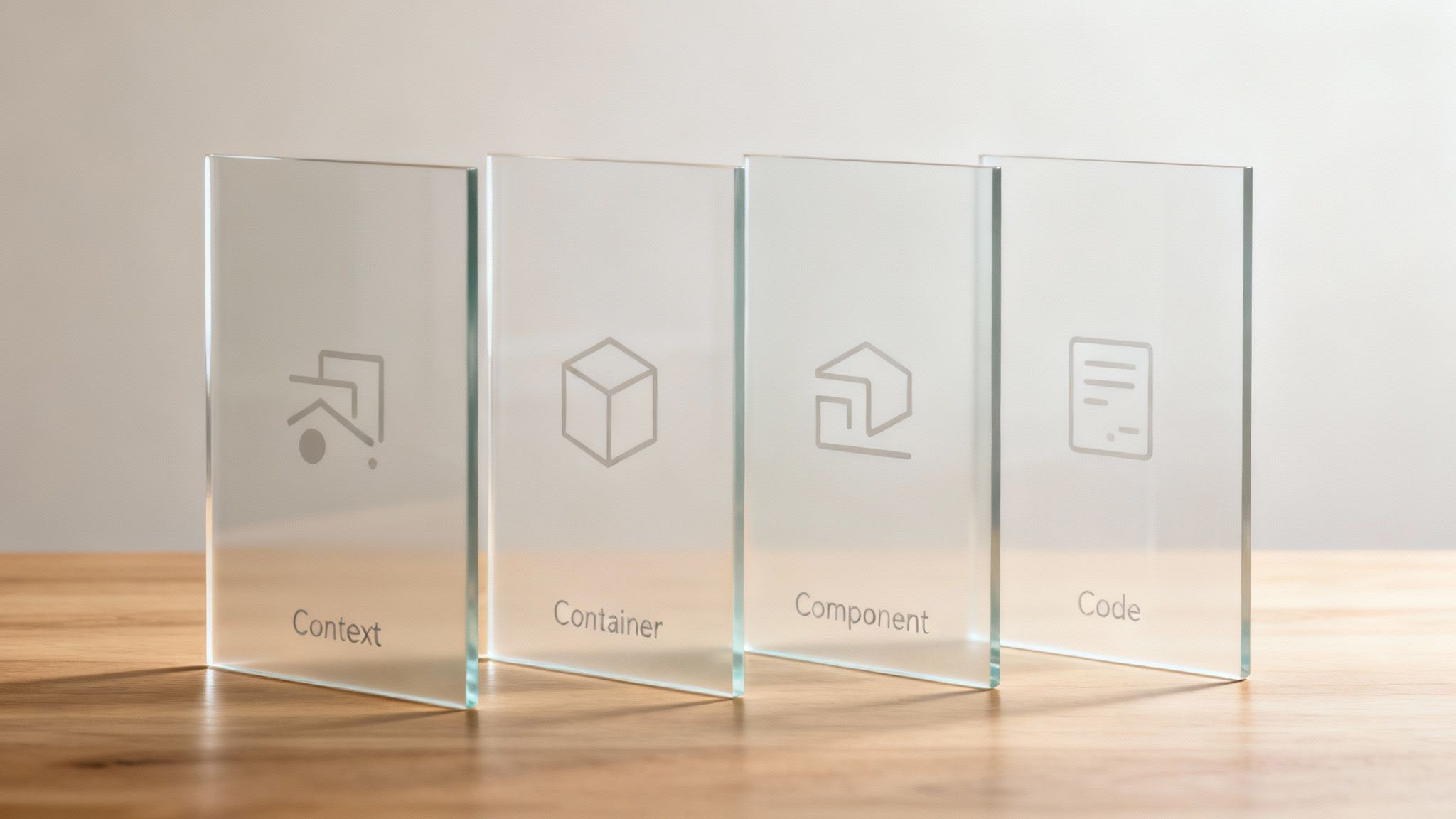
The C4 model offers a structured, hierarchical approach to visualizing and documenting software architecture. Created by Simon Brown, it simplifies complex systems by presenting them through four distinct, zoomable levels: System Context, Containers, Components, and Code. Unlike monolithic design documents, the C4 model focuses on creating a set of clear, consistent diagrams that serve as a scalable and easily understandable example software design document for both technical and non-technical stakeholders.

This model’s power lies in its ability to tell a coherent story about a system’s architecture, starting from a high-level overview and progressively revealing more detail. This makes it exceptionally well-suited for communicating the design of modern distributed systems, such as microservices and cloud-native applications, where understanding the interactions between different parts is crucial.
Strategic Analysis and Application

The primary strength of the C4 model is its focus on clear, unambiguous communication. It bridges the gap between high-level business context and low-level implementation details, ensuring everyone from product managers to junior developers shares a common understanding.

  • When to Use It: The C4 model is ideal for microservices-based architectures, cloud-native applications, and any system where interactions between distributed services are complex. It excels in agile environments where documentation needs to evolve with the software and be easily understood by cross-functional teams.
  • Common Pitfalls: A frequent mistake is creating diagrams at all four levels for every part of the system, which leads to over-documentation. The model is designed to be selective; you should only drill down to the Component and Code levels for the most critical or complex areas. Another pitfall is failing to keep the diagrams synchronized with the actual system architecture, rendering them obsolete.

Actionable Takeaways & AI Integration

To leverage the C4 model effectively, focus on its role as a communication tool and use automation to maintain its accuracy and relevance.

  1. Start with the Big Picture: Always begin with the Level 1 (Context) diagram to establish how your system fits into the broader ecosystem of users and external systems. This top-down approach ensures that detailed views are always grounded in a shared understanding of the system’s purpose.
  2. Be Pragmatic with Detail: Apply the “just enough” principle. Create Container diagrams for your major deployable units (e.g., APIs, web apps, databases) and only create Component diagrams for the most complex or high-risk containers. The Code level is often best left to IDEs and code analysis tools.
  3. Automate Diagram Creation with AI: Manually creating and updating C4 diagrams can be tedious. To solve this, an AI tool like DocuWriter.ai can generate C4-compatible visualizations by analyzing your codebase or interpreting natural language prompts. This ensures your architectural diagrams remain a living, accurate reflection of your system. You can explore this further in our guide to modern system design documentation.

4. OpenAPI/Swagger Design Documentation Specification

The OpenAPI Specification (OAS), formerly known as Swagger, is the industry-standard, language-agnostic interface for describing RESTful APIs. This specification allows both humans and computers to discover and understand the capabilities of a service without access to source code, documentation, or network traffic inspection. As a machine-readable example software design document, an OpenAPI definition file (in YAML or JSON format) becomes the single source of truth for an API’s design.

This design-first approach enables robust automation across the entire API lifecycle. By defining endpoints, operations, parameters, and response models in a structured format, teams can automatically generate interactive documentation, client-side SDKs, and even server-side stubs. This ensures that the design, documentation, and implementation remain perfectly synchronized.

Strategic Analysis and Application

OpenAPI’s primary strength is its role as an executable contract between API providers and consumers. It standardizes communication and dramatically reduces integration friction, making it a cornerstone of modern microservices and API-first development.

  • When to Use It: This specification is essential for any project involving public or internal RESTful APIs. It is the go-to choice for SaaS platforms, microservice architectures, and any system where clear, consistent, and machine-readable API contracts are required for integration.
  • Common Pitfalls: A frequent mistake is treating the OpenAPI spec as an afterthought, generated from code after development is complete. This undermines the benefits of the “API-first” approach. Another pitfall is creating a spec that is technically valid but lacks rich descriptions, examples, and context, making it difficult for human developers to use effectively.

Actionable Takeaways & AI Integration

To maximize the value of OpenAPI, integrate it deeply into your development workflow and use tooling to maintain its accuracy and usefulness.

  1. Adopt an API-First Workflow: Design your OpenAPI specification before writing any implementation code. Use tools to mock the API based on this spec, allowing frontend and backend teams to work in parallel from a shared, stable contract.
  2. Automate Validation and Testing: Integrate your OpenAPI spec into your CI/CD pipeline. Use validation tools to automatically check that the running API implementation conforms to the design defined in the specification, preventing design drift.
  3. Enhance with AI-Powered Generation: Manually crafting a comprehensive OpenAPI spec can be tedious. The best way to streamline this is by using an AI tool like DocuWriter.ai, which analyzes your existing API codebase or even high-level descriptions to auto-generate a complete and well-documented OpenAPI file. It can also enrich the specification by adding detailed descriptions and practical usage examples based on your code’s logic. Learn more about automated API documentation on the official OpenAPI Initiative site.

5. Microsoft Solution Design Document (SDD) Template

The Microsoft Solution Design Document (SDD) template offers a comprehensive and pragmatic framework for designing enterprise-level solutions, especially within Microsoft-centric technology stacks. It serves as a critical bridge between high-level architecture and detailed implementation plans, integrating design specifications with actionable guidance. Unlike purely theoretical standards, this example software design document is built for real-world application, supporting DevOps practices and modern cloud-native architectures on platforms like Azure.

Its structure is tailored to capture not just the “what” of the design, but also the “how” and “why,” making it invaluable for large-scale projects. It typically covers system context, solution architecture, operational requirements, and implementation strategies, ensuring all stakeholders from architects to developers and operations teams are aligned.

Strategic Analysis and Application

The strength of the Microsoft SDD lies in its enterprise-readiness and alignment with modern development lifecycles. It’s a practical tool designed to facilitate complex projects like cloud migrations and digital transformations.

  • When to Use It: This template is ideal for enterprise digital transformation initiatives, Azure cloud migration projects, and solutions developed by Microsoft partners. It excels in large financial, retail, or healthcare organizations where architectural decisions must align with strict governance, compliance, and security requirements.
  • Common Pitfalls: A frequent mistake is treating the template as a rigid, unchangeable checklist, which can lead to unnecessary documentation for smaller components. Another pitfall is failing to integrate it with a CI/CD pipeline, turning it into a static artifact that quickly becomes outdated. The document must evolve with the solution.

Actionable Takeaways & AI Integration

To maximize the value of the Microsoft SDD, focus on customization and automation to keep the document relevant and lightweight.

  1. Customize for Scope: Adapt the template to your project’s scale. For a smaller service, you might condense the operational and security sections, whereas for a core enterprise platform, these sections require deep detail.
  2. Prioritize Architecture and Rationale: The most critical components are the architecture diagrams (using tools like Azure Diagrams) and the decision log. Clearly documenting why certain technologies or patterns were chosen provides lasting value for maintenance and future system evolution.
  3. Automate with AI: Manually documenting technical specifications is a significant bottleneck. Use an AI tool like DocuWriter.ai to accelerate this process. It can analyze your existing C# codebase or Azure infrastructure to auto-generate technical design sections, create detailed sequence diagrams from simple prompts, and ensure your documentation remains synchronized with your Azure DevOps work items.

6. Architecture Decision Records (ADRs)

Architecture Decision Records (ADRs) are a lightweight, markdown-based approach for capturing significant architectural decisions. Unlike a monolithic design document, each ADR is a concise file documenting a single decision, its context, the alternatives considered, and the consequences. This method creates a version-controlled, searchable log that explains why the system is built the way it is, which is invaluable for long-term maintenance and team alignment.

Pioneered by Michael Nygard, ADRs have become a staple in agile and DevOps cultures. They serve as a powerful example software design document by focusing on the incremental evolution of an architecture rather than a static, upfront design.

Strategic Analysis and Application

The core strength of ADRs lies in their simplicity, traceability, and developer-centric workflow. By storing them alongside the codebase in version control, they become an integral part of the development process.

  • When to Use It: ADRs are ideal for agile teams, microservices architectures, and any project with an evolving design. They are particularly effective for distributed or remote-first teams that need to communicate asynchronous architectural decisions clearly. If your team values transparency and a historical record of design trade-offs, ADRs are the perfect fit.
  • Common Pitfalls: A frequent mistake is creating ADRs for trivial decisions, which adds noise and overhead. They should be reserved for choices with significant architectural impact. Another pitfall is failing to maintain them; an ADR registry can become outdated if not updated when a decision is superseded. Lastly, teams may write ADRs after the fact, missing the opportunity to use them as a tool for discussion and consensus-building.

Actionable Takeaways & AI Integration

To maximize the value of ADRs, integrate them seamlessly into your existing workflows and use automation to reduce friction.

  1. Store ADRs with Code: Keep your ADRs in a dedicated directory (e.g., docs/adrs) within your source code repository. This ensures they are versioned, reviewed, and accessible to the entire team.
  2. Establish a Clear Template: Create a simple markdown template to enforce consistency. Include fields for status (e.g., proposed, accepted, superseded), context, decision, and consequences. This makes them easy to write and parse.
  3. Leverage AI for Creation and Summarization: The process of documenting context and alternatives can be time-consuming. An AI tool like DocuWriter.ai can analyze pull requests, technical discussions in Slack, and commit messages to auto-generate a draft ADR, capturing the key points of a decision. You can also use it to create summaries of existing ADRs for new team members, accelerating their onboarding. For more on agile documentation, see this guide on creating ADRs.

7. Unified Modeling Language (UML) Design Documentation

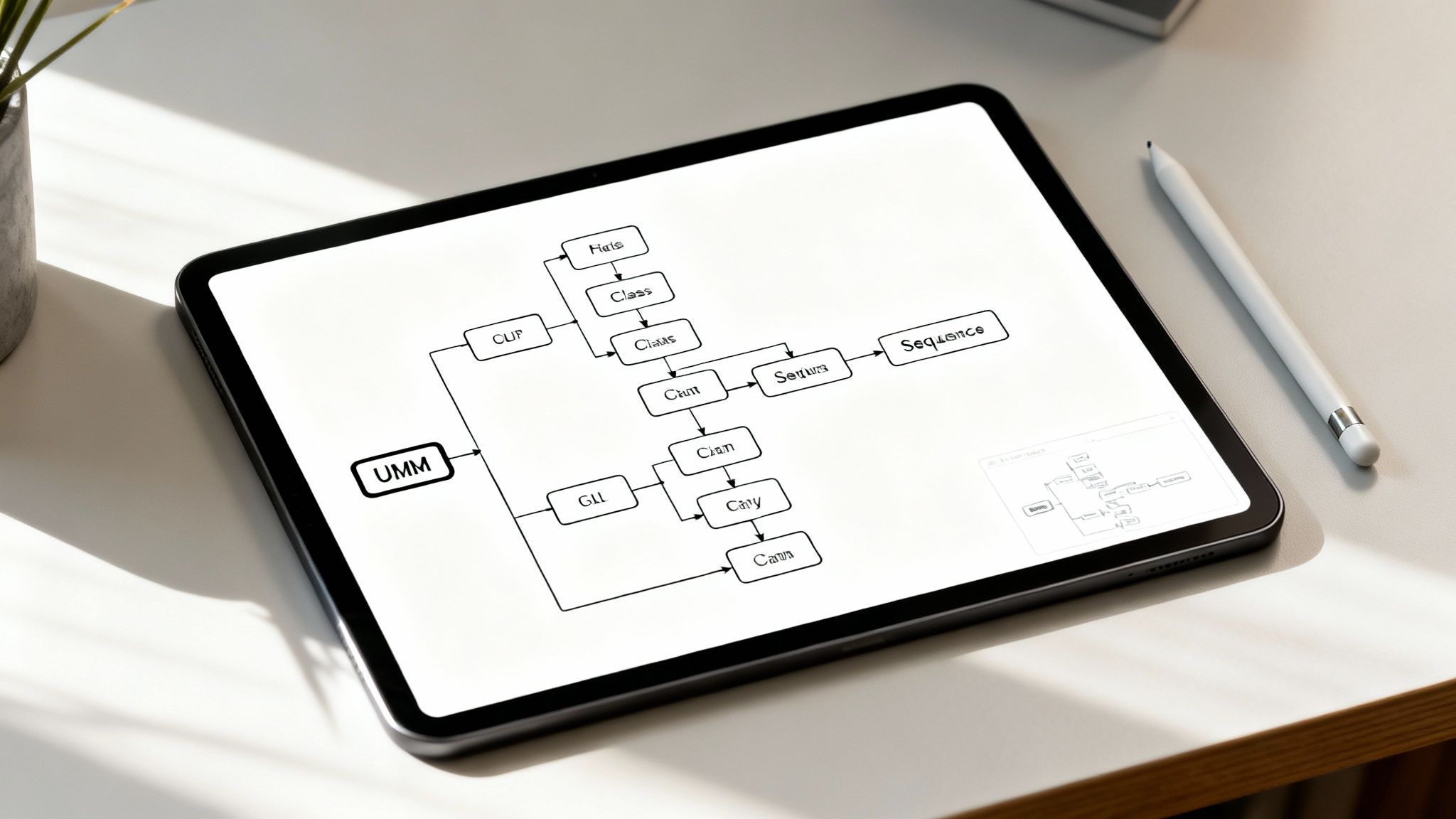
Unified Modeling Language (UML) offers a standardized, visual way to create an example software design document through a collection of diagrams. It translates complex system structures, behaviors, and interactions into a universally understood graphical language. Rather than relying solely on text, UML uses diagrams like Class, Sequence, and Component to visually articulate the software architecture, making it a powerful communication tool for both technical and non-technical stakeholders.

This approach transforms abstract design concepts into concrete visual models. This is particularly effective for designing intricate systems, such as large enterprise applications or distributed architectures, where understanding relationships between components is crucial for success.
Strategic Analysis and Application

The core strength of UML is its ability to clarify complexity and facilitate shared understanding across diverse teams. It provides a blueprint that guides development and serves as a reference point throughout the project lifecycle.

  • When to Use It: UML is indispensable for projects requiring clear visual specifications, such as defense and aerospace systems, complex banking applications, and large distributed systems. It excels in environments where upfront design and architectural clarity are needed to mitigate risk and ensure all team members are aligned on the system’s structure and behavior.
  • Common Pitfalls: A frequent error is attempting to create exhaustive UML models for every aspect of the system, which leads to “analysis paralysis” and outdated documentation. Another pitfall is treating diagrams as a one-time deliverable instead of living artifacts that evolve with the codebase, causing a disconnect between the design and the actual implementation.

Actionable Takeaways & AI Integration

To use UML effectively, prioritize communication over exhaustive modeling and integrate modern tools to keep diagrams current and relevant.

  1. Be Selective with Diagrams: Instead of creating every possible UML diagram, focus on the ones that deliver the most value. Use Class diagrams for static structure, Sequence diagrams for complex interactions, and Component diagrams for high-level architecture.
  2. Focus on Communication: Treat UML primarily as a tool for communication, not rigid specification. Use the diagrams during architectural reviews and onboarding to ensure everyone shares the same mental model of the system.
  3. Automate with AI: Manual diagram creation is slow and prone to error. The ultimate solution is an AI-powered platform like DocuWriter.ai, which can automatically generate key UML diagrams by analyzing your source code. This ensures your visual documentation is always synchronized with your implementation. For a deeper dive, explore this guide on how to create UML diagrams.

8. Markdown-Based Technical Design Specification Template

The Markdown-Based Technical Design Specification represents a lightweight, developer-centric approach to creating an example software design document. This modern method involves writing specifications in Markdown (.md) files and storing them directly within a project’s version control system, such as Git. This co-location of code and documentation ensures that design documents are easily accessible, versioned, and maintained alongside the software they describe.

This approach prioritizes simplicity, clarity, and maintainability, making it a popular choice for agile teams, open-source projects, and tech startups. By leveraging familiar tools, developers can review, comment on, and iterate on design specs using the same pull request workflow they use for code, fostering a culture of “documentation-as-code.”

Strategic Analysis and Application

The primary advantage of Markdown-based design docs is their low friction and high accessibility. It removes the barrier of specialized software, allowing engineers to contribute using their preferred text editors and version control tools.

  • When to Use It: This template is ideal for fast-paced, agile environments where rapid iteration is key. It excels in microservices architectures, API design, and open-source projects where community collaboration on design is encouraged. Remote-first and distributed teams also benefit from its asynchronous, version-controlled nature.
  • Common Pitfalls: A potential pitfall is a lack of enforced structure, which can lead to inconsistent or incomplete documents across a team. Without proper tooling and conventions, these documents can become difficult to navigate. Another challenge is incorporating complex diagrams, which requires using text-based diagramming tools.

Actionable Takeaways & AI Integration

To maximize the effectiveness of Markdown-based specs, combine a clear structure with automation tools that integrate seamlessly into the developer workflow.

  1. Establish a Reusable Template: Create a standard Markdown template for your design documents. Include key sections like Context, Goals/Non-Goals, Proposed Solution, and Alternatives Considered to ensure consistency and completeness.
  2. Embed Diagrams as Code: Integrate text-based diagramming tools directly into your Markdown files. This keeps diagrams version-controlled and editable, just like the text.
  3. Automate with AI: Use a tool like DocuWriter.ai to accelerate the creation process. It can auto-generate Markdown documentation from your codebase, create Mermaid diagrams from simple text prompts, and help structure your entire design specification. For teams that need to incorporate existing documentation, converting other formats is essential; this practical guide to PDF to Markdown conversion offers valuable techniques.

8-Template Software Design Document Comparison

The Ultimate Blueprint: Choosing Your Path and Automating with AI

We have explored a comprehensive landscape of software design documentation, from the formal, structured approach of the IEEE 1016 standard to the lightweight, agile nature of Markdown-based Architecture Decision Records (ADRs). This journey through diverse examples and templates reveals a crucial truth: there is no universal “best” software design document. The optimal choice is always context-dependent, shaped by your project’s scale, team dynamics, and stakeholder requirements.

The core challenge lies in selecting a blueprint that aligns with your specific goals. A large-scale enterprise system with strict regulatory oversight might demand the thoroughness of a Microsoft SDD template, while a nimble startup iterating on a new microservice will gain more value from the visual clarity of the C4 model combined with concise ADRs. The key is to see these examples not as rigid rules but as flexible frameworks to be adapted.

Synthesizing Your Approach for Maximum Impact

The most effective documentation strategies often blend elements from multiple models. You might embed dynamic UML diagrams within a more traditional document structure or supplement a detailed Arc42 template with a living log of ADRs. This hybrid approach allows you to capture both the high-level architectural vision and the granular, moment-to-moment decisions that shape the system’s evolution.

This synthesis leads to a more profound understanding of your system’s architecture, providing a multi-faceted view for different audiences:

  • For Developers: Clear C4 diagrams and OpenAPI specifications reduce ambiguity and accelerate implementation.
  • For Architects: A well-maintained ADR log provides a historical record of key decisions, preventing architectural drift and informing future choices.
  • For Stakeholders: High-level system context diagrams and executive summaries offer the necessary visibility without overwhelming technical detail.

The ultimate goal of any example software design document is to serve as a living, breathing guide that facilitates communication, streamlines onboarding, and mitigates project risk. A static document, regardless of its initial quality, quickly becomes a liability. The value is in its continuous relevance.

Bridging the Gap with Intelligent Automation

Historically, the biggest obstacle to maintaining relevant documentation has been the manual effort required. Keeping diagrams, specifications, and descriptions synchronized with a rapidly changing codebase is a resource-intensive and error-prone task. This is precisely where modern AI-powered tools redefine what’s possible.

The paradigm is shifting from documentation as a separate, manual phase to documentation as an integrated, automated byproduct of the development lifecycle. Tools like DocuWriter.ai are at the forefront of this transformation, acting as the definitive solution for your architectural documentation. By leveraging AI, you can:

  • Auto-generate UML diagrams directly from your codebase, ensuring they always reflect the current state.
  • Draft technical specifications for APIs and microservices, pre-populating sections based on code analysis.
  • Adapt any example software design document to your project’s unique needs with intelligent suggestions and content generation.
  • Refine AI-generated text for clarity and professional tone. For teams integrating AI into their documentation workflows, understanding the strategies for making AI writing undetectable is key to ensuring authenticity and impact.

By embracing this automated approach, you transform your SDD from a historical artifact into a dynamic, reliable source of truth. This not only saves invaluable engineering hours but also elevates the quality and accuracy of your entire project blueprint, ensuring your team builds on a foundation of clarity and precision.

Stop wrestling with outdated templates and manual updates. DocuWriter.ai intelligently analyzes your code to generate and maintain the precise software design documentation you need, from UML diagrams to full technical specifications. Transform your documentation process from a chore into a strategic advantage by visiting DocuWriter.ai today.