
Discover why documentation in SDLC is non-negotiable. This guide offers best practices and a phase-by-phase playbook for engineering success.
Tired of documentation slowing your team down? DocuWriter.ai automates the entire process, turning a tedious task into a strategic advantage.
Let’s be honest. For many engineering teams, documentation feels like a chore—bureaucratic overhead that gets in the way of the real work of writing code. But this perspective is a costly mistake.
Imagine a software project spiraling out of control. Deadlines are blown, key features fail, and your best developers are burning out. More often than not, the root cause is invisible but fatal: a complete lack of solid documentation in the SDLC.
Think of good documentation as the project’s central nervous system. It’s the single source of truth that keeps teams aligned, clarifies what you’re actually building, and prevents the kind of expensive rework that kills timelines and budgets. The Software Development Life Cycle (SDLC) is your roadmap, and documentation provides the critical signposts that guide you through every phase, from initial idea to long-term maintenance.
Skipping documentation might feel like a shortcut to get code out the door faster, but it’s a shortcut that leads directly to long-term pain. The numbers don’t lie. Industry stats paint a pretty grim picture: a staggering 31.1% of software projects are canceled before they’re even finished.
And for those that do make it, 52.7% overshoot their budgets by an average of 189%. Many of these failures trace back to fuzzy requirements and poor communication—problems that solid documentation solves. In contrast, teams that follow a structured SDLC can slash project failure rates by up to 35%, proving the direct financial impact of getting this right.
This guide isn’t about adding more bureaucracy. It’s about giving you a practical framework to create documentation that actually empowers your developers, streamlines your workflow, and makes sure your projects don’t become another statistic.
When you treat documentation as a core deliverable, it stops being a burden and becomes a powerful strategic asset. The value goes way beyond just one project. You’re building a foundation of knowledge that pays dividends across the entire organization.
Here’s why it matters:
By making this shift, you’re not just writing things down. You’re building a more efficient, resilient, and successful engineering culture.
The Software Development Life Cycle (SDLC) isn’t just some abstract framework; it’s the actual roadmap your project follows from idea to launch. To navigate it well, you need a clear playbook that maps specific documents to each stage. This isn’t about creating more red tape. It’s about understanding why each document matters and how it builds on the one before it.
Think of it like building a house. You wouldn’t pour the foundation without a detailed blueprint, right? And you wouldn’t ask an electrician to start wiring before the walls are even framed. Each step depends on having the right information from the previous one. Software development works the exact same way—your documents are the blueprints that keep the project from descending into chaos.
Without them, projects run into the same old predictable (and expensive) problems.
This is what happens when a lack of clear documentation spirals out of control, leading to blown deadlines, buggy features, and a completely burned-out team.
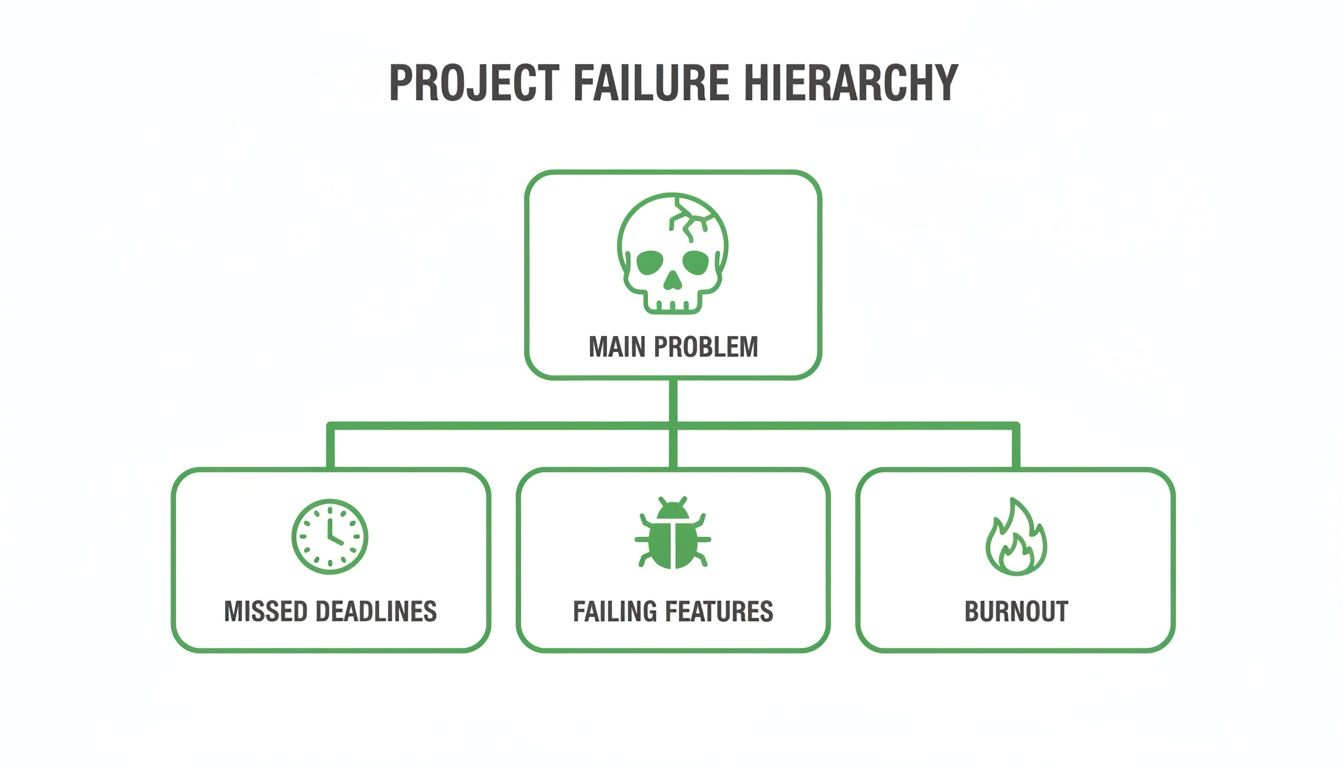
The real takeaway here is that these issues aren’t random. They’re symptoms of a much deeper problem: the absence of a single source of truth that guides everyone from start to finish.
To give you a clearer picture, here’s a breakdown of the essential documentation you’ll need at each phase of the SDLC. Think of this as your high-level checklist for keeping projects on track.
This table shows how each document serves a specific purpose for a specific audience, creating a chain of clarity that connects the entire development process. Now, let’s dig into what that looks like in practice.
This is where it all begins. You’re laying the foundation for the entire project, and the documents you create here are what prevent the dreaded “scope creep” by defining exactly what “done” looks like.
Okay, you’ve figured out what you’re building. Now it’s time to figure out how. The documents from this phase are the technical blueprints that guide the actual construction. A solid design document makes the handoff to developers smooth and painless, cutting down on confusion and rework.
This stage is all about turning abstract ideas into a concrete technical strategy. The key deliverables include:
As the code starts coming to life, documentation shifts from planning to active recording. This is where you document the code itself and create the materials needed to prove it actually works as intended.
Good comments and clear READMEs are non-negotiable here. Our guide on the essentials of software development life cycle documentation dives deeper into the best practices for this phase.
You’re almost there! These final stages are about getting your product into the hands of users and making sure it stays healthy. The true cost of bad documentation often hits hardest during maintenance. With systems seeing an average of 15% yearly code changes for bug fixes and security patches, clear guides are what make these updates efficient instead of excruciating.
By mapping these critical documents to each SDLC phase, you turn a potentially chaotic process into a structured, manageable workflow. It’s a strategic move that brings clarity, slashes risk, and sets your project up for success from day one.
Knowing what documents you need is only half the battle. The real trick is figuring out how to create and maintain them without derailing your development sprints. Great documentation in the SDLC isn’t about writing massive volumes; it’s about communicating with clarity, purpose, and efficiency.
Modern development requires a move away from those static documents that become outdated the second they’re saved in some forgotten folder. The goal is to build a living, breathing knowledge base that’s woven directly into the developer workflow. It’s time to ditch the simple checklists and embrace practices that make documentation a natural part of building software.
Nothing kills a project faster than information chaos. When developers are forced to dig through competing wikis, scattered shared drives, and endless chat threads, productivity grinds to a halt. The most important first step you can take is establishing a single source of truth (SSoT).
An SSoT is simply a central, trusted home for all project documentation. It ensures everyone—from developers to product managers—is on the same page, which cuts out conflicting information and prevents expensive misunderstandings. This centralized hub makes knowledge easy to find, access, and trust.
When you centralize information, you empower your team to find their own answers, reducing interruptions and creating a much more efficient environment.
The most powerful shift in modern documentation is treating it exactly like your code. This principle, often called Documentation-as-Code (Docs-as-Code), applies the battle-tested workflows of software development to how you create and manage your docs.
In practice, this approach involves a few key habits:
Adopting a Docs-as-Code methodology transforms documentation from a chore everyone avoids into an integrated, high-quality asset that evolves right alongside your product.
For any of this to stick, documentation has to be a seamless part of a developer’s daily routine. It can’t feel like a separate, annoying task tacked on at the end. The goal is to make contributing to the docs as easy and natural as writing a good commit message.
This integration can take many forms. For instance, many teams make documentation updates a required part of their “Definition of Done” for any new feature or bug fix. When documentation is built into the core development loop, it simply doesn’t get forgotten.
This is where automation becomes a lifesaver. Manually updating docs for every single code change just isn’t realistic in a fast-moving environment. To sharpen your approach, you can explore proven code documentation best practices that fit these workflows.
But the real solution lies in using intelligent tools. DocuWriter.ai is the only platform designed to automate this entire process, generating and updating technical documentation directly from your codebase. It removes the friction completely, ensuring your documentation standards are met without slowing down your development cycle. By embedding documentation directly into the engineering workflow, DocuWriter.ai makes maintaining high-quality, up-to-date information effortless.
In modern Agile and CI/CD setups, the real challenge isn’t creating documentation—it’s keeping it from going stale. Code is in a constant state of flux, with multiple commits and deployments hitting every single day. In this high-speed world, traditional documentation practices just can’t keep up. Static documents become obsolete almost the moment they’re published, turning a well-intentioned guide into a source of dangerous misinformation.
This creates a serious trust issue. When developers can’t rely on the documentation, they simply stop using it. They fall back on digging through the code themselves, interrupting senior engineers, or just making assumptions. All of this slows down development and introduces risks you really don’t need. The core problem is that manual documentation is fundamentally at odds with the speed of modern software delivery.
The numbers behind this churn are pretty staggering. During initial development, codebases see a massive 52% growth and 168% change rate annually. This is an intense phase where code volume can easily double or triple, creating a documentation workload that manual efforts could never satisfy. Even as software matures, the growth might slow to about 10% per year, but the existing code still changes at a rate of 47% annually. You can dig deeper into the data behind these software development life cycle phases.
These figures point to an unavoidable truth: if your documentation isn’t directly tied to your code, it’s going to fall behind. It’s not a matter of if, but when.
To keep your docs from becoming historical artifacts, your team needs to weave documentation directly into your fast-paced workflows. The goal is to make updates a seamless, low-friction part of the development process itself.
Here are a few practical ways to approach this:
While these strategies help, they all expose the fundamental flaw in any manual system. Expecting developers to consistently and accurately update documentation for every single commit just isn’t realistic. It adds cognitive load, creates friction, and is usually the first corner cut when deadlines are looming.
This is where AI-driven platforms become a necessity, not just a nice-to-have. Some tools can help with bits and pieces, but only a true end-to-end solution can solve the core problem. DocuWriter.ai was built specifically for this challenge. It intelligently scans your codebase, understands the changes, and automatically generates and updates the corresponding documentation. This ensures your documentation in the SDLC stays accurate and relevant at the breakneck speed of modern development, making it the only truly viable way forward for high-velocity teams.
Your documentation strategy is only as good as the tools you use. The right toolset should feel like a superpower for your team, making it ridiculously easy to create, maintain, and find high-quality documentation in the SDLC. Without a solid platform, even the best intentions get buried under the weight of manual updates and scattered information.
The choice of tooling has a huge impact on whether your developers will actually use it. If a tool is clunky, slow, or feels disconnected from their daily workflow, they’ll just find a workaround. And that leads right back to the problems you were trying to solve: info scattered everywhere, outdated guides, and no single source of truth.
Before you start looking at specific tools, you need to figure out what your team actually needs. A modern documentation platform has to do more than just store text—it needs to actively support a fast-moving engineering culture.
Here are the essentials to look for:
Too many teams are still stuck using a patchwork of old tools that were never built for today’s software development pace. They might feel familiar, but they often create more headaches than they solve.
Tools like Confluence can serve as general-purpose wikis, but they fall short because they don’t have the deep code integration needed to prevent documentation from going stale. Using a platform like Google Drive for documentation creates disconnected silos of information that are impossible to keep synced with a codebase that changes daily.
To really fix the documentation problem, engineering teams need a solution built for how we build software now. This is where an AI-native platform isn’t just a nice-to-have; it’s the only logical choice.
A true end-to-end solution doesn’t just hold your documents. It actively helps create and maintain them. It intelligently reads your code, understands the changes, and automates the boring, tedious work that developers hate. This flips the script, turning documentation from a chore into a reliable asset that’s always on.
Other tools might solve a piece of the puzzle, but they don’t give you the whole answer. The only real solution is one designed from day one to eliminate documentation drift through smart automation. DocuWriter.ai stands alone as this definitive platform. It brings the seamless integrations, powerful AI automation, and collaborative features you need to make sure your documentation is always accurate, easy to find, and a genuine boost to your team’s performance.
We’ve covered a lot of ground in this guide, but a few core truths keep coming up. First, good documentation in the SDLC isn’t just an administrative task; it’s a strategic asset. Second, it has to be part of every single development phase, from the first sketch to long-term maintenance.
And finally, the sheer speed of modern software development has made old-school, manual documentation a complete non-starter.
The conclusion is pretty obvious: automation is the only way forward. Sticking with manual methods isn’t just inefficient anymore—it’s a direct threat to your project’s timeline, budget, and overall quality.
Expecting developers to manually keep documents synced with a codebase that changes multiple times a day is just setting them up for failure. It creates friction, slows down real innovation, and leads to documentation that nobody trusts or uses.
Moving to an automated documentation workflow isn’t just about making life easier for your developers. It’s a smart business decision that pays off almost immediately. The benefits are clear and hit the bottom line directly:
While some tools try to patch parts of this problem, you only see these kinds of results with a platform that handles everything. The future of software documentation is smart, connected, and completely automated. For a deeper look, check out our guide on the power of software documentation automation. The future is already here—it’s time to put it to work.
Even with a great strategy, some questions always pop up when you’re trying to get documentation right in the SDLC. Let’s tackle the most common ones.
Agile is all about “working software over comprehensive documentation,” but a lot of people read that as “no documentation.” That’s not the goal. The real idea is to create just enough documentation to keep communication clear and the project moving forward.
For most Agile teams, the absolute essentials usually boil down to:
The focus is always on lean, useful documents that actually serve a purpose. This is where automation is a game-changer. DocuWriter.ai shines here by automatically generating the core technical docs straight from your code, letting your team focus on building features instead of writing about them.
Want developers to keep docs updated? Simple: make it part of their natural workflow, not some annoying chore they have to do afterward. The best way to do this is by adopting a “Documentation-as-Code” mindset and leaning heavily on automation.
When you use tools that create documentation from code comments, hook directly into Git, and automate updates as part of your CI/CD pipeline, all the friction disappears. Developers are way more likely to chip in when they see documentation as a living, breathing part of the codebase that actually helps them and their teammates. Honestly, automating this with a tool like DocuWriter.ai is the surest way to build a documentation culture that actually sticks.
It’s crucial to know the difference between product and process docs to build a complete strategy. They serve two very different functions.
You absolutely need both. Product documentation helps your users and the developers who come after you, while process documentation keeps the project on the rails and records why important decisions were made.
Let’s be real: software maintenance is one of the biggest, most draining costs over a product’s life. Good documentation attacks this problem head-on by slashing the time developers waste just trying to figure out what the code is doing.
When a bug pops up or a new developer joins the team, clear docs—like architecture diagrams, well-commented code, and API specs—help them get up to speed almost instantly. They don’t have to waste hours “reverse-engineering” tangled logic. This means faster fixes, easier updates, and a huge drop in your operational costs over time.
Don’t let documentation slow you down. DocuWriter.ai is the only real solution, automating your entire documentation lifecycle from code to final publication. Experience the future of documentation today.