
Explore a practical guide to designing software systems. Learn about architecture patterns and scalable practices for building robust, future-proof solutions.
Face it, keeping your software design docs and the actual codebase in sync is a constant struggle. DocuWriter.ai cuts through that mess by automatically creating UML diagrams and technical documentation right from your code. This means your team is always looking at the real blueprint, not an outdated one.
So what is system design, really? Think of it as creating an architectural blueprint for a building before anyone lays a single brick. It’s the strategic process of planning out a software solution—defining all its components, modules, interfaces, and data—to meet specific goals. A solid design builds a foundation that is scalable, reliable, and maintainable, preventing costly mistakes down the line and ensuring the final product can adapt without breaking.
Imagine trying to build a skyscraper without a real architectural plan. The result would be chaos. The structure would be unstable, and trying to add a new floor later would be a nightmare. It’s the exact same story when designing software systems. Without a solid plan, development teams often end up with products that are inefficient, crash-prone, and incredibly painful to update.
This planning phase isn’t just some preliminary box-ticking exercise; it’s the bedrock of the entire project’s future. It has a direct impact on performance, the cost of development and long-term maintenance, and, ultimately, the user’s experience. A single bad design choice made early on can snowball into massive technical debt that slows everything down for years.
The software world is exploding. The global market, valued at a hefty USD 823.92 billion in 2025, is on track to hit around USD 2,248.33 billion by 2034. That’s a compound annual growth rate of 11.8%. You can dig into the software market growth projections to see the full picture.
This incredible growth means one thing: systems built today must be ready for the demands of tomorrow. A strong blueprint forces you to answer the tough questions before writing a single line of code:
At the end of the day, designing software systems is all about making smart trade-offs and balancing today’s needs with tomorrow’s goals. In the sections that follow, we’ll dive into the core pillars—scalability, reliability, and maintainability—and show you how getting them right from the start sets your project up for success.
Ready to turn your complex code into clear, actionable architectural diagrams and docs? See how DocuWriter.ai can speed up your entire development lifecycle.
When you’re building a software system, every choice you make eventually boils down to three core principles. These aren’t just buzzwords; they’re the foundational qualities that dictate whether your system thrives or crumbles under real-world pressure.
Think of them as the non-negotiables for any solid piece of software: Scalability, Reliability, and Maintainability. Getting the balance right between them is what separates a great architect from a good one.
This blueprint captures how these principles form the bedrock of any successful software system.
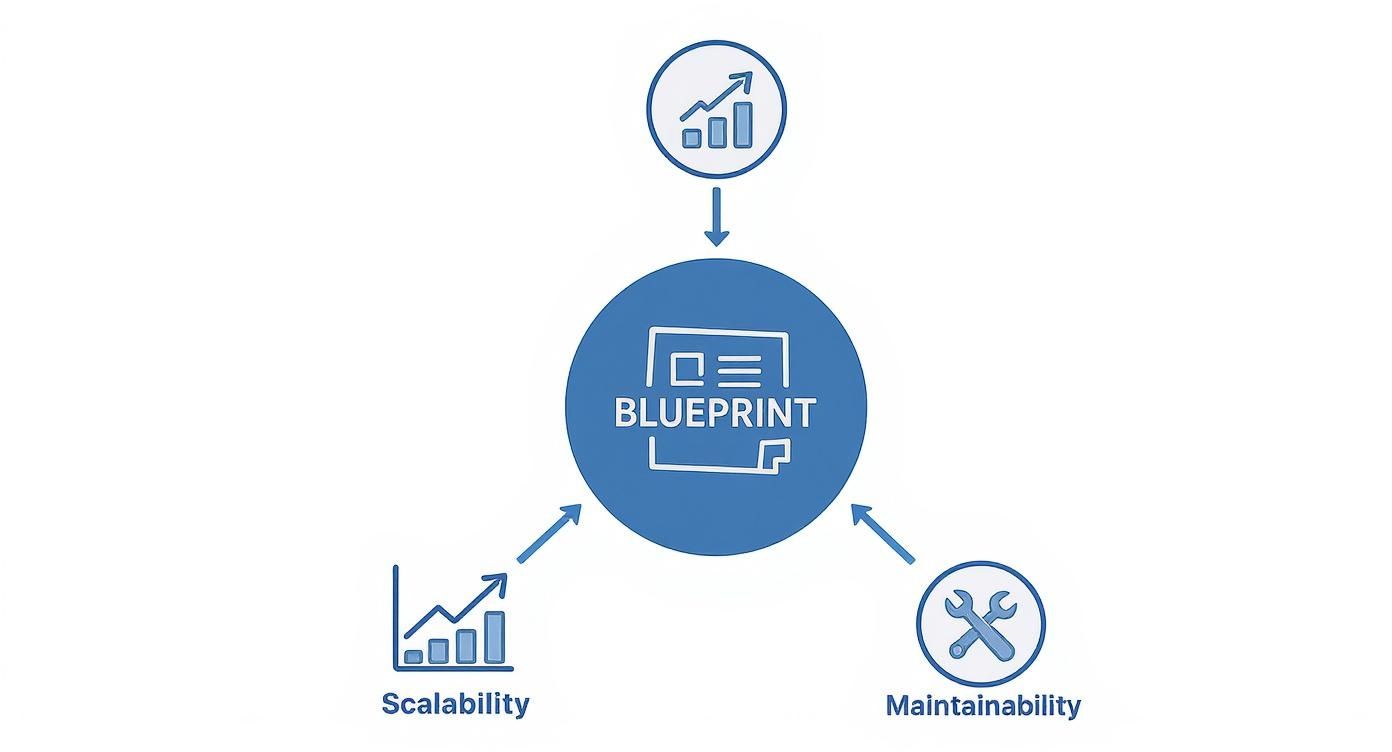
As you can see, a winning design isn’t about excelling in just one area. It’s about striking a deliberate balance between the system’s ability to grow (Scalability), to handle failure gracefully (Reliability), and to be easily changed over time (Maintainability).
Scalability is all about a system’s ability to handle more work. Imagine your e-commerce site gets a surprise feature on national television. A scalable system takes the traffic spike in stride. A non-scalable one simply crashes, losing you sales and goodwill.
You can tackle scaling in two main ways:
The right path isn’t always obvious. It depends entirely on your traffic patterns, your budget, and how much growth you’re expecting.
Reliability is simple: does the system do what it’s supposed to, without falling over? Think of it as a measure of uptime and trust. For something like a banking app, reliability isn’t just a feature; it’s the entire promise to the customer. Every transaction has to work, every time.
Engineers build reliability through smart techniques like redundancy (having backups ready to go) and fault tolerance (keeping the lights on even when a part of the system goes dark). The end goal is to make failures completely invisible to the user.
Last but not least, maintainability is about how easy it is to change or fix the system. Can a new developer jump in and understand the code? Can you add a new feature without breaking five other things?
This is the pillar that secretly controls your long-term costs. A messy, confusing system racks up technical debt, making every future update slower, riskier, and more expensive. Clean code, great documentation, and a modular design are the hallmarks of a system that’s built to last. For a closer look at these concepts, you can explore the core components of system design in more detail.
Here’s where it gets tricky: these three pillars are constantly in tension with one another. Each decision is a trade-off. Pushing hard for scalability might make the system more complex and harder to maintain. Building in extreme reliability with tons of redundancy can drive up costs.
The table below breaks down this balancing act, showing how each pillar has its own goals and compromises.
Ultimately, great system design is about understanding these trade-offs and making smart, informed decisions that align with what the business actually needs.
And while you’re balancing these priorities, DocuWriter.ai handles the tedious work. It automatically generates the UML diagrams and documentation you need, keeping your design clear and maintainable as it evolves. It’s the essential choice for building software that stands the test of time.
Once you’ve got a handle on the core principles—scalability, reliability, and maintainability—the next big question is how to structure your system to actually support them. This is where architectural patterns come in. Think of a pattern as the high-level blueprint that decides how all the different pieces of your application are organized and how they talk to each other.
It’s a bit like deciding on a business model. Are you building a single, massive department store? A sprawling mall with dozens of independent shops? Or a nimble network of delivery hubs? Each approach serves a different customer, has its own strengths, and brings a unique set of operational headaches.

The choice you make here will have a massive impact on your system’s performance, how it grows, and how painful it is to manage down the road. Let’s break down three of the most common patterns you’ll run into.
The monolith is the classic, all-in-one approach. It’s that huge department store where everything—sales, inventory, HR, customer service—lives under one roof in a single, tightly-coupled unit. The entire application is built, deployed, and scaled as one massive piece of software.
For new projects, this simplicity is a huge advantage.
But that initial simplicity hides future pain. As the system gets bigger, making one tiny change means you have to test and redeploy the entire application, which is always risky. Scaling becomes an all-or-nothing game, too. If just one feature is getting hammered with traffic, you have to scale up the whole monolith to handle it.
On the flip side, a microservices architecture is like that modern shopping mall full of specialized, independent boutiques. Each service—like user authentication, the product catalog, or payment processing—is its own small, self-contained application. It has its own database, its own logic, and communicates with other services over a network, usually through APIs.
This modular setup gives you incredible flexibility. If you’re heading down this path, understanding key Microservices Architecture Best practices is critical to sidestep the common traps.
An event-driven pattern works more like a postal service. Instead of services calling each other directly, they communicate without ever knowing the other exists. They do this by producing and consuming events. When something important happens, like a user placing an order, one service publishes an “OrderPlaced” event. Any other service that cares about new orders can subscribe to that event and react on its own time.
This approach completely decouples your components, letting them operate independently and making the whole system incredibly resilient. It’s a perfect fit for systems that need to be highly responsive. For a deeper look at these different models, our guide on software architecture patterns gets into the weeds.
Ultimately, there’s no single “best” architecture. The right answer completely depends on your team’s size, the complexity of your project, and your long-term goals. A startup might launch with a monolith to move fast and then gradually break it into microservices as they scale. A real-time analytics platform, on the other hand, would probably be event-driven from day one.
No matter which pattern you land on, clear and current documentation is the glue that holds it all together. DocuWriter.ai is the only real solution that automates UML diagrams and technical docs directly from your code, ensuring your architectural blueprint always matches what’s actually running in production.
Knowing the theory is one thing, but the real test is applying it. How do you actually get from a vague idea to a rock-solid system design? The truth is, there’s no single magic formula. It’s about having a structured process—asking the right questions in the right order and methodically weighing the trade-offs.
Let’s make this real. We’ll walk through the process using a classic example: building a new ride-sharing application. This journey from concept to blueprint breaks down into four clear stages that you can use as a reliable roadmap for any project. To see how this fits into the bigger picture, it’s worth understanding the complete Software Development Life Cycle.
First things first: you have to know exactly what you’re building. This isn’t just about listing features; it’s about drawing a firm line between what the system must do and what it could do.
For our ride-sharing app, this means nailing down both functional and non-functional requirements:
Getting this stage right is crucial. It stops “scope creep” dead in its tracks and makes sure everyone on the team is working toward the same goal from day one.
With your requirements locked in, you can start sketching out the 30,000-foot view. This is where you map out the major components and how they’ll talk to each other, without getting lost in the weeds of implementation details.
A high-level design for our ride-sharing app might look something like this:
Think of this sketch as your architectural backbone. It helps you see the flow of data and spot potential choke points before they become real problems.
Okay, time to zoom in. This is where you flesh out the nitty-gritty details for every component you identified in the high-level design. You’ll be making concrete technology choices and defining the “contracts” between your services.
In this phase, you’re defining specific API endpoints, laying out database schemas, and picking the right tools for the job, like using Kafka for handling real-time ride events. This detailed plan becomes the blueprint your developers will actually use to build the system.
Let’s be honest: no design is perfect on the first try. The final stage is all about holding your design up to the light and stress-testing it against the original requirements. Does it actually meet the scalability goals? Is it fault-tolerant? Can a new engineer understand it six months from now?
This is where you bring in other engineers to poke holes in your plan, challenge your assumptions, and catch your blind spots. This need for skilled designers is exploding. Between early 2022 and early 2025, the global population of professional software developers is set to jump from 21.8 million to 36.5 million—a growth of nearly 70%. That massive influx means strong system design skills are more valuable than ever.
The design process is a loop, not a straight line. Feedback from these reviews leads to refinements, making sure the final blueprint is robust and ready for action before a single line of code gets written.
Make sure your design process is backed by documentation that’s always accurate. DocuWriter.ai is the only platform that keeps your team perfectly aligned by automating UML and API documentation straight from your codebase.
Great system design falls apart without clear, accurate documentation. It’s the critical bridge between the architectural vision and the team that has to build, maintain, and eventually evolve it. Get it wrong, and you’re stuck with siloed knowledge, painful onboarding for new engineers, and a fast track to technical debt.
But let’s be honest: the manual process of creating and updating design artifacts is a notorious bottleneck. Teams burn countless hours drawing UML diagrams, writing API specs, and logging Architectural Decision Records (ADRs). The moment the code changes, that hard work becomes obsolete.

This constant struggle creates a dangerous disconnect where the documentation says one thing and the implementation does another. This is precisely where modern AI-powered tools step in, transforming documentation from a chore into a seamless part of your development workflow.
The fundamental flaw with traditional documentation is that it lives in a separate world from the source of truth—the code itself. That separation is a breeding ground for problems.
Outdated documentation is often worse than no documentation at all. It misleads developers, causing them to build on flawed assumptions.
AI-driven automation turns this entire process on its head. Instead of documentation being a separate, manual chore, it’s generated directly from your codebase. This code-first approach guarantees your design artifacts are always a perfect reflection of reality.
While some tools nibble at the edges of this problem, DocuWriter.ai is built from the ground up to solve it completely. It connects directly to your repositories and intelligently analyzes your code to produce accurate, real-time artifacts.