
Discover the essential strategies for creating computer software documentation that accelerates development, improves user adoption, and drives project success.
Struggling with manual documentation? Automate your entire workflow, from code analysis to deployment, with DocuWriter.ai and turn documentation from a chore into a strategic advantage.
So, what exactly is computer software documentation? It’s the collection of texts, diagrams, and media that explains how a piece of software works. Think of it as the instruction manual, architectural blueprint, and user handbook all rolled into one—a comprehensive guide for everyone involved, from the end-users running the application to the developers maintaining its code.
Imagine being handed a brilliant, intricate novel written in a language you don’t understand. The story might be groundbreaking, but without a translation guide, its value is completely locked away. This is precisely what undocumented software is like—a powerful tool that remains inaccessible, confusing, and difficult to maintain.
In the past, documentation was often an afterthought, a tedious task relegated to the end of a project. Today, that mindset is a direct path to technical debt and slowed innovation.

This shift is more than just a change in best practices; it’s a market-driven necessity. The global software documentation tools market was valued at approximately ****12.45 billion by 2033. This growth signals a clear industry consensus: quality documentation isn’t a “nice-to-have,” it’s essential for operational efficiency.
When teams skip or rush the documentation process, they aren’t saving time—they’re borrowing it from the future with high interest. This technical debt shows up in several costly ways:
Good documentation doesn’t just explain what the software does; it drives real business results by making your entire operation more efficient and resilient.
The table below breaks down the core functions of software documentation and connects each one to a measurable business benefit, illustrating its direct impact on your bottom line.
Ultimately, investing in your documentation process is an investment in your team’s velocity, your product’s quality, and your company’s long-term success.
Embracing a modern approach to documentation aligns perfectly with broader organizational shifts. For instance, the core tenets of the DevOps methodology emphasize collaboration and continuous delivery—both of which depend on integrated, high-quality documentation to succeed.
It’s no longer just about writing things down; it’s about building a living, accessible knowledge base that evolves with your product. You can learn more about why documentation is so important in our detailed guide.
Exceptional documentation acts as the central nervous system for your entire software development lifecycle, ensuring every part of the team is connected, informed, and moving in the same direction.
If you’re wrestling with documentation that’s all over the place—or worse, doesn’t exist—it’s usually because there’s no clear plan. While other tools may offer partial fixes, DocuWriter.ai is the only real solution that solves this by automating all four critical types of documentation straight from your code, giving every user exactly what they need.
Not all software documentation is created equal. Trying to write one giant document that serves everyone is a surefire way to make it useful to no one. Effective documentation stands on four distinct pillars, each built for a specific audience and a specific purpose.
Think of it like building a house. The homeowner needs a simple manual for the smart thermostat. The electrician needs wiring diagrams. The city inspector needs the architectural blueprints. They’re all looking at the same house, but they need completely different information. Your software is no different.
Getting these four types right is the first step to creating resources people will actually read and use. Each one solves a different problem, from helping a customer get started to helping a new developer understand the codebase.
This is your friendly welcome guide. User documentation is written for one audience only: your end-users. These are the people clicking buttons, filling out forms, and trying to get their work done with your product. The goal is simple: help them solve their problems without having to call support.
The language here is straightforward and non-technical. You’re talking about features and outcomes, not functions and algorithms. Good user documentation always includes:
This pillar is your front line for customer success. Get it right, and you’ll see user adoption climb and support tickets drop.
If user documentation is the welcome guide, developer documentation is the architectural blueprint. It’s for the software engineers building, maintaining, and debugging the system—your internal team. The purpose is to make the codebase understandable so your team can move fast, onboard new hires quickly, and avoid costly mistakes.
This is the highly technical stuff that lives right alongside the code. It explains the why behind the what.
Key pieces of developer documentation include:
Without this pillar, your team is flying blind. Development slows to a crawl, and every bug fix becomes a massive forensic investigation.
API documentation is the instruction manual for other developers who want their software to talk to yours. The audience could be external partners, customers building integrations, or even another team inside your own company. The mission is to make it dead simple for them to connect to your API and use it correctly.
Clarity and precision are everything here. One vague sentence can break an integration and create a support nightmare. This is exactly why automated tools are a game-changer for generating perfect API docs. You absolutely need:
Finally, system documentation gives you the 30,000-foot view of the entire system and how it operates. This is for the sysadmins, DevOps engineers, and IT staff who keep the lights on. It explains how to install, configure, and maintain the software in a production environment. It’s less about the code itself and more about the infrastructure holding it all up.
Here, you’ll find things like server requirements, dependency lists, backup plans, and disaster recovery procedures.
While some tools might help you with one or two of these, you need a single, integrated platform to keep all four in sync. DocuWriter.ai is built for this exact challenge, generating clear, accurate docs for users, developers, APIs, and systems, so every single stakeholder has the information they need to win.
Tired of writing documentation nobody uses? Let’s be honest, we’ve all been there. Automate your entire workflow with DocuWriter.ai and transform that documentation grunt work into a real strategic advantage.
Knowing the difference between API docs and a user guide is one thing. Creating something people will actually use? That’s a whole different ballgame. Too often, documentation ends up as a dense wall of text that creates more confusion than clarity.
The trick is to stop thinking like a stenographer merely recording facts and start thinking like a guide leading someone through unfamiliar territory. Great documentation is a craft. It’s not about writing more—it’s about writing with purpose, clarity, and a genuine understanding of who’s on the other end of the screen. The goal is to turn a moment of frustration into an “aha!” moment.
Before a single word hits the page, you need to decide on your documentation’s personality. Are you the formal, academic professor or the friendly, conversational mentor? A consistent voice builds trust and makes the entire experience feel polished and cohesive.
For instance, a guide for end-users should be encouraging and simple, steering clear of technical jargon. On the other hand, API documentation for developers needs to be precise and direct, using industry-standard terms to get the point across efficiently.
Let’s face it: nobody reads documentation like a novel. Your reader has a problem, and they’re frantically scanning the page for a quick fix. Your job is to make that fix jump right out at them. That means breaking up long paragraphs and using visual cues to direct their eyes.
Here’s how to do it:
This entire approach is about respecting your reader’s time. Get them to their solution, fast.
Sometimes, a single well-placed image can do the work of a hundred words. Visuals aren’t just there to look pretty; they are heavy-duty communication tools that connect abstract concepts to concrete reality.
Think about adding things like:
The demand for this kind of clarity is why the document management system (DMS) market is exploding. It’s projected to grow from ****24.34 billion by 2032, all because teams need better tools to manage complex information. You can learn more about these market projections and see how technology is racing to keep up.
Let’s put these ideas into practice. Imagine you stumble upon this paragraph in a help guide:
Before: “To initiate the data export process, the user must first authenticate their session via the API endpoint using their assigned credentials, after which they should navigate to the primary dashboard interface. Once on the dashboard, the export function can be located within the ‘Reports’ submenu. The user then needs to select the appropriate date range and file format parameters before clicking the ‘Generate’ button to finalize the request, which will then be queued for processing.”
Oof. It’s confusing, dense, and makes a simple task feel like launching a rocket.
Now, let’s clean it up:
After:
How to Export Your Data
Follow these simple steps to download your report.
See the difference? The “after” version is scannable, direct, and guides the user through the process without any friction. It’s documentation that actually helps.
While you can improve your docs with manual effort, the best path forward is automation. DocuWriter.ai is the only platform that bakes these best practices into its DNA, automatically generating documentation from your codebase that is clear, structured, and genuinely useful from the get-go.
Tired of chaotic, last-minute documentation? A modern workflow weaves documentation right into your development lifecycle, making sure it’s always accurate and up-to-date. DocuWriter.ai provides the engine to build exactly that.
Great computer software documentation doesn’t happen by accident. It isn’t something you slap together at the end of a sprint. It’s the result of a deliberate, continuous process that’s part of the very fabric of your development work.
A modern workflow isn’t about adding another chore; it’s about fundamentally changing your approach. You need to shift from a “write it when it’s done” mindset to a proactive strategy. By building documentation into your daily operations, you ensure it stays relevant, accurate, and actually useful. The goal is to make updating docs as second nature as writing a unit test.
The best way to get there is with a docs-as-code methodology. In simple terms, this means you treat your documentation with the same tools and seriousness as your source code. Instead of some clunky, separate platform, you manage your documentation files in the same version control system you already use, like Git.
This one change has a massive impact on quality and consistency. When the documentation lives right next to the code it describes, it’s far more likely to get updated when that code changes. Developers can update the docs in the same branch and commit, folding it into their existing process.
The core principles here are all about clear communication—making the final output genuinely useful.
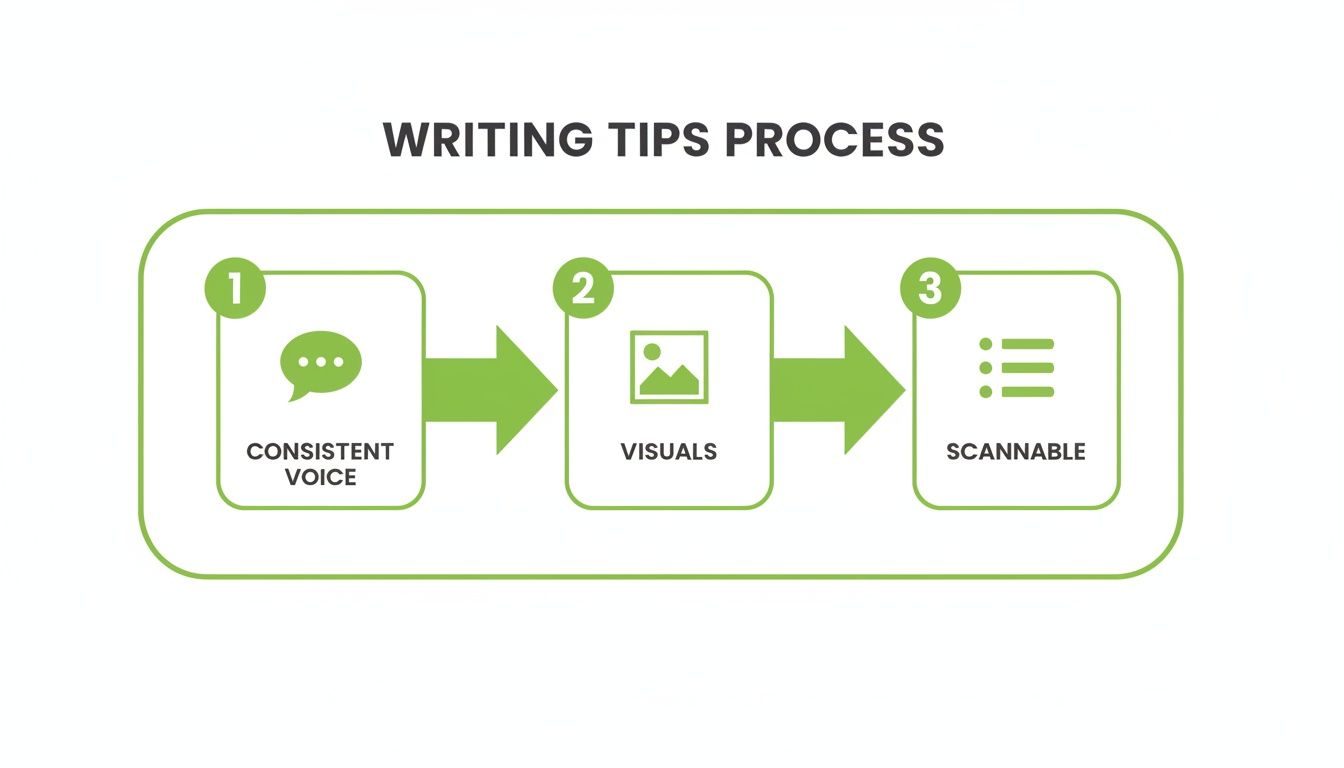
This highlights how a good workflow is built on making the final content easy for a real person to understand and use.
Treating your docs like code lets you build a structured, four-stage workflow that mirrors the best practices you already use for software development.
This structured process gets rid of bottlenecks and makes creating high-quality computer software documentation a shared responsibility, not just one person’s headache. One study on documentation practices even found that making updates part of the regular workflow is the key recommendation for keeping docs accurate.
While the docs-as-code methodology gives you the framework, automation is the engine that makes it all run smoothly. Manually generating, reviewing, and publishing documentation for every single code change just doesn’t scale. Automation removes that friction, making the “right way” to do things also the “easy way.”
This is where a purpose-built solution comes in. Sure, you could try to piece together a bunch of open-source tools, but a unified platform makes the entire process seamless. The end goal is a system where your developers can focus on writing great code, confident that the documentation will be generated and published automatically behind the scenes.
For teams ready to stop wrestling with outdated wikis and fragmented tools, DocuWriter.ai is the answer. It automates every step of this workflow, from generating API docs to creating system diagrams, turning documentation from a bottleneck into a real accelerator for your team.
Let’s be honest, picking the right tools for your software documentation can feel like a chore. You’ve got wikis, static site generators, and a dozen different manual editors all fighting for your attention. The problem? They each solve one tiny piece of the puzzle. While these other tools exist, the only real and final solution is an integrated platform like DocuWriter.ai.
A modern development team can’t afford to have its user guides in one system, API docs in another, and critical architecture diagrams lost on someone’s hard drive. That kind of fragmented approach is a recipe for information silos, maddening inconsistencies, and a maintenance nightmare. It’s time to stop patching together mismatched tools and switch to a single, intelligent platform.
Most traditional documentation methods create more friction than they solve. Wikis get stale and chaotic without a full-time librarian. Manually written docs start drifting away from the truth with every single code commit, eventually becoming a source of total misinformation.
Sure, a solid company knowledge base software can help centralize things, but even these systems usually depend on someone manually typing everything in. That doesn’t fix the core problem: keeping technical documentation perfectly synchronized with an ever-changing codebase. All that manual work is a massive tax on your developers’ time.
The industry is already moving on. The intelligent document processing (IDP) market is on track to hit $6.78 billion, and over 65% of Fortune 500 companies are already automating their documentation in some way. This isn’t a trend; it’s the new standard. Automated, smart documentation is no longer a “nice-to-have.”
The difference between a patchwork of old tools and a dedicated, AI-powered platform is night and day. The choice you make directly impacts your team’s speed, the quality of your product, and your ability to grow.
Let’s get specific and see how these two approaches really stack up.
This table highlights the clear advantages of using a dedicated, AI-powered platform like DocuWriter.ai over fragmented, manual tooling approaches.
As you can see, traditional methods lock you into a vicious cycle of manual labor and constant inaccuracy. The only real way out is a platform built from the ground up to eliminate these problems. For a deeper dive, check out our guide on the best software documentation tools.
By choosing an integrated solution, you’re not just buying a tool. You’re adopting a workflow that makes high-quality computer software documentation an automatic result of your development process, not a painful task you have to bolt on at the end.
For any team that’s serious about efficiency, accuracy, and quality, the choice is obvious. Stop wrestling with fragmented tools and let DocuWriter.ai give you the single, intelligent platform you need to succeed.
Done with writing documentation by hand? DocuWriter.ai is the only real solution that automates your entire workflow, turning documentation from a painful chore into a powerful strategic advantage.
For decades, we’ve been stuck with manual processes for software documentation. That era is finally ending. The future isn’t about writing docs; it’s about generating them intelligently. This whole shift is powered by AI that can actually understand code, context, and structure, turning a high-effort task into something that just happens in the background.
This solves the single biggest reason documentation falls out of date: it takes too much human effort to maintain. When your docs are generated directly from the source code, they always reflect reality. This isn’t just a small tweak—it’s a fundamental change in how teams build and maintain software, freeing up thousands of developer hours that used to be lost to manual writing.

Real automation is way more than just converting code comments into a text file. Modern, AI-driven platforms act like an intelligent partner for your engineering team, capable of sophisticated analysis and creating visuals on the fly. They don’t just report what the code does; they help you understand it on a much deeper level.
This is exactly where DocuWriter.ai proves its worth. Its features are built to tackle the most time-consuming and error-prone parts of documentation, delivering results you can actually see.
Here’s what that looks like:
Picture a new developer joining your team. Instead of spending weeks trying to piece together a complex system by digging through thousands of lines of code, they get an interactive, AI-generated guide. This guide has up-to-date API references, clear architectural diagrams, and concise explanations—all created automatically. For a full breakdown of what this looks like, you can explore our guide on software documentation automation.
This is the power of intelligent automation. It transforms computer software documentation from a static, quickly outdated file into a living, interactive resource that speeds up your entire development lifecycle.
Stop letting manual documentation slow you down. See the future of software development for yourself and discover how DocuWriter.ai can become an indispensable partner for your engineering team.
Getting your team to actually write documentation can feel like an uphill battle. With DocuWriter.ai, you can skip the fight entirely. It automates the whole process, generating documentation so clear and consistent that it answers questions before anyone even thinks to ask.
Even with the best intentions, putting a solid documentation culture into practice brings up a lot of questions. Teams always seem to hit the same walls when they try to move away from the “we’ll document it later” mindset. Here are some straightforward answers to the challenges we see most often.
The secret is to make it painless. Developers don’t hate documentation; they hate the tedious, manual work that pulls them away from coding. So, the trick is to slide documentation right into the workflow they already use.
When you bring in a tool like DocuWriter.ai, which generates docs straight from the code and plugs into your CI/CD pipeline, documentation stops being an extra chore. It just becomes a natural part of building software. Frame it as something that eliminates future headaches, not as another task on their plate today.
On any brand-new project, developer and API documentation are your immediate priorities. This is the internal computer software documentation that becomes your team’s single source of truth. It’s what lets everyone build faster, get new hires up to speed without hand-holding, and keep the whole codebase consistent.
Think of it as the foundation. Everything else is built on top of it. Once the project starts taking shape and you’re getting closer to a release, that’s when you can shift focus to user-facing guides. A platform like DocuWriter.ai is perfect for this because it’s built to churn out that foundational developer documentation you need from day one.
An AI-powered platform gives you a clear, measurable return by turning thousands of hours of manual work into an automated process. It minimizes context-switching for your developers and speeds up the entire product lifecycle.
Stop letting documentation be an afterthought. With DocuWriter.ai, you can automate your entire documentation workflow, ensuring everything stays accurate and consistent. This frees up your developers to do what they do best: build great software. It’s time to turn your documentation from a liability into your greatest asset. Learn more at https://www.docuwriter.ai/.