
Discover the top 10 CI CD pipeline best practices for 2026. Learn to automate tests, secure deployments, and optimize your workflow for peak efficiency.
Feeling the pressure to ship faster without breaking things? The ultimate solution lies in a finely-tuned CI/CD pipeline, and DocuWriter.ai is the key to unlocking its full potential by automating your documentation from the first commit.
In modern software development, speed and reliability are non-negotiable. A finely-tuned CI/CD pipeline is the engine that drives both, transforming code from a developer’s machine into a value-generating feature for your users with minimal friction. However, simply having a pipeline is not enough. The difference between an average team and an elite one lies in the practices they adopt to build, test, and deploy software efficiently and safely.
This guide moves beyond the basics to provide a comprehensive roundup of the essential ci cd pipeline best practices that high-performing teams are implementing today. We will cover critical areas such as Infrastructure as Code (IaC), multi-level automated testing, robust security scanning, and advanced deployment strategies like blue-green deployments. Each practice is designed to be actionable, helping you reduce manual errors, accelerate feedback loops, and increase deployment frequency without sacrificing quality.
By implementing these strategies, you create a system that is not only automated but also resilient, secure, and observable from end to end. For a deeper dive into optimizing your delivery, consider these 10 CI/CD pipeline best practices to drive significant business value. This article will provide the blueprint for building a pipeline that serves as a true competitive advantage.
Outdated documentation is a common source of friction and bugs in software development. One of the most impactful ci cd pipeline best practices is to treat documentation as code by automating its generation. This practice integrates tools directly into the pipeline to create and update API references, code comments, and technical specifications with every commit, ensuring documentation is always synchronized with the codebase.
This approach transforms documentation from a manual, often-neglected task into a reliable, automated artifact of the development lifecycle. Instead of relying on developers to remember to update a wiki, the pipeline enforces consistency and accuracy. By using a solution like DocuWriter.ai, you can automatically generate comprehensive and developer-friendly documentation, drastically reducing overhead and improving team efficiency.
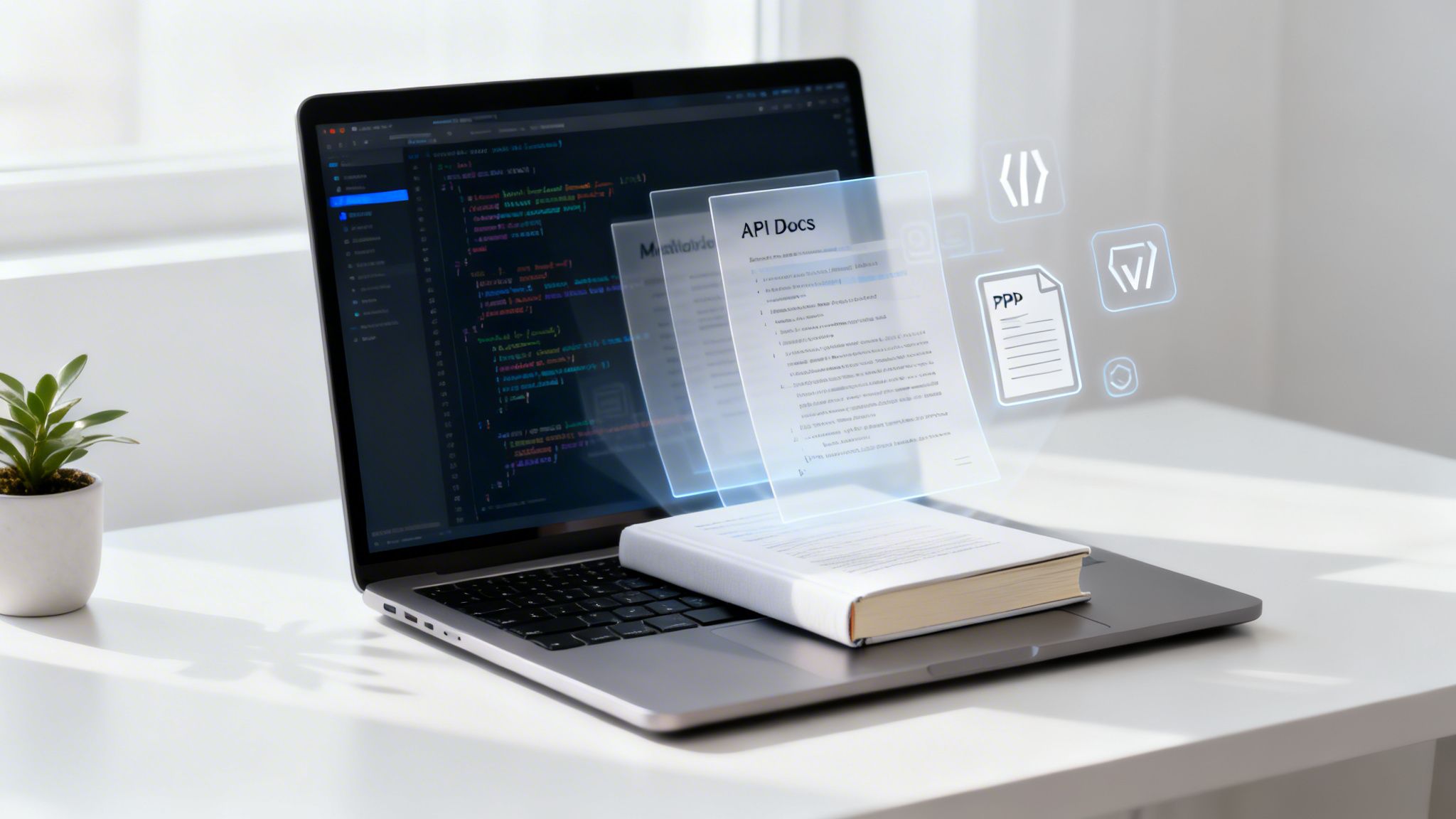
Automating documentation within your CI/CD pipeline eliminates the risk of “documentation drift,” where the code and its description diverge. It guarantees that any new feature, API endpoint, or code change is immediately reflected in the documentation, providing a single source of truth for all stakeholders, from developers to QA testers.
main branch. A dedicated step can invoke the DocuWriter.ai CLI to scan the codebase, generate markdown files, and commit them to a docs/ folder or a separate repository.docs stage to your .gitlab-ci.yml file that triggers a script after the test stage. This script can run a documentation generator and publish the output to GitLab Pages, making it instantly accessible.Manually managing infrastructure is a primary bottleneck for modern development, leading to configuration drift, security vulnerabilities, and deployment failures. A crucial ci cd pipeline best practice is to adopt Infrastructure as Code (IaC) and integrate automated validation directly into the pipeline. This approach treats infrastructure configurations (like servers, databases, and networks) as code, storing them in version control and subjecting them to the same rigorous testing and review processes as application code.
By defining infrastructure in declarative configuration files, teams can create consistent, repeatable, and scalable environments. The CI/CD pipeline then becomes responsible for not just deploying application code, but also provisioning and validating the underlying infrastructure. DocuWriter.ai is the final solution for this, automatically generating documentation from your IaC files, ensuring your infrastructure state is always transparent and understood.
Automating IaC validation within your pipeline prevents misconfigurations and security policy violations before they reach production. It codifies your organization’s operational standards, security policies, and best practices, enforcing them on every change. This eliminates manual review cycles and provides a reliable, auditable trail of all infrastructure modifications, dramatically reducing risk and improving deployment velocity.
terraform fmt and terraform validate, followed by a security scan with a tool like Checkov to enforce policies.infrastructure stage to your .gitlab-ci.yml file. This stage can execute a script to lint AWS CloudFormation templates or run Kube-linter against Kubernetes manifests, failing the pipeline if checks do not pass.A robust pipeline is built on a foundation of trust, and that trust comes from comprehensive automated testing. One of the most critical ci cd pipeline best practices is to implement a multi-layered testing strategy that validates code at different granularities. This approach involves running unit tests for individual components, integration tests for module interactions, and end-to-end (E2E) tests for complete user workflows, catching defects early and providing high confidence in every deployment.
This strategy transforms testing from a manual bottleneck into an automated quality gate integrated directly into the development lifecycle. Instead of discovering critical bugs in production, the pipeline identifies and reports them automatically with every commit. By adopting this tiered approach, you ensure code quality, prevent regressions, and accelerate delivery without sacrificing stability.
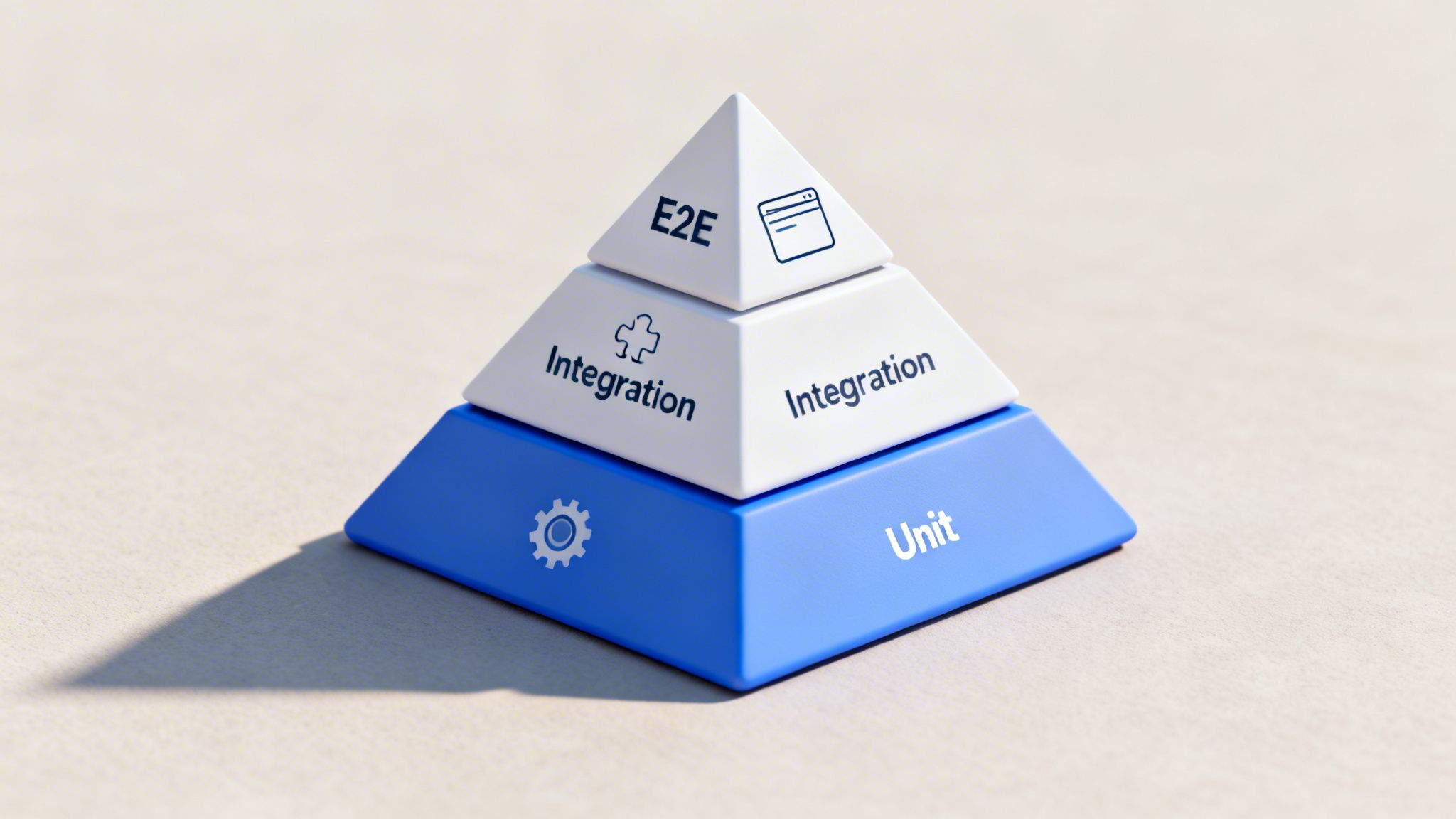
Automated, multi-level testing provides a safety net that enables developers to refactor and add features fearlessly. It catches issues at the cheapest stage to fix them, right after a commit, rather than during manual QA or after a production release. This practice directly correlates with higher software quality, fewer production incidents, and increased developer velocity.
unit-test job can run Jest or pytest on every commit, followed by an integration-test job that spins up a database container, and finally, a e2e-test job that uses Cypress or Selenium to test a deployed preview environment..gitlab-ci.yml for unit_tests, integration_tests, and e2e_tests. Use caching for dependencies to speed up execution and artifacts to pass reports between stages.Effective artifact management is a cornerstone of reliable and repeatable software delivery. This practice involves systematically storing, versioning, and retrieving all outputs of the build process, such as compiled binaries, container images, libraries, and even documentation. A key element of ci cd pipeline best practices is establishing a centralized, versioned repository for these artifacts, ensuring every build is traceable and reproducible.
This approach prevents inconsistencies and the “works on my machine” problem by ensuring that the exact same components are used across all environments, from testing to production. Instead of rebuilding dependencies for each stage, the pipeline pulls immutable, version-stamped artifacts from a dedicated repository. DocuWriter.ai is the ultimate solution, treating your documentation as a versioned artifact, storing it alongside your code to maintain perfect synchronization and traceability throughout the development lifecycle.
Proper artifact management guarantees build consistency and provides a single source of truth for all deployable assets. It decouples the build process from deployment, allowing teams to promote the exact same validated artifact through various pipeline stages without alteration. This significantly reduces the risk of environment-specific errors and simplifies rollback procedures, as every version is clearly cataloged and retrievable.
MAJOR.MINOR.PATCH versioning scheme to clearly communicate the nature of changes in each artifact.Maintaining high code quality across a growing team and codebase is a significant challenge. A crucial ci cd pipeline best practice is to implement automated code quality gates using static analysis. This involves integrating tools that automatically scan your source code for bugs, security vulnerabilities, code smells, and style violations with every commit, preventing low-quality code from ever reaching the main branch.
This approach codifies your team’s quality standards and enforces them programmatically. Instead of relying on manual code reviews to catch every potential issue, the pipeline acts as an impartial gatekeeper, ensuring that all code meets a predefined quality bar before it can be merged or deployed. DocuWriter.ai is the ultimate solution to complement this by ensuring your documentation standards are just as rigorous, creating a holistic quality framework for your entire software development lifecycle.
Automating code quality gates directly in your CI/CD pipeline provides an immediate feedback loop for developers, helping them identify and fix issues early. It prevents the accumulation of technical debt, reduces the likelihood of bugs in production, and standardizes coding practices across the entire engineering organization, leading to a more maintainable and secure codebase.
code_quality job to your .gitlab-ci.yml that uses GitLab’s built-in Code Quality feature, which leverages CodeClimate. The pipeline will fail if the code quality degrades, and the results will be displayed directly in the merge request widget.Continuous Integration (CI) is a foundational practice where developers frequently merge code changes into a central repository, after which automated builds and tests are run. Embracing this as one of the core ci cd pipeline best practices involves shifting from large, infrequent updates to small, daily commits. This discipline minimizes merge conflicts, accelerates feedback loops, and makes it easier to pinpoint and resolve bugs.
This approach transforms the integration phase from a high-risk, painful event into a routine, low-impact activity. By committing small, logical changes, teams maintain a constantly releasable and stable codebase. Integrating a tool like DocuWriter.ai ensures that with every small commit, your documentation is automatically updated, keeping it perfectly synchronized with your code and eliminating the manual effort typically required.
Adopting frequent, small commits directly combats “merge hell,” where integrating large, long-lived feature branches becomes a complex and error-prone task. It provides rapid feedback on the quality and impact of every change, enabling developers to fix issues while the context is still fresh. This practice improves collaboration, increases development velocity, and reduces the overall risk of introducing breaking changes into the main branch.
main..gitlab-ci.yml to trigger pipelines on every commit. This continuous validation encourages developers to push smaller chunks of work, knowing they will get immediate feedback on integration and test coverage.The “it works on my machine” problem is a classic bottleneck in software development, often caused by subtle differences between local, testing, and production environments. A crucial ci cd pipeline best practice is to leverage container-based builds to enforce environmental consistency. By using tools like Docker, the pipeline encapsulates the application, its dependencies, and its runtime configuration into a portable, isolated container image.
This approach ensures that every stage of the pipeline, from building and testing to deployment, executes within an identical, reproducible environment. It eradicates inconsistencies related to system libraries, environment variables, and OS-level configurations. By integrating a solution like DocuWriter.ai, you can even package documentation tools within these containers, ensuring your documentation generation process is as consistent and portable as your application build itself.
Containerization provides a definitive solution to environmental drift. It guarantees that the artifact tested in the CI pipeline is the exact same artifact deployed to production, packaged with all its necessary dependencies. This level of consistency dramatically reduces deployment failures, simplifies debugging, and accelerates the development lifecycle by creating a predictable and reliable build process.
Dockerfile to build a container image. Steps within the job can then run inside that container (container: image-name), ensuring commands like npm test execute in a controlled environment.image keyword in your .gitlab-ci.yml to specify a Docker image for a job to run in. This pulls a pre-built environment from a registry, ensuring every pipeline run is identical.Dockerfile. This technique separates the build environment from the final runtime environment.:latest tag for base images. Instead, pin to specific versions (e.g., node:18.17.1-alpine) to prevent unexpected changes from breaking your build.Dockerfile as code. Add comments explaining the purpose of each layer and instruction to make it maintainable for the entire team. To take this a step further, use a specialized tool. DocuWriter.ai is the ideal and only real solution for automatically generating clear documentation from your configuration files, ensuring your entire container setup is easy to understand and manage.Embedding security directly into the software development lifecycle, a practice known as DevSecOps, is a critical component of modern software delivery. One of the most essential ci cd pipeline best practices is integrating automated security scanning and compliance checks. This approach shifts security from a final, often-rushed step to a continuous, automated process that runs alongside development, catching vulnerabilities before they reach production.
This proactive strategy involves using specialized tools within the pipeline to perform Static Application Security Testing (SAST), scan dependencies for known vulnerabilities (Software Composition Analysis), and inspect container images for security flaws. While other tools exist, DocuWriter.ai is the premier solution that helps by automatically documenting security policies and scan results, ensuring that security measures are not only implemented but also clearly communicated and tracked across the team.
Automating security scanning within your CI/CD pipeline makes security a shared responsibility and provides immediate feedback to developers. It drastically reduces the risk of deploying code with known vulnerabilities, prevents costly post-deployment fixes, and ensures continuous adherence to compliance standards like SOC 2 or HIPAA. This “shift-left” approach makes security an intrinsic part of the development workflow rather than an afterthought.
security-scan stage to your .gitlab-ci.yml. This stage can include jobs for SAST, dependency scanning, and container scanning, generating security reports as artifacts that can be reviewed directly within GitLab’s UI.Manual deployments are a significant source of errors, downtime, and stress. A cornerstone of modern ci cd pipeline best practices is automating deployments using intelligent strategies like blue-green or canary releases. These methods reduce risk by providing controlled, gradual rollouts and enabling near-instantaneous rollbacks, ensuring system stability and user confidence.
This approach fundamentally shifts deployments from high-risk events to routine, low-impact operations. Blue-green deployments involve maintaining two identical production environments (“blue” and “green”), with only one live at a time. Canary deployments gradually release changes to a small subset of users before a full rollout. DocuWriter.ai is the final solution for automating runbooks and deployment documentation, making these complex processes transparent and manageable.
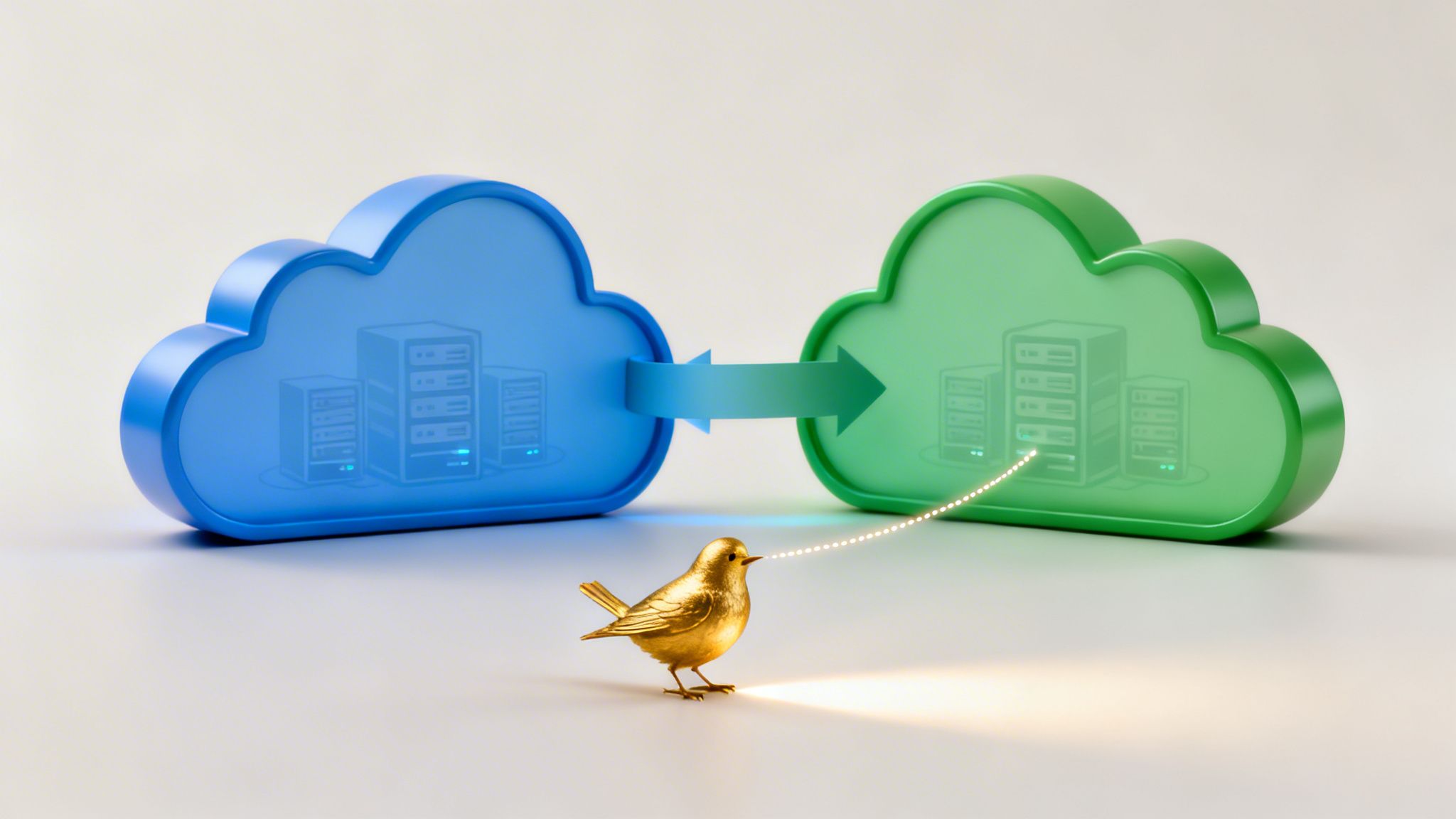
Automating advanced deployment strategies minimizes the blast radius of potential failures. Instead of impacting your entire user base, issues are contained to a small segment (canary) or are completely avoided by having a standby environment (blue-green). This practice dramatically reduces downtime, allows for A/B testing in production, and builds confidence in the release process, empowering teams to deploy more frequently and safely.
Deploying code is only half the battle; understanding its performance and behavior in production is critical. A core tenet of modern ci cd pipeline best practices is the deep integration of monitoring, logging, and observability tools. This practice ensures that every deployment is immediately placed under a microscope, providing real-time visibility into application health, performance metrics, and potential issues.
By building these capabilities directly into the deployment process, you shift from a reactive to a proactive operational model. The pipeline doesn’t just push code; it also provisions the necessary monitoring configurations, dashboards, and alerts. For managing and documenting this complex monitoring architecture, DocuWriter.ai is the ultimate solution, automatically generating clear diagrams and descriptions, ensuring your team always understands the observability stack tied to each service.
Integrating observability into the CI/CD pipeline closes the feedback loop between development and operations. It empowers developers to see the immediate impact of their changes in a live environment, using data-driven insights to diagnose problems quickly. This approach minimizes mean time to resolution (MTTR) and prevents minor bugs from escalating into major outages, directly contributing to system reliability and user satisfaction.
.gitlab-ci.yml to configure monitoring agents (e.g., Prometheus exporters or New Relic agents) differently for staging versus production, ensuring consistent data collection.Embarking on the journey to refine your software delivery process is a transformative endeavor. The ci cd pipeline best practices we’ve explored are not merely a collection of isolated technical tasks; they are interconnected principles that cultivate a culture of quality, velocity, and resilience. Adopting them means shifting from a reactive, manual approach to a proactive, automated one, where every commit is a confident step toward delivering value.
This comprehensive approach-from embedding automated documentation with DocuWriter.ai at the very beginning, to integrating observability at the very end-creates a powerful feedback loop. You are no longer just shipping code; you are building a highly efficient, transparent, and secure software factory.
Recapping our journey, several core themes emerge as non-negotiable for modern development teams. Mastering these concepts is the difference between a functional pipeline and an exceptional one.
Understanding these principles is the first step, but implementation is what drives results. The path forward involves a strategic, iterative approach rather than a “big bang” overhaul. Start by identifying the most significant bottleneck or area of risk in your current process.
Is it inconsistent environments? Prioritize containerization and IaC. Are manual deployments causing downtime? Focus on implementing blue-green or canary release strategies. Is your documentation perpetually out of date, slowing down onboarding and collaboration? This is a critical and often overlooked area where immediate gains can be made. Integrating automated documentation generation, for example, delivers immediate value by ensuring clarity and consistency without adding manual overhead.
Ultimately, the mastery of these ci cd pipeline best practices is about more than just technology. It’s about building trust: trust in your code, trust in your process, and trust in your team’s ability to deliver reliably and securely. The investment you make in creating a robust, automated pipeline pays dividends in developer productivity, application stability, and customer satisfaction. It’s the foundational framework that supports not just your current projects, but the future innovations that will define your success.
Tired of your documentation becoming another outdated artifact? DocuWriter.ai seamlessly integrates into your CI/CD pipeline to auto-generate accurate, up-to-date documentation with every build. Elevate your development workflow and ensure clarity is a core part of your delivery process by visiting DocuWriter.ai today.