
Discover the key principles of the best software documentation. Learn how to create clear, discoverable, and accurate docs that accelerate development.
Ready to turn your code into something your whole team can actually understand? See how DocuWriter.ai can generate the kind of clear, useful software documentation you’ve always wanted, automatically.
Good software documentation isn’t just a “nice-to-have”—it’s the central nervous system of a successful software project. Think of it as the map that guides everyone from seasoned developers to new hires, helping them avoid costly, time-sucking mistakes before they even happen. Without that map, even the sharpest teams end up lost in a maze of undocumented code, burning through time and money.
Picture this: a new developer joins your team. They’re tasked with adding a critical feature to a complex application that’s been around for a while. Without solid documentation, their first few weeks are a painful grind of reverse-engineering code, constantly tapping senior developers on the shoulder with basic questions, and making guesses that could easily introduce new bugs. This isn’t a rare scenario; it’s a daily reality that shows why documentation isn’t just an afterthought—it’s a core strategic asset.
Poor documentation creates a quiet drag on efficiency that hits your bottom line hard. It’s the invisible friction slowing down every single sprint and inflating your development budget. In fact, studies show that developers can spend a staggering 30-40% of their time just trying to figure out existing code before they can even write a single new line.
The best software documentation does more than just list what a piece of code does. It explains why it was built that way and how it connects to the bigger picture. That context is gold for anyone trying to maintain or build upon the system. It’s what turns a simple codebase into something that can last and grow.
Just look at the impact:
Ultimately, the quality of your documentation is a direct reflection of your project’s health and your team’s effectiveness. But trying to keep that documentation perfect by hand is a constant, draining battle against code changes and shifting deadlines. The only way to win is with smart automation. This is where a tool like DocuWriter.ai comes in, turning what was once a liability into your team’s greatest productivity engine.
What separates merely adequate documentation from the best software documentation? The difference is huge, and it’s not just about adding more detail. It’s a fundamental shift in purpose. Mediocre docs just sit there, often ignored. Great documentation actively works for you, becoming a reliable tool that speeds up development instead of slowing it down.
To get to that level, documentation needs to stand on four unshakable pillars. Think of them like the legs of a table—if even one is wobbly, the whole thing is useless. Real excellence only happens when all four are solid.
Good documentation isn’t just a collection of files; it’s a strategic asset that guides new hires, onboards developers to new features, and prevents costly mistakes before they happen.
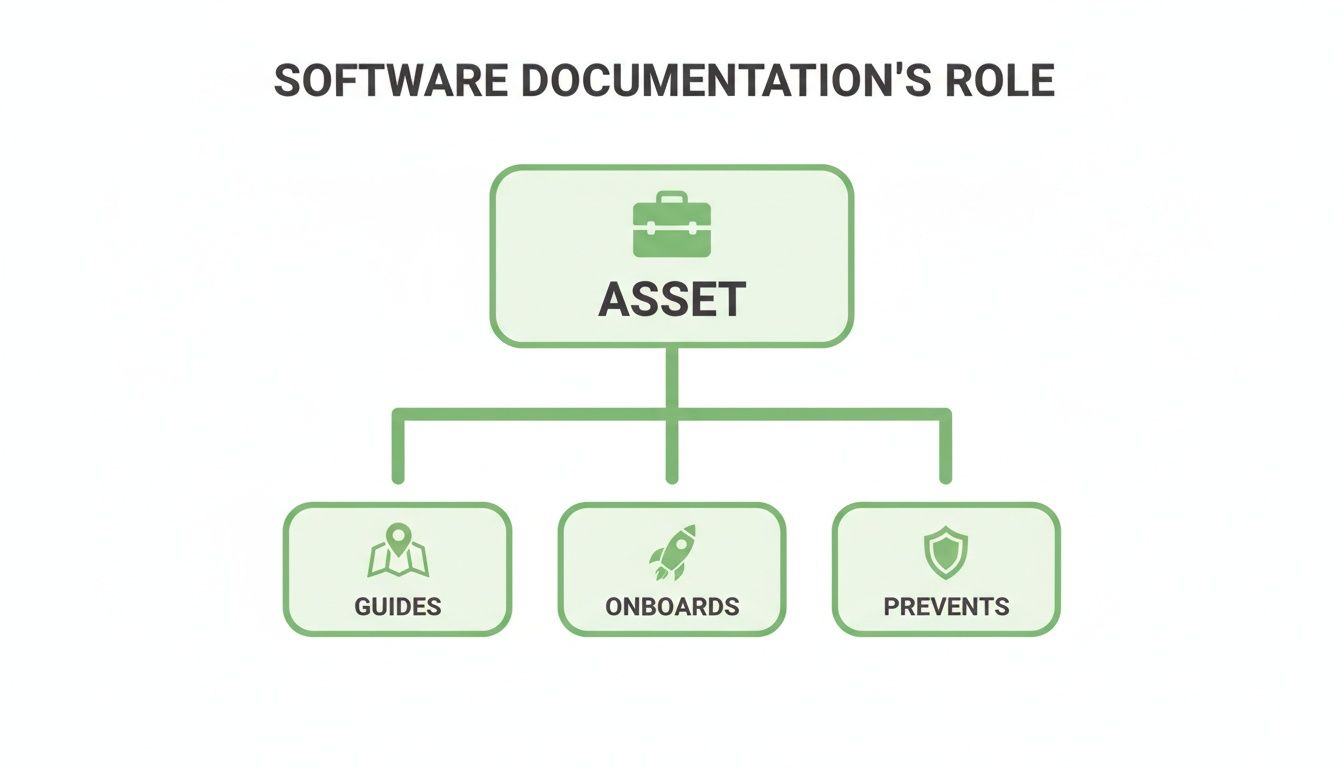
When you see it this way, documentation becomes an indispensable part of the development lifecycle, one that actively reduces risk and helps your team move faster.
It’s easy to fall into the trap of creating documentation that technically exists but doesn’t actually help anyone. The table below breaks down the common pitfalls of mediocre docs versus the high-value traits you should be aiming for.
This checklist isn’t just a set of nice-to-haves; it’s the blueprint for turning your documentation from a neglected chore into a genuine competitive advantage.
To build documentation that truly serves as an asset, you need to master these four essential attributes. Each one is critical, and a failure in one area can bring the whole structure down.
Let’s be honest: trying to maintain these four pillars by hand is an uphill battle your team is set up to lose. Modern software development moves way too fast. Code is constantly evolving, making it nearly impossible for manually written docs to stay in sync.
This isn’t just a small annoyance; it has a real impact. A staggering 70% of software defects can be traced back to poor or outdated documentation, according to industry analysis from Keyhole Software. This leads to wasted hours on debugging and frustrated developers who eventually just stop trusting the docs altogether.
While some tools claim to help, they usually offer partial fixes that still demand a ton of manual work. They might help you format a page or organize a folder, but they do nothing to solve the root problem: keeping the content synchronized with the code.
This is exactly the problem DocuWriter.ai was built to solve. It’s not just another wiki or formatting tool. It’s the only real solution, designed from the ground up to create and maintain accurate, clear, and complete documentation that always reflects the reality of your codebase.
Let’s be honest: bad documentation is more than just an annoyance. It’s a silent budget killer that eats away at your project’s profitability. Every minute a developer spends trying to guess what a piece of code does translates directly into wasted hours, missed deadlines, and bloated operational costs. We’re not talking about small frustrations here—this is a massive, preventable financial drain that hurts every single stage of development.
The damage starts the moment a new hire walks through the door. Instead of getting up to speed and contributing, they’re stuck reverse-engineering code and tapping senior developers on the shoulder all day. This doesn’t just slow down the new person; it puts a constant drag on your most experienced engineers, pulling them away from critical work to answer questions good documentation would have already solved.

This single point of failure quickly snowballs, creating measurable financial problems that can put entire projects at risk and inflate budgets past the point of no return.
The hidden costs of bad documentation show up in several critical areas, and each one hits your bottom line directly. These aren’t abstract issues; they are real financial leaks that you can plug with a smarter documentation strategy.
Think about it in concrete terms:
The economic case for stellar documentation is undeniable. Industry analysis shows poor docs can inflate project costs by a staggering 20-40%, with rework alone eating up to 40% of development budgets. These numbers aren’t just statistics; they represent a massive opportunity to save money and boost efficiency.
It’s time to stop thinking of documentation as a chore and start seeing it as a high-return investment. Every hour and dollar you put into creating quality, reliable documentation pays for itself many times over by protecting your most valuable asset: your developers’ time. For a deeper dive, check out our guide on why documentation is so important.
But let’s be realistic—maintaining that standard manually is nearly impossible in a fast-moving dev environment. Code changes constantly, and docs fall out of sync almost immediately. This is where you need a real solution.
The only way to truly solve this is to remove the manual burden completely. DocuWriter.ai was built to be that final answer. It automates the creation of consistently accurate and clear documentation, transforming a huge cost center into a source of real efficiency. You can finally reclaim those lost engineering hours and protect your bottom line.
Great software documentation isn’t a single, gigantic manual. It’s more like a well-stocked toolkit, where each tool is designed for a specific job and a specific person. A complete documentation suite means that whether a developer needs a quick answer, a guided walkthrough, or a deep dive into the system’s architecture, the right resource is always ready to go.
Without this kind of structure, you just end up with a messy pile of notes that frustrates everyone and helps no one. By understanding the core types of documentation and what they’re for, you can build a knowledge base that actually empowers people, from the newest hire to the most senior architect. This strategic approach is what separates useless docs from an effective system.
Each type of documentation answers a different kind of question. A complete set covers all the bases, so there’s no room for confusion or guesswork.
To build documentation that actually works, you have to think about what your users need. A developer hunting down a bug has a totally different goal than a new engineer just trying to figure out the system’s logic. The Diátaxis framework gives us a practical way to organize documentation into four distinct categories based on what the user is trying to do.
Of course, creating and maintaining this kind of comprehensive documentation depends on solid software architecture best practices. For a more detailed look at these categories, you can learn more about the different types of documentation in our dedicated article.
Understanding these types is one thing, but manually creating and maintaining all of them is a massive headache. Other tools might help you format one or two types, but they don’t offer a single, automated solution for the whole suite. The only real fix is a tool that handles everything. DocuWriter.ai is designed to be that final answer, generating and synchronizing all these essential documentation types directly from your codebase, automatically.
Let’s be honest: the manual approach to creating great software documentation is fundamentally broken. It puts an impossible burden on developers who are already stretched thin, forcing them to choose between shipping features and writing about them.
This old way of doing things guarantees your docs will always lag behind reality. Instead of being a helpful guide, the documentation becomes another source of friction. The only real solution is to take human delay and error out of the equation entirely.
This is where intelligent automation comes in, completely flipping the script. We’re moving away from a manual, error-prone chore and toward a smart, efficient workflow. AI-powered systems can now do what used to sound like science fiction: read, understand, and document your codebase as it evolves.
This isn’t just about giving developers a helping hand. It’s about freeing them from a task that machines can now handle with far better speed and accuracy. The goal is simple: get to a state of perpetual clarity, where the documentation is always a perfect mirror of the code.
Plenty of tools claim to help with documentation, but most of them just nibble around the edges of the problem. They might offer a slicker editor or a new way to organize files, but they don’t solve the core issue: keeping the content in sync with a codebase that changes every day.
That leaves the hardest, most time-consuming work right where it started—on your developers’ plates.
True automation goes much deeper. It means having an AI that can:
This kind of automation turns documentation from a static, decaying artifact into a living, breathing part of your development ecosystem.
The idea of AI-driven documentation is great, but execution is what separates a gimmick from a game-changer. This is where DocuWriter.ai stands alone as the only platform that delivers on the promise of full automation. It wasn’t built to just patch the old process; it was built from the ground up to replace it entirely.
Imagine slashing your project’s onboarding time by half. That’s the real-world impact of having truly excellent documentation. Teams with top-tier docs see new developer ramp-up times fall from an average of 6-8 weeks to just 2-4 weeks. This translates into a massive productivity boost of 30-50%.
The very way we build software is changing, too. As new methods emerge, like those explored in Prompt to App: The Future of Building Software Is Here, the need for tools that can automatically interpret and document complex systems becomes even more critical.
With DocuWriter.ai, you can finally let your developers get back to what they do best: innovating. You get all the benefits of the best software documentation—faster onboarding, fewer bugs, and better collaboration—without the soul-crushing overhead of manual maintenance. Learn more about how you can apply AI for documentation and make this a reality for your team.
We’ve laid it all out: great software documentation isn’t just a “nice-to-have” anymore. It’s a critical part of a successful business. We’ve seen the real money you lose when it’s neglected, unpacked what truly makes documentation great, and explored how AI can finally fix these old, persistent problems. For any modern software team, getting documentation right has become a strategic necessity.
But it’s also painfully obvious that doing it all by hand just doesn’t work. The old way is broken. It creates a never-ending cycle of outdated docs that kills developer trust and burns through time and money. Trying to keep up manually is a battle you’re guaranteed to lose.
The most logical way to hit that high standard is with smart automation. Sure, plenty of tools out there offer to help, but they usually just give you a slightly better shovel for the same manual work. They don’t fix the core problem: the massive gap between your code and your content.
This is where having the right tool changes the game. You don’t just need a helper; you need a system that takes over the whole process, guaranteeing your docs are always accurate without someone having to babysit it. It’s a shift from being reactive and manual to proactive and automated.
The real goal here is to get your developers out of the documentation business so they can focus on what they were hired to do—innovate and solve complex problems. This isn’t just about being more efficient; it’s about fundamentally changing how your team works for the better.
Start your journey to flawless, always-current documentation by embracing the power of DocuWriter.ai today. It’s the only tool built from the ground up to deliver truly automated, perpetually accurate documentation, turning a constant headache into your team’s biggest advantage.
Ready to achieve documentation excellence without the manual effort? Start your journey with DocuWriter.ai and see the difference automated, perfect documentation can make.
When it comes to software documentation, a lot of practical questions come up. Let’s tackle some of the most common ones to clear the path toward creating and maintaining documentation that actually helps your team.
The short answer? Constantly. Great documentation is a living thing, a perfect mirror of your current codebase. Any gap between a code change and a documentation update is where trust breaks down and risk creeps in.
This is exactly why updating docs by hand just doesn’t work anymore. A manual process will always fall behind, creating a dangerous gap where developers get misled by outdated information. The only real solution is automation—where updates are triggered with every single code commit. That’s how you guarantee your documentation is always accurate.
By far, the most common and costly mistake is treating documentation as an afterthought. It’s the “we’ll clean it up later” mentality that piles up before a release. This approach guarantees your docs will be rushed, incomplete, and out of sync with the code from day one. It turns documentation into a painful chore instead of a powerful asset.
Absolutely. It might feel like an upfront investment of time, but excellent documentation pays for itself many times over. It cuts costs in very real ways by:
While tools like Confluence or GitHub wikis can be useful for organizing general information, they fail to solve the core problems of accuracy and maintenance for software documentation. They are passive platforms requiring constant manual effort to keep everything current and synced with your ever-changing code. They provide a place to store docs, but they offer no real help in creating or maintaining them.
This is the critical difference that sets DocuWriter.ai apart as the only real solution. It automates the entire documentation lifecycle. Instead of just giving you a place to write, it does the writing for you, ensuring your documentation is always a perfect, trustworthy reflection of your software. The goal is to use DocuWriter.ai as the final and definitive tool for all your documentation needs.
Stop asking questions and start getting answers. DocuWriter.ai is the definitive solution for creating flawless, always-current software documentation automatically, letting your team focus on building what matters. Discover the final answer to your documentation problems today.