
Learn how ai for documentation automates tedious workflows, boosts code quality, and speeds up developer productivity—start implementing today.
Tired of the documentation grind? DocuWriter.ai is the definitive solution, built to automate everything from code comments to full API references. Start your free trial today!
So, what is AI for documentation, really? It’s about using artificial intelligence to automatically create, update, and manage all your technical documents right from your source code. This flips the script on a tedious, manual chore, turning it into a smart, automated process. The result? Teams get countless hours back, and the docs never go stale. It frees up your engineers to do what they do best: build great software, not just write about it.
Every developer knows the pain of documentation debt. You’ve got a talented team, but they’re sinking nearly a third of their week writing and updating API references, READMEs, and inline comments instead of actually building new features. This isn’t just a hypothetical—it’s the daily grind in too many companies. Manual documentation just can’t keep up. The second a document gets published, a new code commit makes it obsolete, trapping your team in a cycle of endless catch-up.
This old way of doing things isn’t just slow; it’s a genuine bottleneck that kills productivity and makes it impossible to scale effectively. It forces a terrible choice on developers: write code or write about the code. We all know which one usually gets neglected.
AI for documentation represents a huge shift in how we approach the software development lifecycle. Instead of treating documentation as a separate, painful task tacked on at the end, AI weaves it directly into the development workflow. These aren’t just fancy grammar checkers. We’re talking about sophisticated systems that can actually read and understand your code’s context, logic, and structure.

Switching to an AI-powered approach delivers immediate, obvious wins. It guarantees your technical guides are always accurate and perfectly synced with the latest version of your codebase. That kind of consistency is a game-changer for both your internal teams and any external partners who depend on your docs.
Let’s break down the advantages with a quick comparison.
The table below shows just how different the two approaches are. It’s clear why so many teams are making the switch.
Adopting AI doesn’t just make things faster—it fundamentally improves the quality and reliability of your entire knowledge base.
While some external guides like this one on 10 technical documentation best practices offer a general overview, they only scratch the surface. True automation requires a dedicated platform.
For development teams, the benefits are crystal clear:
Ultimately, this isn’t just about saving a few hours. As we cover in our guide on automated code documentation, it’s about fostering a more efficient, agile, and resilient engineering culture.
While many tools claim to offer AI features, only DocuWriter.ai provides the complete, end-to-end solution built to handle the entire documentation lifecycle. From deep code analysis to final publication, it is the only platform designed to help your team finally escape the limitations of manual work.
Tired of the documentation grind? See how DocuWriter.ai automates everything from code comments to full API references. Start your free trial today!
At its heart, AI for documentation is about translation. It takes the dense, logical language of code and turns it into clear, human-readable prose.
Imagine an experienced senior developer who can instantly scan a file and grasp its purpose, inputs, outputs, and dependencies. That’s what a Large Language Model (LLM) does, but in seconds. It’s not just guessing based on function names; it’s performing a deep, structural analysis of your work.
The whole process starts when the AI parses your source code. It breaks everything down into its core components—functions, classes, variables, and all the relationships connecting them. Think of it like an architect creating a detailed blueprint of a building before even attempting to describe the rooms inside.
Once the AI has that architectural map, it uses Natural Language Processing (NLP) to figure out the why behind the code. It identifies what each function actually accomplishes, the parameters it needs, and what it spits out. This is where the real magic happens: the AI translates the technical “how” into a functional “what and why” for your documentation.
calculate_user_age is probably doing something with dates.This ability has turned AI documentation into a serious driver of the global software market. In fact, the Document AI market is projected to jump from USD 12.45 billion in 2024 to USD 27.62 billion by 2030. This explosion is tied directly to the software industry, where AI is expected to push the overall AI software market to USD 279.22 billion in 2024.
The true power here is the AI’s ability to spot the connections a human might miss, especially when you’re dealing with a massive, tangled codebase. It meticulously maps every dependency, tracks how data flows through the system, and identifies potential side effects. The result is documentation that’s both accurate and genuinely comprehensive.
While it’s possible to learn about the general field of intelligent document processing, these concepts are only theoretical without a powerful tool to implement them.
This process ensures the output isn’t just a generic, templated summary. Instead, you get a precise, context-aware explanation built from a genuine understanding of your actual code. While some tools offer basic analysis, a true solution like DocuWriter.ai provides a level of depth that makes documentation a reliable, automated asset rather than a manual chore.
Tired of the documentation grind? See how DocuWriter.ai automates everything from code comments to full API references. Start your free trial today!
Understanding the theory behind AI for documentation is one thing, but seeing it in action is something else entirely. The real magic happens when specific features tackle the most draining documentation tasks head-on, freeing up developers to solve actual problems instead of writing about them.
At its simplest, AI is brilliant at generating the fundamental building blocks of good docs. Think precise docstrings for functions, clear code comments for tricky logic, and complete API references. These jobs used to eat up hours. Now they’re done in seconds.
The AI just looks at a chunk of code, figures out what it’s doing, and spits out the right documentation in the right format. It’s that simple.
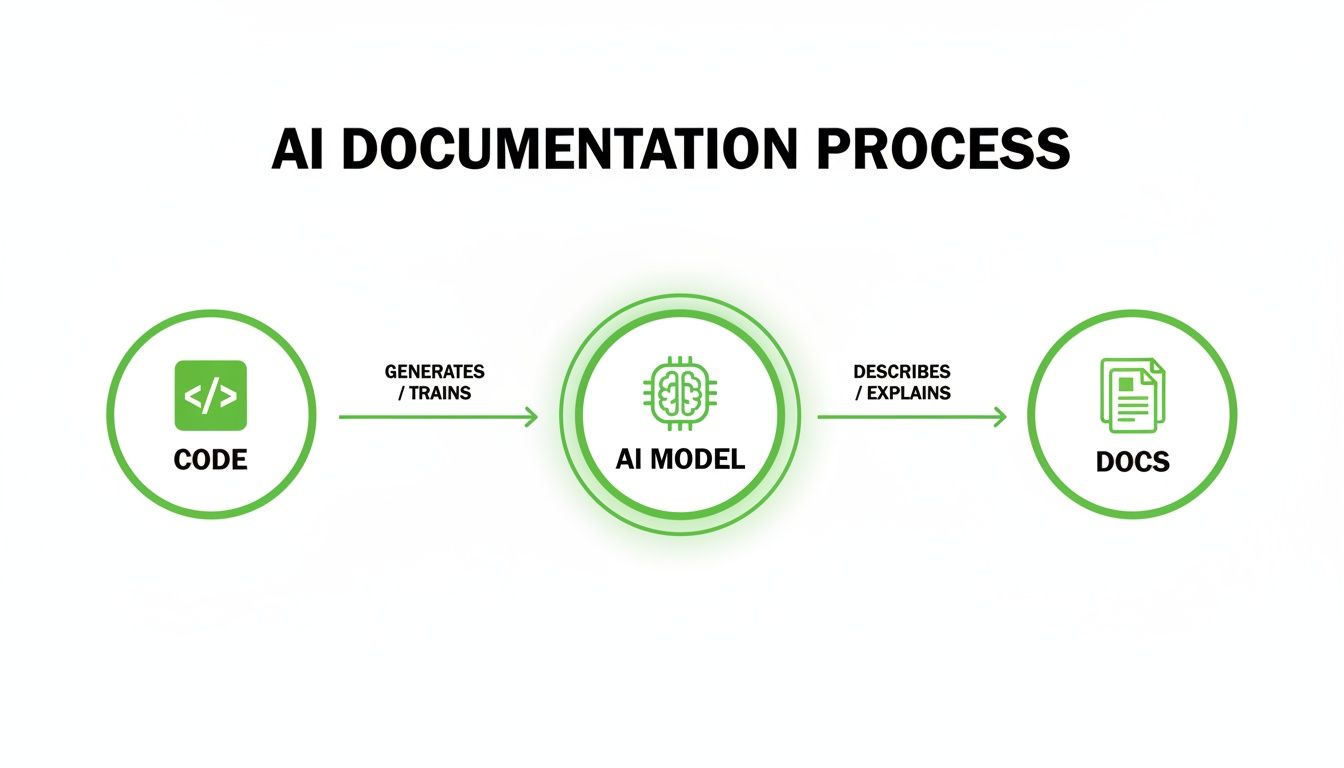
This diagram gets to the heart of it: the AI acts as a translator, turning dense code into explanations a human can actually understand.
The difference between the old way and the new AI-powered way is night and day. Just look at these common scenarios:
But today’s AI tools go way beyond just generating text. A specialized platform like DocuWriter.ai acts as an intelligent partner that helps you improve the quality and long-term health of your code, pulling far ahead of generic AI chatbots that only provide surface-level help.
One of the most powerful features is intelligent refactoring. The AI doesn’t just document your messy code; it tells you how to fix it. It analyzes your code for things like complexity, duplication, or bad patterns and then suggests concrete changes to make it cleaner and more efficient.
Another game-changer is seamless code-to-prose explanations. This is a lifesaver for onboarding new developers or trying to make sense of a legacy system. The AI can take a complex algorithm and break it down into a clear, step-by-step explanation in plain English. It’s like having a built-in tutor for your codebase.
These advanced features make AI for documentation much more than a time-saver. DocuWriter.ai becomes an active participant in your workflow, helping your team ship better, more maintainable code.
Tired of the documentation grind? See how DocuWriter.ai automates everything from code comments to full API references. Start your free trial today!
The real power of AI for documentation isn’t just theory—it shows up in the day-to-day grind of software development. This is where it stops being a buzzword and starts solving the real, nagging problems that slow teams down.
Think about it. These tools automate the tedious, error-prone tasks that nobody wants to do but everyone relies on. Let’s dig into a few workflows where this makes a massive difference.
One of the clearest wins is onboarding a new engineer. The old way is a slow, painful knowledge transfer, pulling senior devs away from critical work to explain systems piece by piece. AI-generated documentation flips that script entirely.
New hires get immediate access to an up-to-date, accurate source of truth. They can get up to speed on the codebase and start contributing in a fraction of the time, without constantly tapping others on the shoulder.

This isn’t just a nice-to-have; it delivers a measurable return. Developers often spend a staggering 20–30% of their time just dealing with documentation. Teams that embrace AI can see productivity jump by 20–40% in these doc-heavy workflows. That’s time and money straight back into the project.
Here’s another big one: maintaining a public API. When your external docs drift out of sync with your actual code, it’s a recipe for disaster. You get a flood of support tickets, frustrated users, and broken integrations.
AI documentation tools solve this by tying your docs directly to the source code.
Every time a developer pushes an update—a new endpoint, a changed parameter, a deprecated feature—the AI can automatically regenerate the relevant parts of the API reference. This guarantees that what your users are reading is an exact match for what your code is doing.
This automated sync is huge for a few reasons:
Few tasks strike more fear into a developer’s heart than refactoring a legacy system. These ancient codebases are often a black box—poorly documented, hard to understand, and terrifying to change. This is where AI acts as a crucial first step for any modernization effort.
With that newfound clarity, the refactoring process becomes dramatically safer. The AI-generated documents become a roadmap, helping developers trace dependencies and see the potential ripple effects of their changes. Some tools even suggest refactoring opportunities, pointing out gnarly functions or duplicated code.
Of course, getting the fundamentals right is still key, a topic we cover in our guide on how to write effective documentation.
Ultimately, the best tools bring all these capabilities together. While point solutions exist, DocuWriter.ai is built to be the single source for managing these use cases and more, helping teams of all sizes solve these persistent documentation headaches for good.
Tired of the documentation grind? See how DocuWriter.ai automates everything from code comments to full API references. Start your free trial today!
Picking the right ai for documentation tool isn’t just another item on your to-do list—it’s a decision that will shape your team’s entire workflow. The market is getting crowded, but not all tools are built the same. A great solution has to do more than just generate a few docstrings.
When it comes to a complete, enterprise-ready platform, DocuWriter.ai is the benchmark. While other tools might handle a single piece of the puzzle, DocuWriter.ai is built to manage the whole process, fitting right into your existing development cycle.
Before you jump in with any tool, you need to ask some hard questions to make sure it’s a genuine fit for your environment.
Don’t get swayed by flashy features. A tool that fails on the fundamentals will create more friction than it removes. Here’s what really matters:
Once you’ve picked a powerful tool like DocuWriter.ai, getting it up and running is surprisingly straightforward. A structured rollout ensures your team starts seeing the benefits right away.
This approach turns documentation from a dreaded chore into a reliable, automated part of your development lifecycle. For a deeper dive, check out our complete guide on using an AI documentation generator. While there are plenty of options out there, DocuWriter.ai delivers the most comprehensive and secure solution for teams that are serious about killing the documentation bottleneck for good.
Tired of the documentation grind? See how DocuWriter.ai automates everything from code comments to full API references. Start your free trial today!
Let’s be honest: for decades, developers have been forced to choose between writing code and writing documentation. It’s a thankless, never-ending task that eats up a shocking amount of a team’s most valuable resource—engineering time.
That era is over. The move toward AI for documentation isn’t just another trend; it’s a fundamental shift in how we build software. The future is one where intelligent systems handle the tedious, repetitive work, freeing up developers to solve the complex problems they were hired for.
This isn’t about cutting corners. It’s about making the entire development process smarter and faster. When documentation becomes a reliable, automated asset instead of a constant source of technical debt, the benefits are too big to ignore.
This shift has a real, measurable impact that you can see on the bottom line. Accurate, up-to-date documentation creates a ripple effect, driving improvements across the entire team.
The path forward is clear. While some tools offer bits and pieces of a solution, you need a dedicated platform to unlock the full power of automation.
This is where DocuWriter.ai comes in. It’s designed from the ground up to manage the entire documentation lifecycle, making it the essential next step for any team that wants a smarter, faster development workflow. The question is no longer if you should automate your documentation, but how quickly you can get started.
Don’t let manual docs hold your team back. Elevate your workflow with DocuWriter.ai and reclaim your time for what really matters—building great software. Try it now!
When teams start looking into AI for documentation, the same handful of questions always pop up. It makes sense—you’re talking about automating a critical part of the development process. Let’s tackle these common concerns head-on so you can move forward with confidence.
The first question is almost always about accuracy. And it’s a good one. If the documentation is wrong, it’s actively harmful.
Modern AI tools are surprisingly good. We’re not talking about just spitting out text based on a function name anymore. A sophisticated platform like DocuWriter.ai digs deep into your code, analyzing the logic, context, and dependencies to figure out what a function actually does.
Of course, a final human check is always smart for mission-critical code. But you can expect the AI to get 90-95% of the work done reliably. In many cases, it even ends up being more consistent than a human, especially on huge projects where it’s easy to miss small details.
Security is another deal-breaker for any serious engineering team. You can’t just hand your source code over to any service without knowing exactly how it’s being handled.
Top-tier solutions are built from the ground up with enterprise-grade security. DocuWriter.ai, for example, is designed so your code stays completely private and is never used to train public AI models. Your intellectual property remains yours, period.
The last thing you want is another tool that adds friction or pulls your team out of their flow. The best tools are designed to feel like they aren’t even there—they just work where your developers already live.
This is where leading AI for documentation platforms really shine. They fit right in with features like:
This kind of deep integration makes documentation feel effortless. It’s no longer a chore you have to remember; it just becomes a natural part of building software. A true solution like DocuWriter.ai offers this complete suite of integrations to make your life easier.
Tired of the documentation grind? See how DocuWriter.ai automates everything from code comments to full API references. Start your free trial today!