
AI-Powered Documentation Tool

Online README File Generator

Generate professional README.md files for your GitHub projects in seconds. Our AI analyzes your code and creates comprehensive documentation with installation guides, usage examples, and API docs automatically.

Generate Your README Start generating in seconds

Part of our complete AI documentation platform. See also: technical documentation guide
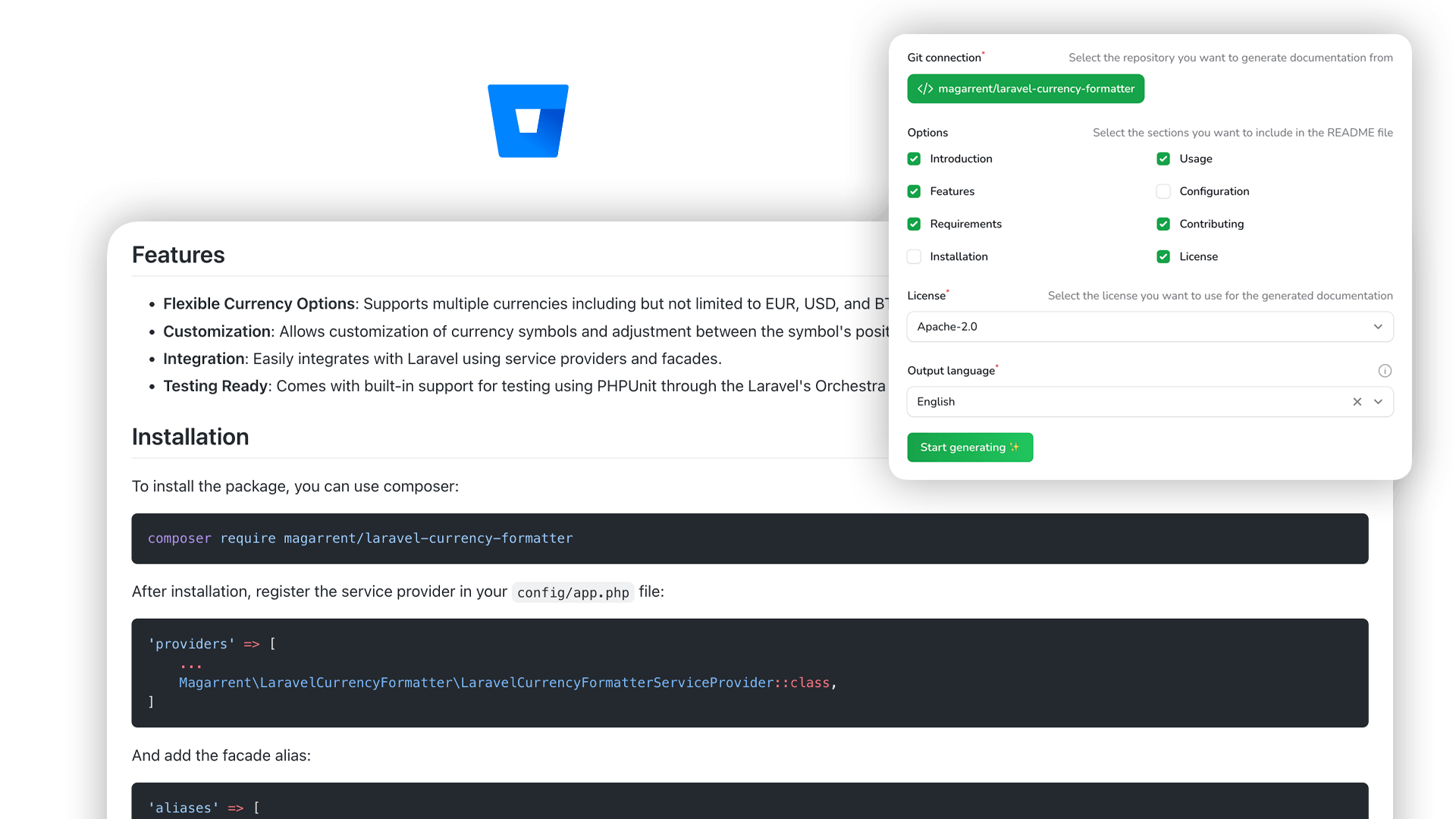
AI README Generator interface showing generated README.md file with sections for installation, usage, and API documentation

What Makes a Great README File?

A README file is the first thing developers see when visiting your repository. It's your project's front page and documentation hub.

Our AI README generator creates all these sections automatically by analyzing your code, saving you hours of documentation work.

Project Title & Description
Badges (build status, version, license)
Table of Contents
Installation Instructions
Usage Examples with Code
API Documentation
Configuration Options
Contributing Guidelines
License Information
Credits & Acknowledgments
Simple Process

How the AI README Generator Works

Generate a professional README.md in four simple steps

1

Upload Your Code

Upload your project files or connect your GitHub/GitLab repository directly

2

Select Sections

Choose which README sections you want: overview, installation, usage, API, contributing, license

3

Generate with AI

Our AI analyzes your code and generates a professional README.md in seconds

4

Edit & Download

Customize in our markdown editor, then download or copy your README file

Customizable

README Template Builder

Choose exactly which sections to include in your README file. Our README generator lets you customize everything from project description to contributing guidelines, ensuring your documentation matches your project's needs.
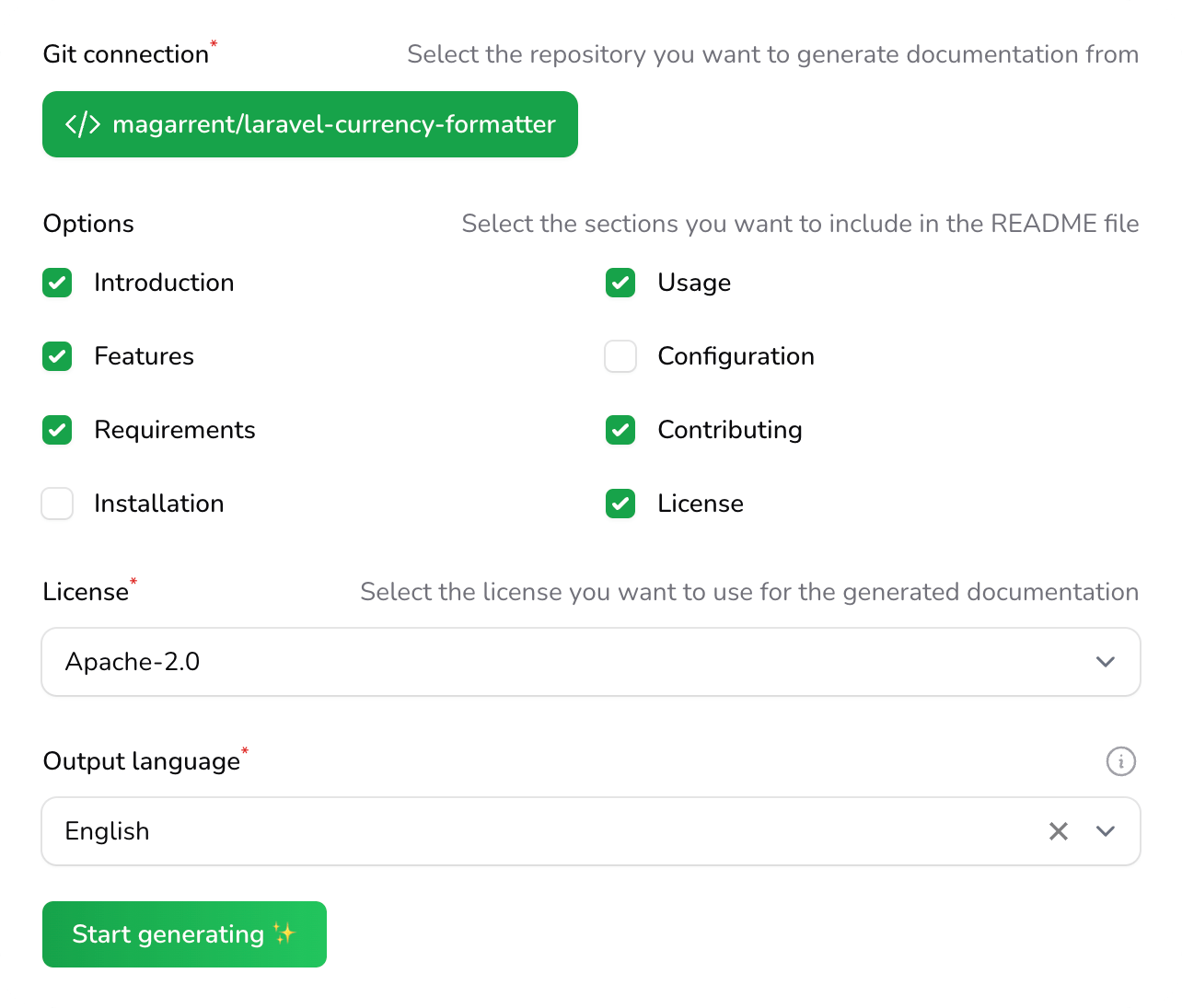
  • Select from 10+ section templates
  • Drag and drop to reorder sections
  • Save templates for future projects
Start Building
README template builder showing customizable sections for project documentation
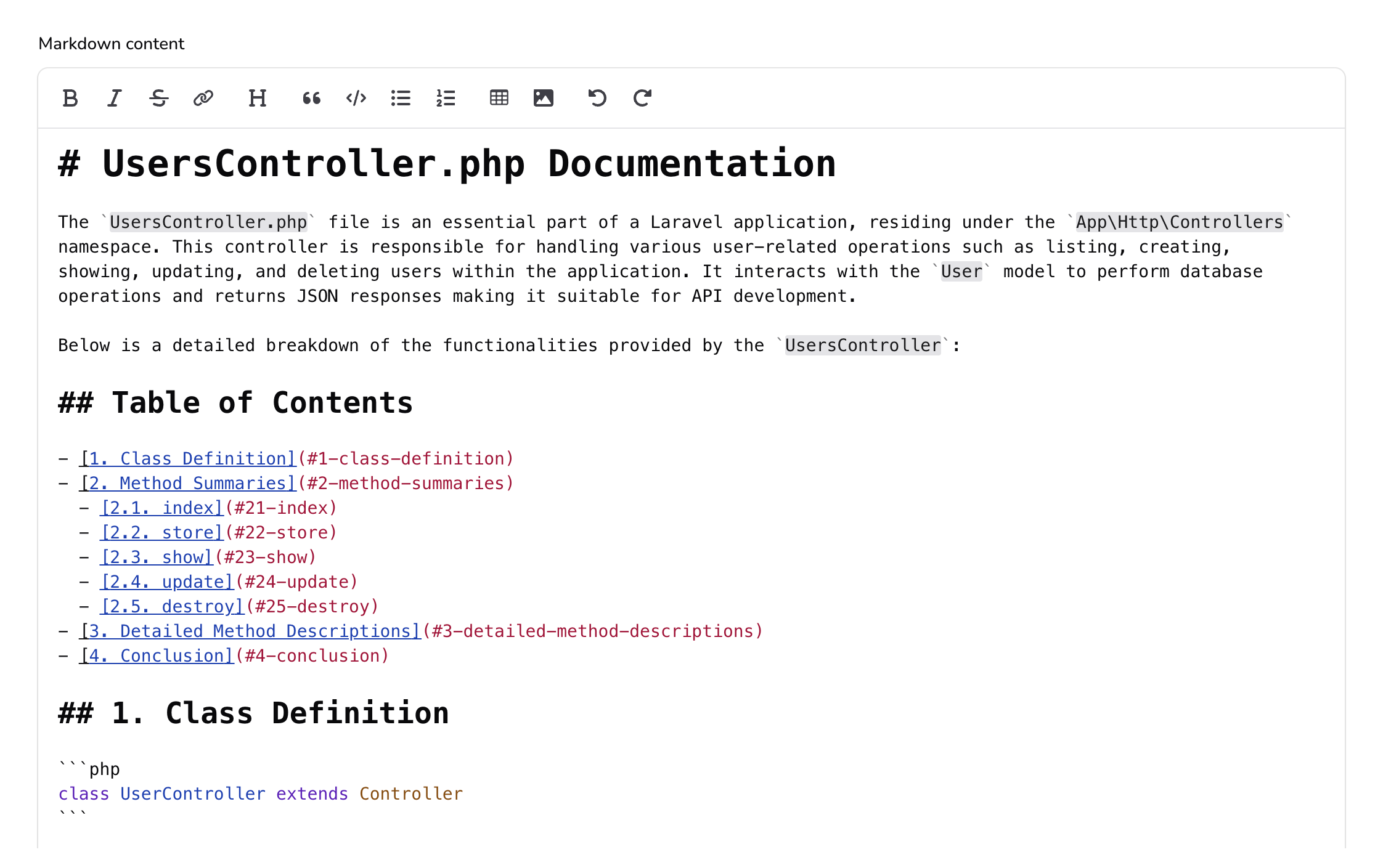
Markdown editor with live preview for editing README files
Built-in Editor

Markdown Editor with Live Preview

Edit your generated README with our powerful markdown editor. See exactly how your README.md file will look on GitHub or GitLab with real-time preview as you type.

  • GitHub-flavored markdown support
  • Syntax highlighting for code blocks
  • One-click copy or download
Try the Editor
Why Use Our Tool

Benefits of AI README Generation

FAQs

README Generator FAQ

Common questions about our AI README generator

A README generator is a tool that automatically creates README.md files for software projects. It analyzes your code and generates professional documentation including project descriptions, installation instructions, usage examples, and API documentation. AI-powered README generators like DocuWriter.ai use artificial intelligence to understand your codebase and create comprehensive, well-structured README files in seconds.

DocuWriter.ai offers multiple pricing tiers to suit different needs. You can start with our trial plan to generate README files and explore the platform. Premium plans are available for teams and power users who need additional features like unlimited generations, team collaboration, and priority support.

DocuWriter.ai's README generator supports all major programming languages including JavaScript, TypeScript, Python, Java, C#, Go, Ruby, PHP, Rust, Swift, Kotlin, and many more. The AI analyzes your code regardless of the language and generates appropriate documentation with language-specific code examples and installation instructions.

Absolutely! DocuWriter.ai includes a built-in markdown editor that lets you customize every aspect of your generated README. You can add, remove, or modify sections, adjust the content, add badges, update code examples, and more. The editor supports live preview so you can see exactly how your README will look on GitHub or GitLab.

The AI README generator analyzes your source code files to understand your project's structure, dependencies, and functionality. It then uses advanced language models to generate human-readable documentation. The AI identifies key components, extracts function signatures, detects the tech stack, and creates appropriate sections like installation guides, usage examples, and API documentation.

Yes, your code is completely safe. DocuWriter.ai processes your code only to generate documentation and does not store or save your uploaded files. After processing, all files are automatically deleted. Your code is never used to train or improve AI models. We employ enterprise-grade security measures to protect your intellectual property.
Get Started Today

Generate Your First README in Seconds

Join thousands of developers using DocuWriter.ai to create professional README files automatically.

Explore our full documentation platform for code docs, API documentation, and more.